

Company Data Protection: 10 Controls Every Team Must Implement

If your organisation is serious about company data protection, policies alone will not get you there. Regulators and customers look for repeatable controls that reduce risk every day, across every team, not just IT.
In Jamaica, the Data Protection Act makes this practical: you must know what personal data you have, control how it is used, and prove your practices. If you want a deeper legal and operational overview, start with PLMC’s guides on data privacy principles and rights in Jamaica and the 2026 compliance roadmap. This article focuses on the operational piece: the 10 controls every team should be able to demonstrate.
What “controls” mean in company data protection
A control is a measurable safeguard that prevents a privacy failure or detects it quickly. Good controls are:
Assigned (an owner is accountable)
Documented (a procedure, standard, or clause exists)
Evidenced (logs, tickets, approvals, training records)
Tested (spot checks, audits, exercises)
Think of this as your minimum control set for compliance and trust.
The 10 controls every team must implement
The table below summarises the controls, then the sections that follow explain what “good” looks like and what to keep as evidence.
Control | What it prevents | Primary owner (typical) | Evidence to keep (examples) |
1. Data inventory and ownership | “Unknown” data and shadow processing | Business unit leads + Privacy lead | Data map, system register, data owners list |
2. Lawful basis and purpose checks | Using data in ways you cannot justify | Legal/Compliance + Process owners | Processing register entries, approvals, DPIA where needed |
3. Privacy notices and collection scripts | Unfair or non-transparent collection | Marketing/Customer ops + Legal | Notices, call scripts, web forms, version history |
4. Access control and joiner-mover-leaver | Unauthorised access, insider misuse | IT + HR + Managers | Access lists, tickets, MFA reports, leaver checklist |
5. Data minimisation and secure defaults | Over-collection and “just in case” retention | Product/Operations + IT | Form reviews, field justification, configuration baselines |
6. Retention and secure disposal | Storing data longer than necessary | Records management + Business owners | Retention schedule, disposal certificates, deletion logs |
7. Vendor and processor management | Third-party breaches and contract gaps | Procurement + Legal + Risk | Due diligence, DP clauses, SOC/ISO attestations |
8. Incident response and breach readiness | Slow containment, poor reporting decisions | Security + Privacy + Comms | Incident plan, tabletop results, breach log |
9. Data subject rights (DSR) handling | Missed deadlines, inconsistent responses | Customer service + Privacy lead | DSR SOP, request log, identity verification record |
10. Training, awareness, and accountability | Human error and “policy shelfware” | HR/Learning + Privacy lead | Training completion, quizzes, attestations, refreshers |
1) Maintain a data inventory with clear ownership
You cannot protect what you cannot find. A data inventory (sometimes called a data map or processing inventory) should identify:
What personal data you hold (including sensitive categories if applicable)
Where it lives (apps, spreadsheets, paper files, cloud drives)
Why you use it (purpose)
Who can access it (roles)
Who is accountable (named data owner)
What good looks like: every system or process that uses personal data has a named owner who can answer basic questions quickly (what data, why, who, where, how long).
Evidence: a living register updated through change management (new vendor, new form, new campaign, new HR process).
2) Require a lawful basis and purpose check before any new use
Many privacy problems start with “We already have the data, let’s use it for something else.” A purpose and lawful basis check is a simple gate that forces teams to confirm:
The purpose is specific and legitimate
The use is consistent with what was communicated to individuals
Data minimisation is respected (only what is needed)
Any higher-risk processing triggers a deeper assessment
Frameworks such as the NIST Privacy Framework can help structure these decisions, especially in complex environments.
What good looks like: new processing cannot go live without recorded approval (even if the approval is lightweight for low-risk activities).
Evidence: a change request template that includes privacy questions, and a log of approvals.
3) Standardise privacy notices and frontline collection scripts
Privacy notices are not just website text. They include what you say on calls, what appears on a paper form, and what staff tell customers at a counter.
Control requirement: every collection point must clearly communicate, in plain language:
What is being collected
Why it is needed
Whether it will be shared (and with whom, at a meaningful level)
How long it is kept (or how retention is determined)
How people can exercise their rights
What good looks like: a single source of truth for privacy notice content with version control, and a review process when products or vendors change.
Evidence: notice versions, screenshots, scripts, and sign-off records.
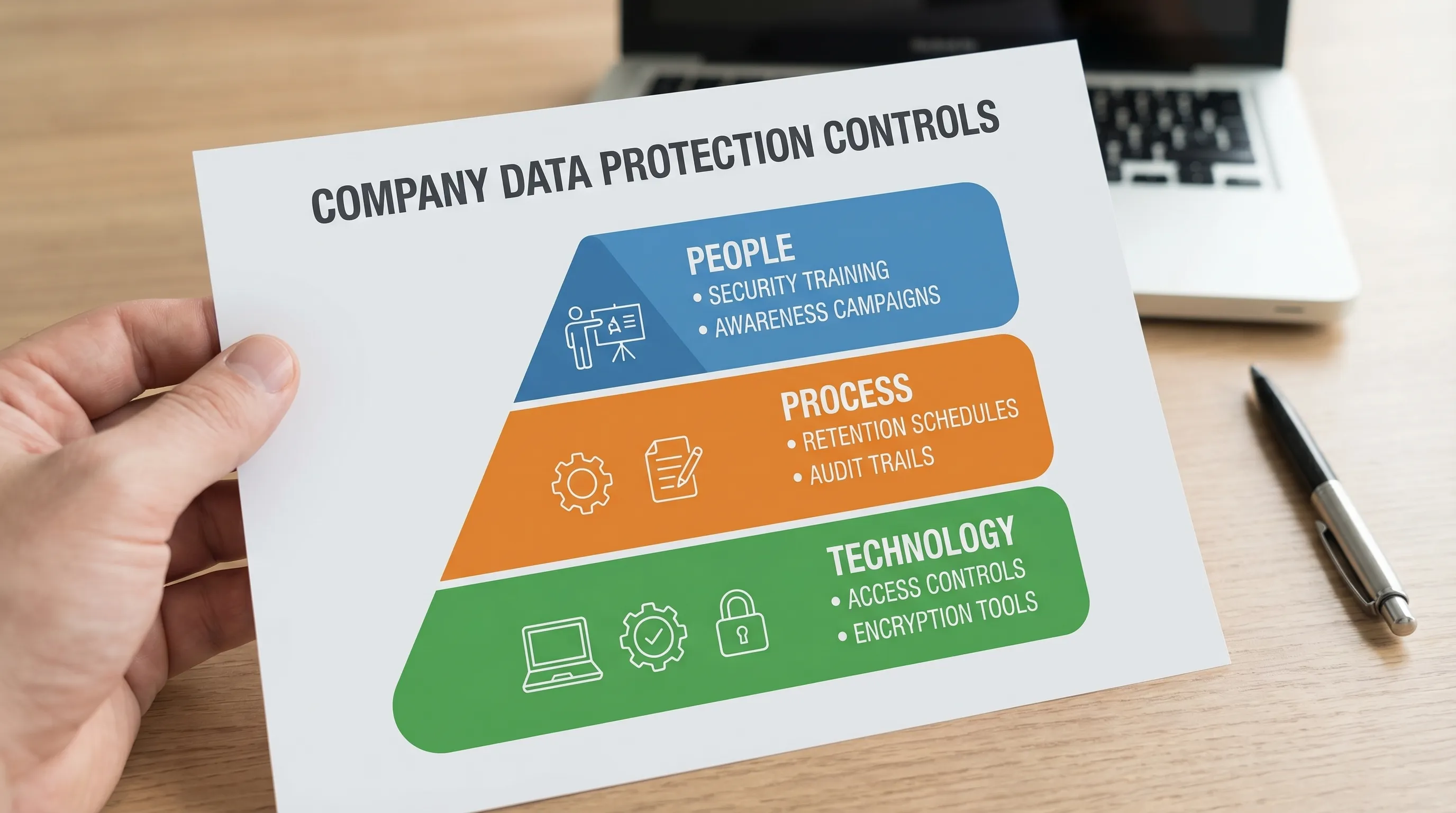
4) Enforce access control with a joiner-mover-leaver process
Access control is a privacy control as much as it is a cybersecurity control. The most common operational failures are:
Leavers keep access to systems
Staff accumulate access as they move roles
Shared accounts hide accountability
What good looks like: role-based access, MFA for key systems, and fast deprovisioning when someone leaves or changes roles.
Evidence: access reviews, deprovisioning tickets, MFA adoption reports, and periodic recertification results.
For security control alignment, many organisations benchmark against ISO/IEC 27001 or similar standards, even if they are not formally certified.
5) Build data minimisation and secure defaults into workflows
Data minimisation becomes real when teams stop collecting optional fields “because the form has space.” This is a control you can embed into operations.
What good looks like: every field in every form has a reason, and default settings reduce exposure (for example, restrictive sharing settings, limited audience visibility, and privacy-friendly analytics settings).
Evidence: form field reviews, configuration baselines, product requirement notes showing why each data element is necessary.
6) Implement retention schedules and secure disposal
If you keep personal data forever, you eventually lose control of it. Retention is a company-wide control that must cover both digital and physical records.
What good looks like:
A retention schedule that is practical for departments to follow
Automated deletion where possible
Controlled archiving where deletion is not immediately possible
Secure disposal for paper and devices
Evidence: retention policy, disposal certificates from shredding vendors, deletion logs, and audit samples showing records were actually removed.
7) Treat vendor and processor management as a privacy control
Many organisations outsource critical processing to payroll providers, HR platforms, marketing tools, call centres, payment processors, and cloud services. Your data protection posture is only as strong as the weakest vendor.
What good looks like: procurement cannot onboard a vendor that touches personal data without:
Due diligence (security and privacy questionnaire proportionate to risk)
Clear contract terms on processing, security, confidentiality, sub-processing, and incident notification
Periodic re-assessment for high-risk vendors
Evidence: completed due diligence, signed agreements with data protection clauses, and ongoing vendor review records.
8) Maintain an incident response plan and breach readiness
A breach is not only a cyber event. It can be a misdirected email, lost laptop, exposed spreadsheet, or improper disclosure by staff.
What good looks like: a documented process that joins security, privacy, legal, HR, and communications, with clear internal reporting routes so staff know what to do immediately.
Evidence: incident response plan, a breach/incident log (including near misses), and tabletop exercises with lessons learned.
For structure, the NIST Computer Security Incident Handling Guide (SP 800-61) is widely used as a reference.
9) Operationalise data subject rights handling (DSRs)
Rights requests fail when there is no intake process, no identity verification, and no way to find data across systems. This control should be designed like a service process, not an ad hoc email chain.
What good looks like: a standard operating procedure for requests such as access, correction, objection, deletion (where applicable), and complaints. It should cover:
How requests are received (web form, email, in person)
How identity is verified proportionately
How data is searched across systems
How responses are approved and tracked
Evidence: a request log, timestamps, identity verification records, and response templates.
10) Run role-based training and make accountability visible
Training is often treated as an annual checkbox, but staff behaviours are where most privacy incidents start. The control is not “training exists,” it is “training reduces mistakes and proves accountability.”
What good looks like: onboarding training for all staff, refreshers for everyone, and targeted modules for higher-risk roles (HR, customer service, IT admins, marketing, procurement).
Evidence: completion reports, short assessments, signed acknowledgements, and targeted refreshers after incidents.
If you want a broader checklist view (documents, evidence pack, readiness indicators), compare this control set with PLMC’s Privacy and Data Protection: A Practical Checklist.
How to assign ownership across teams (without slowing the business)
The fastest way to make these controls work is to assign a primary owner per control and require supporting teams to play a defined role.
Team | Controls they typically lead | Controls they must support |
HR | Training, joiner-mover-leaver | DSR support (employee data), retention |
IT/Security | Access control, incident readiness | Vendor reviews, secure defaults |
Legal/Compliance | Lawful basis and purpose checks, notices | Vendor contracts, DSR approvals |
Procurement | Vendor onboarding and monitoring | Purpose checks for new tools |
Operations/Business units | Data inventory ownership, minimisation in workflows | Retention execution, incident reporting |
Marketing/Sales | Notices, consent or preference management where applicable | Purpose checks, vendor reviews |
A simple 30-day rollout plan for these 10 controls
You can implement this control set without a full programme reset.
Week 1: confirm control owners, create a shared evidence folder structure, and agree on the minimum templates (inventory, approvals, DSR log, incident log).
Week 2: complete the first-pass data inventory for the most critical systems (HR, payroll, customer database, finance, email marketing, shared drives).
Week 3: implement the gates (purpose check for new uses, vendor onboarding checkpoint, joiner-mover-leaver checklist).
Week 4: run a tabletop incident exercise and test one DSR end-to-end to prove the process works.
If you are still transitioning into full compliance, PLMC’s Jamaica Data Protection Act guide for businesses can help you connect these operational controls to the legal requirements.
Frequently Asked Questions
Are these controls only for large organisations? No. SMEs can implement the same controls with lighter documentation. The key is ownership and evidence, not the size of the binder.
Do we need new software to implement company data protection controls? Not necessarily. Many organisations start with templates, shared registers, and better processes, then automate later where it reduces manual effort.
Which control should we prioritise first? Start with a data inventory and ownership. It makes every other control faster, especially rights requests, retention, vendor oversight, and incident response.
How do we prove compliance if we have not been audited yet? Keep evidence as you operate: logs, approvals, training records, vendor due diligence, and test results (tabletops, DSR tests). Compliance is easier to prove when evidence is created continuously.
Does the Data Protection Act apply to employee data too? Yes. HR data is personal data, so collection, access, retention, and disclosure must be controlled just like customer data.
Need help implementing these controls in Jamaica?
If you want to operationalise these 10 controls quickly (and build an evidence pack you can stand behind), Privacy & Legal Management Consultants Ltd. can support with data protection implementation, training sessions, risk assessment tools, and GRC integration.
Book a consultation via Privacy & Legal Management Consultants Ltd. to discuss your current gaps and a realistic implementation plan.