
Privacy Management Solution: How to Choose the Right Fit

Buying a privacy management solution can feel like you are shopping for “compliance” in a box. In reality, the best fit is the one that helps your organisation consistently do three things: know what personal data you hold, control how it is used, and prove it when auditors, customers, regulators, or partners ask.
For Jamaican organisations aligning with the Data Protection Act, a privacy management solution should reduce operational risk and decision fatigue, not add another system that no one uses. This guide breaks down what to look for, what to avoid, and how to run a selection process that leads to adoption.
What “privacy management solution” really means (and why definitions matter)
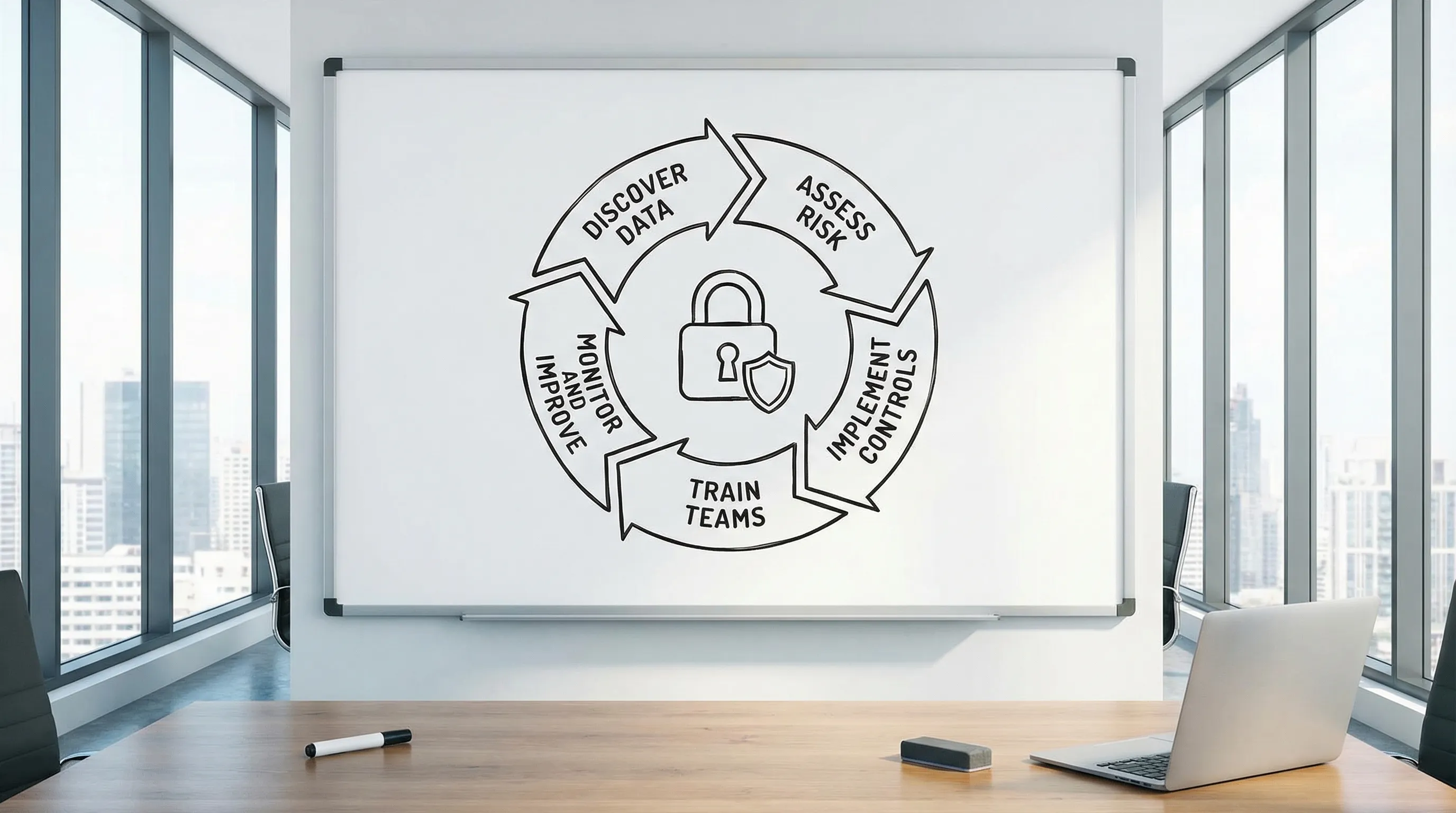
A privacy management solution is any combination of people, process, and technology that helps you run a repeatable privacy programme. Depending on your size and risk profile, that solution might be:
A structured set of templates, workflows, and training, supported by a consultant
A software platform for privacy operations (records, assessments, requests, vendor risk)
A hybrid model: a platform plus implementation support and ongoing advisory
Why this matters: if you treat privacy purely as a software purchase, you may end up with excellent features but weak governance, unclear ownership, and low adoption. If you treat privacy purely as policy work, you may struggle to produce evidence at speed (especially during incidents, audits, or rights requests).
Start with the outcome: what you need the solution to achieve
Before you compare vendors or service providers, define success in plain operational terms. For most organisations, the outcomes fall into five buckets:
1) Visibility
You can confidently answer:
What personal data do we collect, and where does it live (systems, paper, cloud apps, email)?
Who can access it, and why?
Which third parties touch it?
2) Control
You can reliably execute:
Access controls and security measures appropriate to the data
Retention and disposal rules
Approval workflows for new projects, new systems, and new data uses
3) Responsiveness
You can respond to:
Individual rights requests within required timelines
Privacy complaints and internal escalations
Incidents, including triage, investigation, and notification decisions
4) Accountability and evidence
You can produce:
Policies and notices that reflect reality
Documented decisions (lawful basis, assessments, exceptions)
Audit-ready records, logs, and reports
5) Culture
Your staff knows how to:
Spot privacy risks early
Handle personal data appropriately
Escalate issues without fear or confusion
A good privacy management solution supports all five outcomes, but not always in the same way. Your goal is to select the mix that best fits your operating model.
Map your needs to your risk profile (Jamaica context)
Not every organisation needs the same level of tooling. Two questions will quickly shape your requirements:
How sensitive is the data you handle?
If you handle higher-risk categories of data (for example, health-related data, financial data, children’s data, large-scale customer databases, or employee monitoring data), you will typically need stronger controls, tighter workflows, and better evidence.
How complex is your processing environment?
Complexity rises when you have:
Many systems (HR, CRM, call centres, marketing tools, CCTV, mobile apps)
Many branches or locations
Heavy outsourcing or multiple vendors
Frequent change (new products, mergers, digitisation projects)
As complexity increases, manual approaches (spreadsheets and shared folders) become fragile. That is often the point where privacy tooling starts paying for itself.
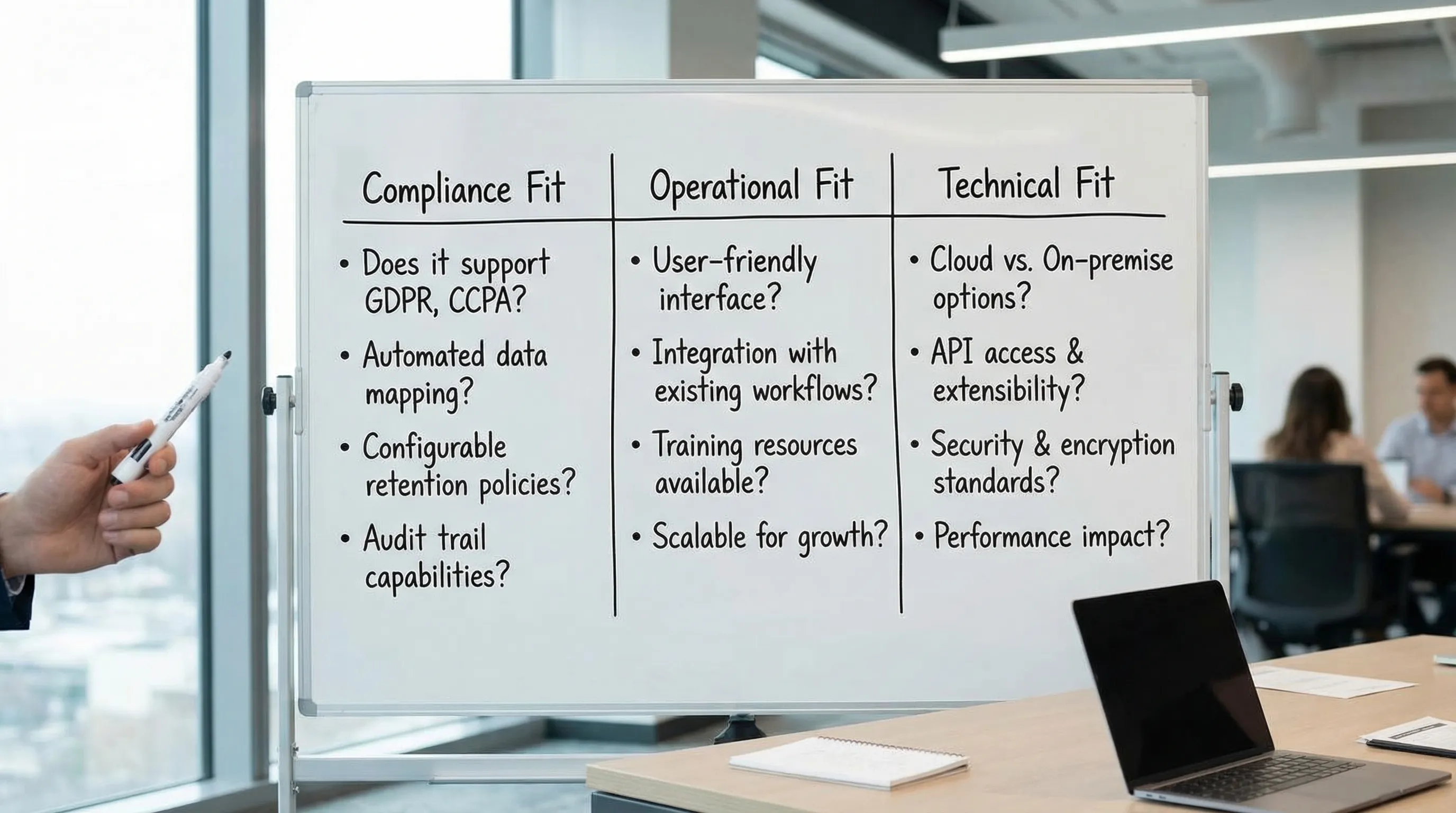
The three “fit” dimensions: compliance fit, operational fit, and technical fit
Most selection processes over-weight features and under-weight adoption. A better approach is to score candidates on three fit dimensions.
Compliance fit
Does the solution help you operationalise your obligations, including the ability to demonstrate accountability? In practice, look for support around:
Data inventory and records of processing activities
Privacy notices and consent management where relevant
Rights request intake, identity checks, tracking, and response evidence
Risk assessments for new initiatives (often run as DPIAs or similar)
Vendor and contract governance (controller-processor responsibilities, security expectations)
Breach and incident workflows (triage, decision-making, evidence)
You do not need a “Jamaica-only” tool, but you do need a solution that supports the core privacy management activities your programme must perform.
Operational fit
Does it match how work gets done in your organisation?
Clear ownership (who approves, who reviews, who executes)
Usable for non-lawyers (HR, IT, Marketing, Operations)
Reasonable admin burden (maintenance, updates, reporting)
Change management support (training, comms, champions)
Operational fit is where many privacy platforms fail. If it takes 12 steps to log a simple request, staff will bypass it.
Technical fit
Can it safely and realistically work in your environment?
Integrations (SSO, ticketing tools, HR systems, email, GRC tools)
Data security controls (access control, encryption, audit logs)
Deployment model (cloud vs on-premises), data residency considerations, and vendor assurances
Reporting and export capabilities (you should be able to extract your records)
A useful benchmark: if your IT team cannot support it, your privacy team will not sustain it.
Must-have capabilities checklist (without buying more than you need)
Instead of looking for “the most features,” identify what is essential for your first 6 to 12 months. The table below helps translate common programme needs into practical software or service capabilities.
Programme need | What “good” looks like in a solution | Evidence you should be able to produce | Who benefits most |
Data visibility | Structured data inventory and processing records, ownership fields, change tracking | Up-to-date record set, data maps, system lists | Privacy lead, IT, Audit |
Rights requests | Central intake, case tracking, templates, deadlines, task assignment, response logging | Case logs, response pack, timeline proof | Customer service, HR, Legal |
Risk assessments | Repeatable assessment workflow, approvals, risk register linkage | Completed assessments, decisions, mitigations | Product, IT, Security |
Vendor oversight | Vendor inventory, risk questionnaires, contract checkpoints, renewal reminders | Vendor register, due diligence evidence | Procurement, Legal, IT |
Incident readiness | Triage workflow, decision logs, evidence capture | Post-incident report, actions, timelines | Security, Legal, Leadership |
Training and awareness | Training assignment, tracking, attestations, targeted refreshers | Completion records, role-based coverage | HR, Compliance |
If a vendor cannot clearly show how their solution supports evidence production, you are not buying privacy management, you are buying interfaces.
Choose your model: software, consultant-led programme, or hybrid
Many organisations in Jamaica end up with a hybrid approach because it balances speed, assurance, and internal capacity. Here is how to think about the three models.
Software-led (platform first)
Best when you already have privacy governance and need scale.
Common strengths:
Centralised records and workflows
Faster reporting and evidence gathering
Common risks:
Low adoption if processes are not defined first
Over-customisation that becomes hard to maintain
Consultant-led (programme first)
Best when you are building from a low maturity baseline or need expert lift to meet near-term deadlines.
Common strengths:
Practical programme design and prioritisation
Faster policy, process, and training rollout
Common risks:
Knowledge may not transfer to internal teams
Evidence and tracking can become manual without supporting tools
Hybrid (platform + implementation support)
Best when you want repeatability and evidence, but need help designing the workflows and governance that make the platform usable.
Common strengths:
Higher adoption because processes are built with your teams
Better accountability because roles and approvals are defined
Common risks:
Requires clear scope to avoid “forever implementation”
Vendor due diligence: questions you should ask (and why)
A privacy management solution will likely store sensitive internal information (data maps, vendor risks, incident notes, sometimes even request identity documents). That makes vendor due diligence non-negotiable.
Security and assurance questions
Ask vendors for clear answers on:
Access control: role-based permissions, MFA, SSO options
Encryption: data in transit and at rest
Audit logging: what actions are logged and how long logs are retained
Vulnerability management: patching cadence, penetration testing approach
Assurance: ISO/IEC 27001 certification or SOC 2 reports (where available)
If you want a credible reference point for security controls, ISO/IEC 27001 is widely used globally (ISO overview).
Data handling and subcontracting questions
You should also ask:
Where is data hosted and processed?
Who are the subprocessors (and how are changes communicated)?
What is the breach notification approach and timeline?
How do you retrieve and delete your data at contract end?
This is also where your contractual clauses matter. Your organisation should be able to align vendor terms with your own obligations and risk appetite.
Product reality questions (to avoid shelfware)
Get practical:
Show us a real workflow for a rights request end-to-end.
Show us how a new vendor is onboarded and reviewed.
Show us reporting: what can we produce in 10 minutes if leadership asks?
What does implementation look like for an organisation our size?
Do not accept only slide decks. Ask for a short, structured demo using scenarios that resemble your organisation.
Avoid common selection mistakes (what we see in the field)
Mistake 1: Buying for edge cases instead of the 80 percent workload
If most of your privacy workload is vendor oversight, training evidence, and handling requests, choose a solution that makes those simple and auditable. You can always add specialised tooling later.
Mistake 2: Ignoring ownership and governance
Even the best tool cannot fix unclear accountability. Decide, in advance:
Who owns the programme?
Who approves exceptions?
Who signs off risk assessments?
Who is responsible for vendor reviews?
Then select a solution that supports those roles without forcing your teams into unnatural workflows.
Mistake 3: Treating implementation as an IT project only
Privacy touches HR, Legal, Security, Marketing, Operations, and customer-facing teams. If only IT is involved, the result is often technically sound but operationally ignored.
Mistake 4: Underestimating ongoing maintenance
Your records, vendors, and systems change. Select a solution you can keep current with realistic staffing. If the tool requires constant manual clean-up, it will decay.
A practical, low-friction selection process you can run in 2 to 6 weeks
You can keep selection structured without turning it into a long procurement cycle.
Week 1: Define requirements and constraints
Clarify:
Scope: which business units and data types are in phase 1
Key workflows: rights requests, assessments, vendor onboarding, incident handling
Constraints: budget range, hosting requirements, integration needs
Week 2: Score short-list options against your fit criteria
Use a simple scoring approach across the three dimensions:
Compliance fit
Operational fit
Technical fit
Weight operational fit higher than you think. If people will not use it, it is not a solution.
Weeks 3 to 4: Scenario demos and reference checks
Run two scenario demos:
A “normal day” scenario (vendor onboarding, policy update, training assignment)
A “stress” scenario (urgent rights request or incident workflow)
Then request references from organisations similar in size or complexity.
Weeks 5 to 6: Pilot and contract finalisation
If feasible, pilot with a narrow scope (one business unit, one workflow). Use pilot results to confirm:
Time to complete tasks
Quality of evidence produced
Adoption by non-privacy staff
How to know you picked the right privacy management solution
You will know you made a good choice when these statements become true within the first quarter:
Staff know where to go when privacy questions arise.
You can produce an up-to-date set of processing records without a last-minute scramble.
Rights requests are tracked consistently and closed with evidence.
Vendors are reviewed using a repeatable method, and renewals do not slip through.
Leadership receives a simple, credible view of privacy risk (not just policy counts).
Where PLMC can help
If you are choosing a privacy management solution for a Jamaican organisation, the fastest route is often a guided selection tied to your actual obligations, systems, and operating model.
Privacy & Legal Management Consultants Ltd. (PLMC) supports organisations with data protection implementation, governance and compliance integration, cyber security services, risk assessments, and training. If you want a second opinion on solution fit, vendor due diligence, or a phased implementation plan aligned to your capacity, you can start with a free consultation via Privacy & Legal Management Consultants Ltd..
For additional context on operationalising data protection locally, you may also find these PLMC resources useful:
A privacy management solution should make compliance sustainable. The right fit is the one your teams will actually use, and the one that helps you prove, not just promise, good privacy practices.