

Personal Information Privacy: Handling Rules for Staff

Most privacy incidents do not start with hackers. They start with everyday work: a file sent to the wrong email address, a customer record discussed within earshot of visitors, a laptop left in a car, a staff member replying to a convincing “urgent” request.
That is why personal information privacy is not only a policy issue, it is a staff handling issue. In Jamaica, the Data Protection Act, 2020 places responsibilities on organisations to process personal data fairly, securely, and for legitimate purposes. Those organisational duties become real through staff behaviour, because staff collect, view, share, store, and dispose of personal information all day.
This guide sets out practical handling rules you can use in onboarding, refresher training, and daily operations.
Why staff handling rules matter (beyond compliance)
Strong handling rules do three things at once:
Reduce harm to people (identity theft, embarrassment, discrimination, financial loss).
Protect the organisation (complaints, investigations, contractual breaches, reputational damage).
Improve operational quality (better records, fewer errors, faster responses to customer requests).
They also support the accountability expectation found in modern privacy laws: it is not enough to “mean well”, your organisation must be able to show that staff follow a consistent, documented way of handling personal data.
What counts as “personal information” in day-to-day work?
Staff often think personal information only means ID numbers. In practice, it is much broader: any information that identifies someone directly or can identify them when combined with other details.
Type of personal information (common at work) | Examples | Typical handling risk |
Contact and account details | Name, address, email, phone, customer number | Misdirected emails, unauthorised sharing |
Government identifiers | TRN, passport number, driver’s licence | Identity fraud if disclosed |
Financial information | Salary, bank account, card details, payment history | Direct financial loss, reputational harm |
Employment information | Performance notes, disciplinary records, leave records | Workplace conflict, unfair treatment |
Health and other sensitive information | Medical notes, disability accommodations, test results | High harm if exposed, strict access control needed |
Digital identifiers | Device IDs, IP addresses, CCTV images, access logs | Tracking, profiling, security exposure |
If staff treat personal information as “normal paperwork,” privacy controls will fail. Handling rules create a shared standard for what “careful” actually looks like.

Staff handling rules: the “golden standards” to embed
The best handling rules are easy to remember, easy to do, and easy to audit. Use the sections below as policy language, training content, and supervisor checklists.
Rule 1: Collect only what you need, and explain why
When collecting personal information (forms, calls, emails, in-person), staff should:
Ask only for the fields required for the service or legal obligation.
Use the approved script or wording that explains purpose (why it is needed).
Avoid “just in case” collection.
A common gap is frontline teams requesting extra identifiers for convenience. That can create unnecessary risk and unnecessary work later when responding to access or deletion requests.
Rule 2: Use personal data only for the approved purpose
Personal information collected for one purpose should not be re-used casually for another.
Practical examples:
A customer’s number collected for delivery updates should not become a marketing list unless your organisation has a valid basis and proper notice.
HR information should not be used for “general curiosity” or informal discussions.
If a staff member thinks a new use would be “helpful,” the right move is to escalate the question, not improvise.
Rule 3: Access is “need-to-know,” not “nice-to-know”
Staff should access personal information only when it is required for their job task.
Good handling behaviours include:
Do not look up records for family, friends, coworkers, public figures, or personal disputes.
Do not browse “out of curiosity.”
Do not share logins. Ever.
Managers should reinforce that access logs exist for a reason. If your systems cannot log access, that is a governance risk to address.
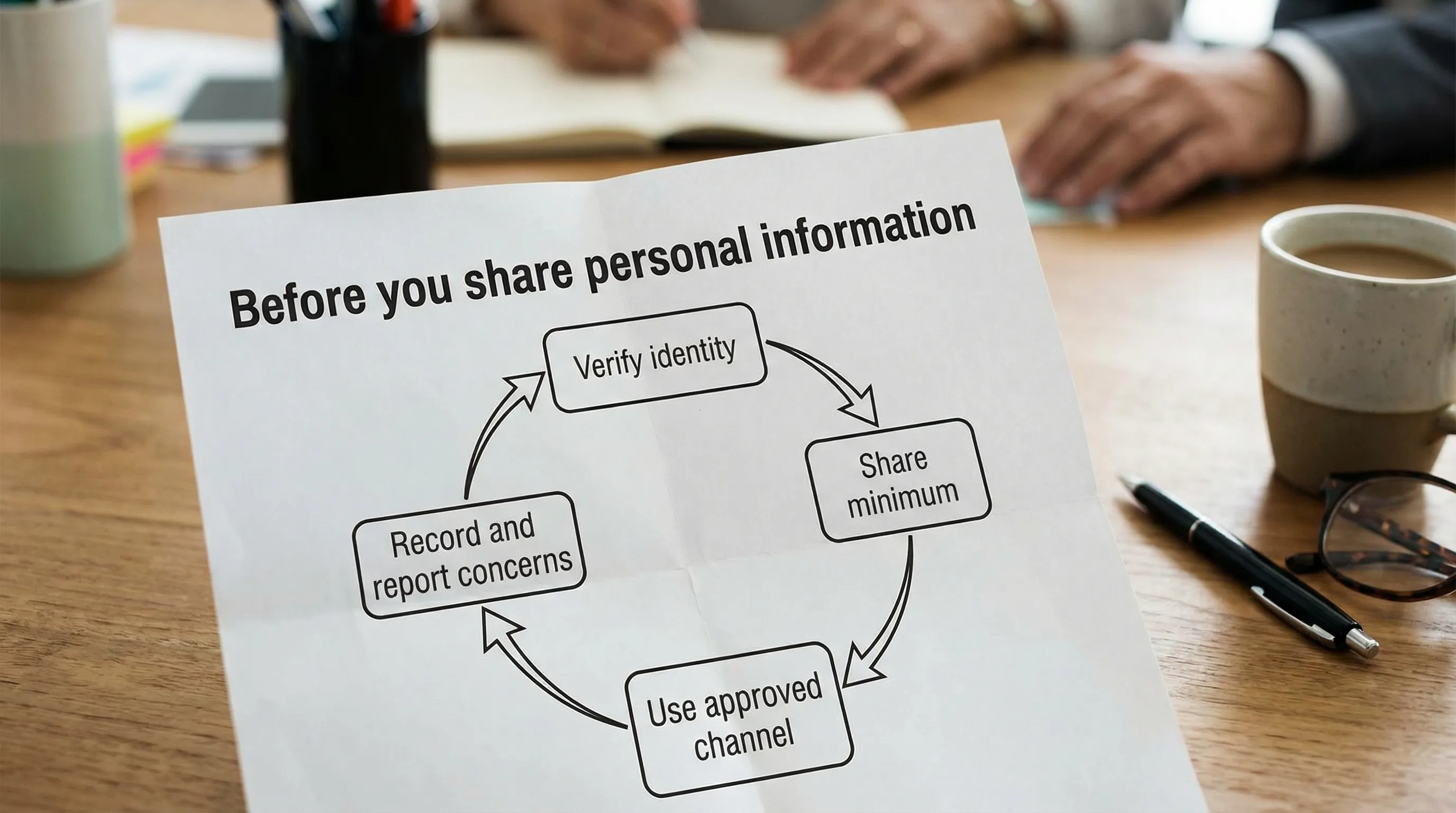
Rule 4: Verify identity before you disclose
A large portion of privacy incidents are “authorised” disclosures to the wrong person.
Before sharing personal information by phone, email, or chat:
Verify identity using your approved verification steps.
Be cautious with anyone creating urgency (“I need this now”, “the CEO asked”).
If you cannot verify, do not disclose. Escalate to a supervisor.
This is especially important for HR, finance, customer support, and reception staff.
Rule 5: Share securely, and share the minimum
When sharing personal information internally or externally:
Share only what the recipient needs.
Use approved channels (official email, secure portals, approved file sharing).
Avoid sending sensitive documents as open attachments when a secure link or protected file is available.
If staff use personal email, informal messaging, or unapproved cloud storage for convenience, privacy risk increases sharply.
Rule 6: Keep it accurate and up to date
Poor data quality becomes a privacy issue when incorrect information causes harm.
Staff handling rules should require:
Confirming critical fields (names, addresses, account numbers) when updating records.
Documenting corrections through the approved process.
Avoiding “shadow records” (private spreadsheets) that drift out of sync.
Rule 7: Store personal information where it belongs
Good storage is about location and control:
Use approved systems of record (HRIS, CRM, case management tools, official shared drives).
Avoid local storage on laptops, USB drives, or personal phones unless formally approved and protected.
Keep paper files in controlled areas, not on desks, in vehicles, or in unlocked cabinets.
A clean desk practice is a privacy control, not just a housekeeping preference.
Rule 8: Protect screens, calls, and conversations
Personal information can leak without any documents leaving the building.
Staff should:
Lock screens when stepping away.
Avoid discussing personal data where visitors, vendors, or the public can overhear.
Be cautious in reception areas, elevators, and while travelling.
Use privacy screens in public-facing areas where practical.
Rule 9: Keep personal data only as long as required
Retention is one of the most misunderstood parts of privacy. Keeping information “forever” increases risk.
Staff rules should be aligned to an organisational retention schedule, including:
When to archive.
When to delete.
When to securely destroy paper.
If staff do not know the retention rule, they will default to keeping everything.
Rule 10: Dispose securely, do not “bin it”
Disposal needs to be secure and consistent:
Use shredding bins or approved destruction services for paper.
For devices and storage media, follow IT-approved wiping and disposal.
Do not throw documents with personal information into regular trash.
Secure disposal is part of personal information privacy because loss often happens at the end of the lifecycle.
Channel-specific handling rules staff actually need
Different channels produce different mistakes. Use this table in training so staff can recognise risk patterns.
Channel | Common staff mistake | Safer handling rule |
Autocomplete selects the wrong recipient | Pause before sending, confirm recipient, avoid including sensitive data in subject lines | |
Attachments | Sending full documents when a snippet would do | Share minimum pages/fields, password-protect sensitive files when appropriate |
Messaging apps | Using WhatsApp for convenience with customer or employee data | Use approved business channels, do not store sensitive data in personal chats |
Phone calls | Disclosing information without proper verification | Follow the verification script, escalate if uncertain |
Printing/scanning | Collecting prints late, leaving documents on the printer | Use “secure print” if available, collect immediately, store promptly |
Shared drives | Saving to open folders accessible to too many people | Use restricted folders and correct permissions |
Remote work | Working in public spaces with visible screens | Position screens away from view, use VPN if required, avoid printing at home unless authorised |
If your organisation relies heavily on remote work, this is also where cybersecurity overlaps with privacy. Password standards, device encryption, and multi-factor authentication become privacy controls in practice. For password guidance, many organisations reference NIST Digital Identity Guidelines (SP 800-63B).
Handling rules for managers and supervisors (how to make this real)
Policies fail when they are treated as reading material instead of operating instructions. Supervisors make the difference by turning rules into routine.
Embed privacy into onboarding and role training
Different roles handle different data. Training should be role-based:
Reception and customer service: identity verification, safe disclosures, call etiquette.
HR: sensitive records, confidentiality boundaries, supervisor access.
Finance: bank details, invoices, payroll, vendor data.
IT and security: access provisioning, logging, secure disposal.
A short refresher every quarter is often more effective than a single annual session.
Build “proof” that rules are followed
Privacy programmes are stronger when they can demonstrate implementation. Evidence can include:
Signed staff acknowledgements.
Training attendance records.
Access review logs (who has access, why, when reviewed).
Clean desk spot checks (lightweight and respectful).
Incident logs showing quick reporting and corrective actions.
This is also a useful bridge between privacy and broader GRC reporting.
Make it easy to do the right thing
Staff compliance improves when safe options are convenient:
Approved templates for emails and verification scripts.
Simple guidance on where to save files.
A clear escalation path when someone is unsure.
Tools that reduce human error (secure print, restricted folders, access request workflows).
What staff should do if something goes wrong (reporting rules)
Many employees hesitate to report mistakes because they fear blame. That delay can turn a small incident into a major one. Your handling rules should clearly say: report immediately.
Use a simple internal process staff can remember:
Stop the disclosure (recall email if possible, disable link sharing, retrieve the paper if safe to do so).
Inform the designated contact (supervisor, privacy lead, IT security) right away.
Record what happened (time, people involved, what data, what system, what actions taken).
Follow instructions for containment (password resets, device lock, contacting the recipient).
Organisations should align incident handling with their broader breach response plan. If you are building or improving your programme, PLMC’s privacy and data protection practical checklist is a helpful starting point.
A short “staff pledge” you can adapt
Some organisations use a one-page pledge to reinforce expectations without forcing staff to memorise legal language. Here is an example you can tailor:
I will access personal information only when I need it to do my work.
I will verify identity before sharing personal information.
I will use approved systems and channels, not personal accounts or devices unless authorised.
I will keep documents and screens secure, including when working remotely.
I will report suspected privacy or security incidents immediately.
This should sit alongside formal policies and procedures, not replace them.
Aligning staff rules with Jamaica’s Data Protection Act
Staff do not need to quote legislation, but handling rules should clearly support the law’s core expectations: fair processing, purpose limitation, data minimisation, accuracy, storage limitation, security, and accountability.
If your team needs a plain-language overview for Jamaica, see PLMC’s guide to data privacy in Jamaica: key principles and rights and the broader Data Protection Jamaica: compliance roadmap for 2026.
For primary legal text, organisations often reference the official publication of legislation via Jamaica Laws Online.
How PLMC can help
If you already have privacy policies, but staff handling is inconsistent, the next step is usually operationalisation: role-based training, practical procedures, and governance checks that show the rules are actually followed.
Privacy & Legal Management Consultants Ltd. (PLMC) supports Jamaican organisations with data protection implementation, GRC integration, risk assessment tools, and training sessions. If you want help translating legal requirements into staff-ready handling rules (and the evidence to prove they are working), you can request a consultation via PLMC’s contact page.