

Managing Privacy: Governance Tools That Actually Work

Most organisations do not struggle with “privacy knowledge”. They struggle with operational control. Policies exist, training happened once, and somebody is “responsible”, but the business cannot reliably answer basic questions like: What personal data do we hold, why, where is it, who can access it, and how do we prove we are doing the right thing?
Managing privacy becomes realistic when you adopt governance tools that create three outcomes: visibility, repeatable decisions, and evidence. This guide focuses on the tools that actually work in day to day operations for Jamaican organisations working toward Data Protection Act alignment.
Why privacy governance tools fail (and how to fix it)
Governance tools often fail for predictable reasons:
They are built for audits, not for operations. If the only time your register is updated is before an assessment, it is not a governance tool.
Ownership is unclear. Privacy cannot live only with Legal, HR, or IT. Each tool needs a named owner who can actually keep it current.
They do not connect to change. New systems, new vendors, new marketing initiatives, and new HR processes are where privacy risk shows up.
No evidence trail. If you cannot show decisions, approvals, and review dates, accountability is hard to demonstrate.
A practical fix is to treat privacy governance like any other management system: define a minimum set of artefacts, make them easy to update, review them on a calendar, and link them to business change.
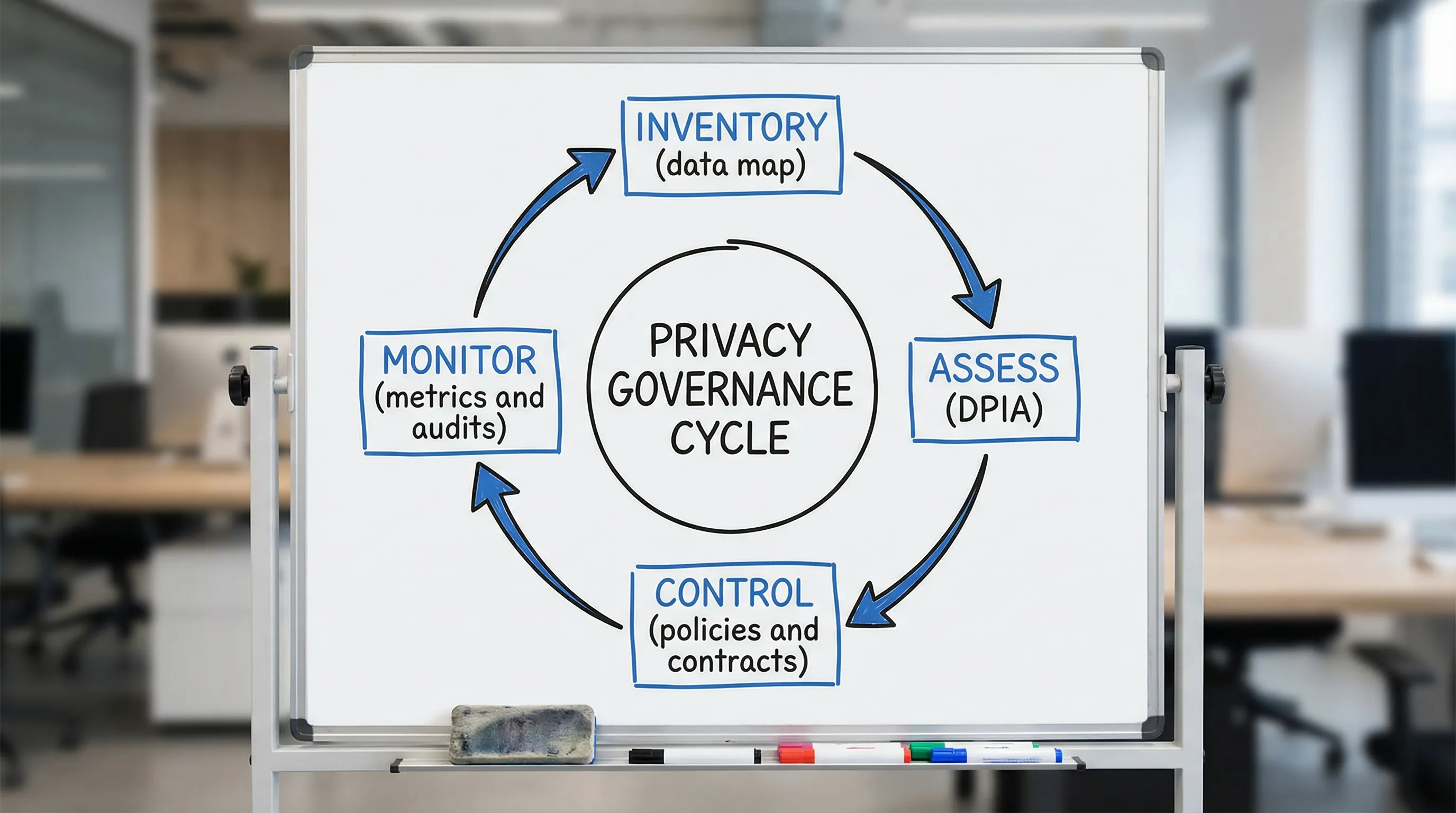
The governance toolkit for managing privacy (what to use, not just what to write)
Below are the tools that typically deliver the best return for organisations building a credible privacy programme. You do not need all of them on day one, but you do need a coherent core.
1) Data inventory and data flow map (your visibility tool)
If you implement only one privacy governance tool, make it a living inventory of personal data. In practice, this is a structured register of processing activities plus a simple view of where data moves.
What it does well:
Creates a shared “source of truth” for what data exists
Identifies surprise locations (shared drives, email inboxes, vendor portals)
Makes it easier to answer access, deletion, and breach questions fast
A useful inventory captures:
Business process (example: onboarding, payroll, customer support)
Categories of personal data (including sensitive data where applicable)
Purpose and lawful basis (as applicable)
Systems and locations (cloud apps, paper files, devices)
Users and access roles
Vendors and cross border transfers (if any)
Retention period and disposal method
Security controls (high level)
If you already have a “data map” that is a one time spreadsheet from a project, convert it into an operational tool by assigning an owner per department and requiring updates whenever a process changes.
Related reading on PLMC: Jamaica Data Protection Act Explained for Businesses
2) DPIA or privacy risk assessment workflow (your decision tool)
A DPIA (Data Protection Impact Assessment) style workflow is a structured way to assess risk before you introduce or change a process. Even if your organisation does not label it “DPIA”, the concept is widely recognised in global best practice.
Where it actually helps:
New software implementations (HR, CRM, CCTV, call recording, visitor systems)
New vendor engagement (payroll provider, marketing platform, cloud hosting)
New data uses (analytics, profiling, automated decision making)
New channels (WhatsApp customer service, social media campaigns)
A workable DPIA tool is not a long form. It is a short intake plus a repeatable review step.
A strong DPIA workflow includes:
A trigger checklist (what changes require assessment)
A simple scoring method (impact and likelihood)
Required sign offs (business owner, IT/security, privacy lead)
A mitigation plan with deadlines
A closure step that updates the inventory and controls
For reference frameworks, see the UK ICO DPIA guidance and the NIST Privacy Framework.
3) Policy set that matches reality (your consistency tool)
Most organisations have policies. Fewer organisations have policies that reflect what staff actually do.
For managing privacy, a lean policy set usually performs better than a large library nobody reads. Focus on policies that drive repeatable behaviour:
Privacy policy (internal governance policy, not only the external website notice)
Data classification and handling rules
Retention and secure disposal
Incident and breach response (with privacy roles included)
Access management (joined with IT where appropriate)
Vendor and outsourcing policy
The “actually work” test is simple: could a manager use the policy to make a decision today, without calling Legal?
4) Vendor governance pack (your third party control tool)
Many privacy failures happen outside the organisation, through service providers, contractors, and cloud platforms.
A vendor governance toolset should include:
A standard due diligence questionnaire (privacy and security focused)
A contract addendum or clauses addressing data protection responsibilities
A vendor register linked to the data inventory
A review cadence (annual, biannual, or based on risk)
If your organisation depends on vendors to process personal data, your contracts and oversight should reflect that reality. For international standards that can help structure vendor security expectations, ISO/IEC 27001 is commonly used (overview: ISO/IEC 27001).
5) Rights request playbook (your response tool)
Data subject rights are where privacy becomes real for customers and employees. A “playbook” turns an obligation into a process.
A practical rights request tool includes:
One intake channel and a standard request form or email template
Identity verification steps (proportionate, documented)
A decision tree for common requests (access, correction, deletion)
A search guide (which systems to check based on the inventory)
A response template and approval steps
The inventory is what makes rights handling feasible. Without it, requests become a panic driven scavenger hunt.
6) Training that is role based (your behaviour tool)
Annual awareness training has value, but it rarely changes outcomes on its own.
Training becomes a governance tool when you tailor it to roles and link it to daily work, for example:
HR: employee records, medical notes, background checks, retention
Customer service: identity verification, call notes, recordings
Marketing: consent, cookies, mailing lists, third party platforms
IT and security: access, logging, incident handling, vendor onboarding
Executives: risk appetite, reporting, accountability
If you present at conferences or run internal sessions, capture attendance and learning objectives. That becomes evidence of operational accountability.
7) Metrics and board reporting (your proof tool)
If you want privacy to survive budget cycles, you need metrics that a leadership team can act on.
Good privacy metrics are:
Few (5 to 10 is usually enough)
Trend based (moving over time)
Tied to risk (not vanity numbers)
Examples include:
Percentage of business processes covered by the data inventory
DPIAs completed for new projects (and overdue assessments)
Vendor reviews completed vs planned
Average time to close privacy incidents and near misses
Training completion by risk role (not only organisation wide)
The “actually works” governance stack, at a glance
Use this table to assign ownership and make the tools operational.
Governance tool | What it controls | Typical owner | Evidence it produces | Works best when |
Data inventory and data flows | Visibility of personal data across the organisation | Privacy lead with department owners | Register of processing, systems list, vendor list | Updated through change management and quarterly reviews |
DPIA / privacy risk assessment | Risk decisions before change | Project owner with privacy and security reviewers | Risk rating, mitigations, sign offs, residual risk | Triggered by new systems, new data uses, new vendors |
Policy set (lean) | Consistent decision making | Legal/Compliance with IT and HR input | Approved policies, review dates, acknowledgements | Written in plain language and referenced in workflows |
Vendor governance pack | Third party processing risk | Procurement/Operations with privacy oversight | Due diligence records, contracts, review logs | Linked to onboarding and renewal cycles |
Rights request playbook | Response to individuals’ requests | Privacy lead with IT and HR support | Case log, response templates, search steps | Central intake and clear timeframes |
Incident and breach workflow | Fast containment and notification decisions | Security/IT with privacy involvement | Incident log, root cause, corrective actions | Tested via tabletop exercises |
Metrics and reporting | Executive oversight and funding | Privacy lead reporting to leadership | Dashboard, board updates, actions tracked | Reviewed monthly and escalated by risk |
How to implement these tools without boiling the ocean
A common mistake is trying to build “perfect governance” in one push. A more reliable approach is phased, using the tools to create momentum.
Phase 1: Establish minimum viable governance (30 to 60 days)
Focus on foundations that unlock everything else:
Stand up a basic data inventory covering your highest risk processes
Define DPIA triggers and a short assessment form
Publish a lean internal privacy governance policy
Create a simple incident and escalation path that includes privacy
If you need a structured starting point, PLMC’s checklist style guidance can help you sequence work: Privacy and Data Protection: A Practical Checklist
Phase 2: Make it operational (60 to 120 days)
This is where tools start working day to day:
Link inventory updates to change management (new vendor, new system, new form)
Launch vendor due diligence and contract clauses for new engagements
Roll out role based training for the top 3 risk teams
Start tracking 5 core metrics monthly
Phase 3: Prove and improve (ongoing)
To keep the programme credible:
Run a tabletop exercise for incidents (privacy plus security)
Review retention and disposal in one department at a time
Sample test rights request readiness (can we locate data quickly?)
Report outcomes to leadership with actions, owners, and dates
A quarterly structure can help you sustain progress. See: Data Protection Jamaica: Compliance Roadmap for 2026
What good privacy governance looks like in practice (examples)
Privacy governance becomes real when it changes how work is done. Here are practical signs your toolset is functioning.
When Procurement onboards a new vendor
Procurement triggers a vendor privacy and security review
The contract includes clear data protection responsibilities
The vendor is added to the vendor register and linked to the data inventory
If the service changes data flows, a DPIA is triggered and documented
When IT implements a new platform
The project charter includes privacy requirements upfront
A DPIA is completed before go live
Access roles and logging are defined
Retention settings are configured (not left to defaults)
The inventory is updated when the system goes live
When HR receives an employee data request
HR uses the playbook to verify identity
The inventory points to the systems that contain relevant data
The response is logged and approved
Any gaps found (for example, data in informal spreadsheets) become corrective actions
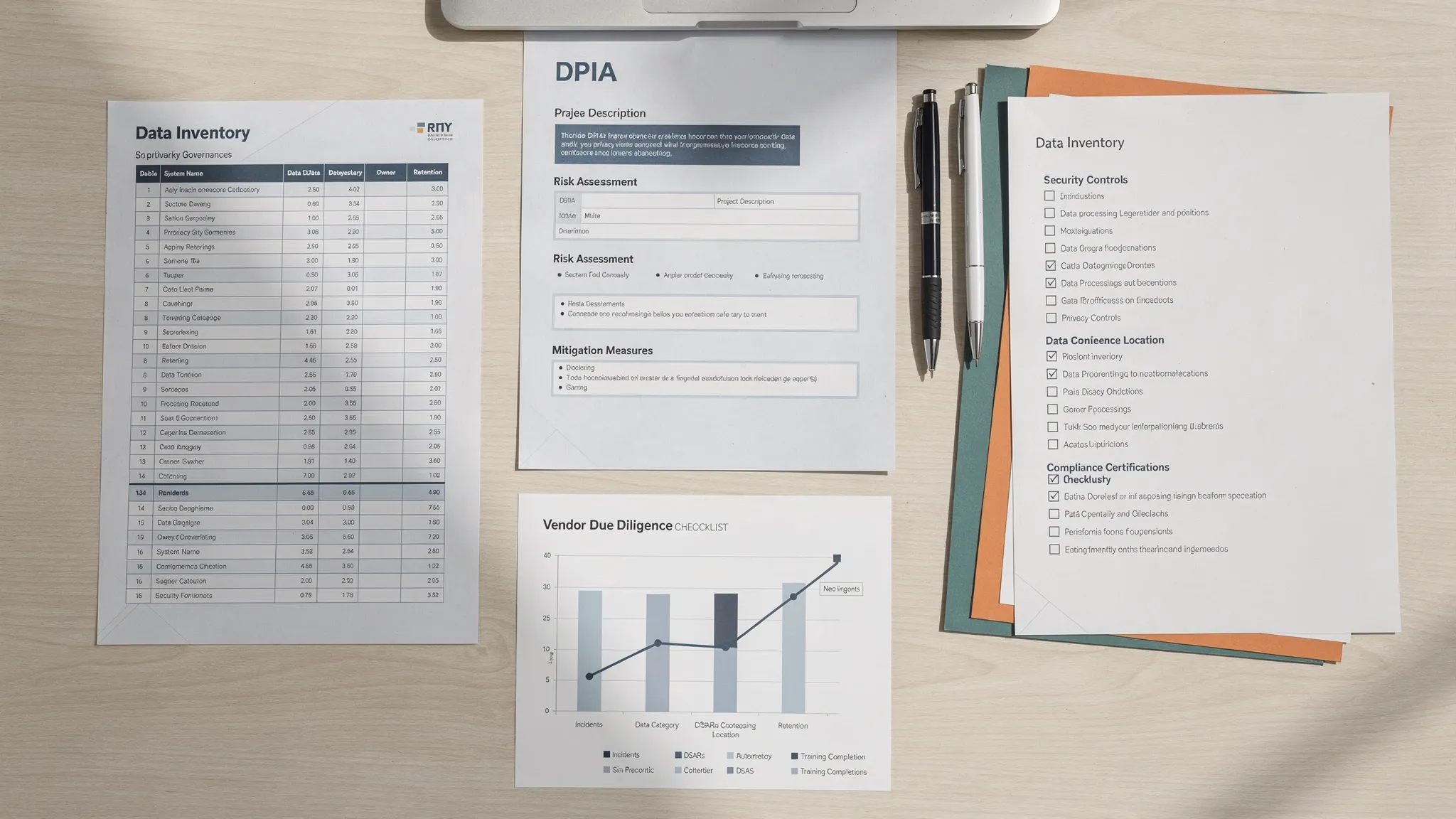
A simple privacy metrics set leaders can understand
If you need a starting dashboard, this table keeps metrics few, measurable, and decision oriented.
Metric | Why it matters | Example target (set your own) | Review frequency |
Inventory coverage | Shows visibility and control | Top risk processes mapped first | Monthly |
DPIAs completed vs triggered | Shows risk is assessed before change | 100% of triggered projects assessed | Monthly |
Vendor reviews completed | Reduces third party surprises | All high risk vendors reviewed annually | Quarterly |
Incidents and near misses | Identifies operational breakdowns | Trend down, faster closure | Monthly |
Training completion by risk role | Connects training to real risk | 90%+ for high risk roles | Quarterly |
Common pitfalls to avoid when managing privacy
Treating privacy as a document exercise
Privacy governance is a management system. Documents matter, but only as evidence of decisions and controls.
Overcomplicating the toolset
If the inventory takes weeks to update, it will not be updated. Build tools that fit your organisation’s size and maturity.
Separating privacy from cyber security
Privacy and security are not identical, but they are connected. Your incident workflow, access controls, and vendor oversight should be coordinated.
Ignoring frontline teams
Customer service, HR, and Operations often handle the most personal data. If your tools do not work for them, they will not work at all.
Frequently Asked Questions
What are the most important governance tools for managing privacy? A living data inventory, a DPIA or privacy risk assessment workflow, vendor governance controls, an incident workflow, and a small set of metrics for leadership.
Do we need expensive software to manage privacy well? Not necessarily. Many organisations start with well designed templates and clear ownership. Tools fail more often from lack of process and accountability than from lack of technology.
How do we keep a data inventory from going stale? Link updates to business change (new vendors, new systems, new forms), assign departmental owners, and set a quarterly review date that is tracked like any other compliance obligation.
What should trigger a DPIA style assessment? New systems, new vendors, new uses of data, monitoring activities (such as CCTV), large scale processing, or any change that increases risk to individuals.
How can SMEs in Jamaica manage privacy without a large compliance team? Keep the toolset lean: map the highest risk processes first, use short risk assessments for change, standardise vendor clauses, train the roles that handle the most data, and track a small number of metrics.
Need help building privacy governance that holds up in real life?
PLMC supports Jamaican organisations with data protection implementation, governance, training, and risk assessment. If you want your privacy programme to be operational (not just documented), you can request a free consultation via Privacy & Legal Management Consultants Ltd. and discuss which governance tools to implement first, and how to scale them across your teams.