

How to Secure Board Papers Containing Personal Data
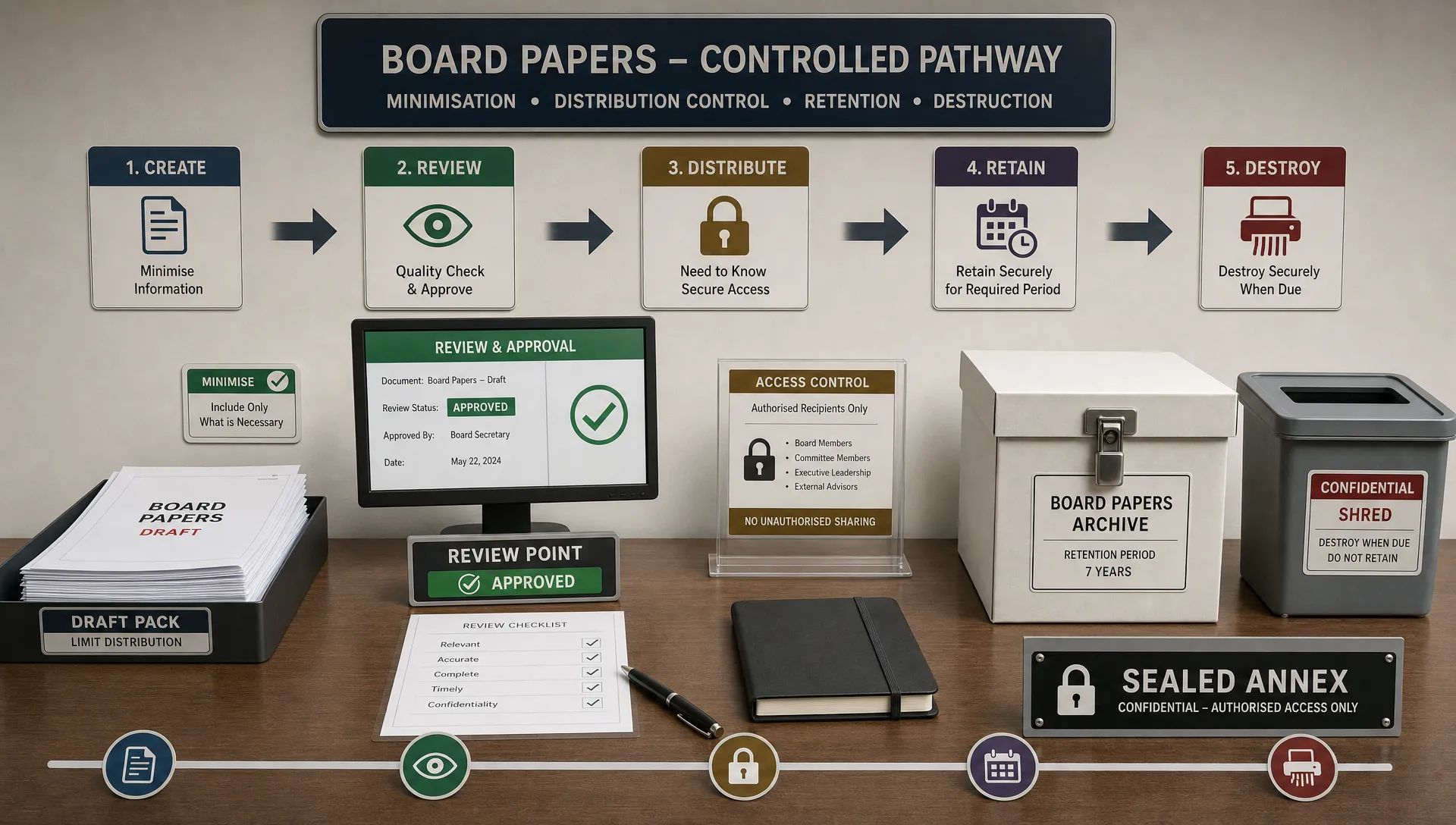
Board papers are not ordinary internal documents. They often combine strategic plans, financial information, legal advice, HR matters, whistleblowing reports, customer complaints, cyber incidents and director declarations. If those papers contain personal data, a weak distribution process can expose individuals, damage trust and create avoidable compliance risk under Jamaica’s Data Protection Act, 2020.
For boards, company secretaries, senior executives and governance teams, the goal is not to make board administration slow. The goal is to make security part of how board papers are created, reviewed, shared, discussed, minuted, retained and destroyed.
Why board papers containing personal data need stronger controls
Board packs tend to travel beyond the normal operating team. They may be circulated to directors, committee members, external advisers, auditors or parent company representatives. Some recipients may use personal devices, home Wi-Fi, private email accounts or printed copies. That wider circulation increases the risk of accidental disclosure.
The sensitivity of board papers also varies. A routine procurement paper may contain a few staff names. A disciplinary appeal, data breach report or anti-money laundering escalation may contain sensitive personal data, allegations, health information, financial details or identification documents. A single board pack can therefore contain several risk levels at once.
Under Jamaica’s Data Protection Act, 2020, organisations must think about fairness, purpose limitation, data minimisation, retention and security when handling personal data. The Office of the Information Commissioner is the key regulator for Jamaica’s data protection framework, and organisations should be able to demonstrate that appropriate technical and organisational measures are in place.
Board security is also a governance issue. Directors cannot properly oversee privacy risk if the board’s own processes create privacy exposure. If your board is reviewing its broader oversight responsibilities, PLMC’s guide to risk management and data protection priorities for boards is a useful companion to this more operational checklist.
Start with a personal data review before papers are finalised
The best way to secure board papers is to reduce the amount of personal data that enters them. Once sensitive information is in a board pack, it becomes harder to control. Drafting teams should therefore ask a simple question before papers are uploaded or circulated: does the board need this specific personal data to make the decision?
In many cases, the board needs the issue, the risk, the financial exposure and the recommended decision. It may not need the full identity of every affected individual. For example, a report on a customer complaint trend can often use aggregated figures. A cyber incident paper may summarise affected categories of individuals rather than attach raw customer lists. A disciplinary matter may require names for a decision, but supporting evidence can be placed in a restricted annex.
Use these drafting rules before submission:
Remove personal data that is not needed for the board decision.
Use role titles, case references or anonymised summaries where identity is not material.
Put highly sensitive evidence in a separate restricted appendix.
Confirm that legal privilege, confidentiality and regulatory reporting issues have been considered.
Check that the paper matches the purpose for which the personal data was collected or can otherwise be lawfully used.
This front-end review saves time later. It also supports data minimisation, a core discipline in data protection compliance.
Classify board papers by sensitivity
A single label such as “confidential” is too broad for modern board administration. Governance teams need a classification system that tells people how the paper may be shared, stored and discussed.
A practical system does not need to be complicated. For many Jamaican organisations, three or four levels are enough.
Classification | Suitable for | Handling rule |
Internal board use | Routine board papers with low personal data risk | Share only through approved board channels |
Confidential | Commercially sensitive papers or papers with limited personal data | Restrict forwarding, printing and local downloads |
Restricted personal data | HR, legal, complaint, incident or AML papers with identifiable individuals | Limit to named recipients and use separate access controls |
Highly restricted | Sensitive personal data, whistleblowing, investigations or serious incidents | Use need-to-know access, restricted annexes and tighter retention |
The classification should appear clearly on the board paper and in the board portal or file name. Labels are not security by themselves, but they guide behaviour and support auditability.
Control who receives the papers
Access should follow the need-to-know principle. That can feel awkward in board settings because directors expect full visibility. In practice, there are legitimate reasons to limit access to some papers, especially when conflicts of interest, employment matters, investigations or related-party issues are involved.
The company secretary should maintain a current list of authorised recipients for each board and committee. That list should be reviewed when directors join or leave, when committees change and when external advisers are invited to a meeting.
For restricted papers, avoid broad distribution lists. Send papers only to named recipients. If an adviser needs access to one item, provide access to that item only, not the full pack. If a director has a conflict, remove access to the relevant paper and record the restriction in the meeting process.
This is where everyday confidentiality habits matter. PLMC’s article on confidentiality data handling rules every team should know can help align directors, executives and support staff around consistent handling expectations.
Use secure distribution channels, not ordinary email
Email remains one of the easiest ways to lose control of board papers. Messages can be forwarded, sent to the wrong person, downloaded to unmanaged devices or left in personal inboxes long after a director has left the board.
Where possible, use a secure board portal or document management environment with access controls, multi-factor authentication, encryption in transit, activity logs and the ability to revoke access. If email must be used, apply stricter controls such as password-protected attachments, separate password delivery, approved recipient lists and clear instructions prohibiting onward forwarding.
Avoid sending board papers to personal email accounts unless there is a documented risk decision and compensating controls. Personal accounts are usually outside organisational monitoring, retention and revocation processes. Messaging apps should not be used for board packs containing personal data unless the organisation has formally approved that channel and assessed the risks.
Secure printed board papers from production to disposal
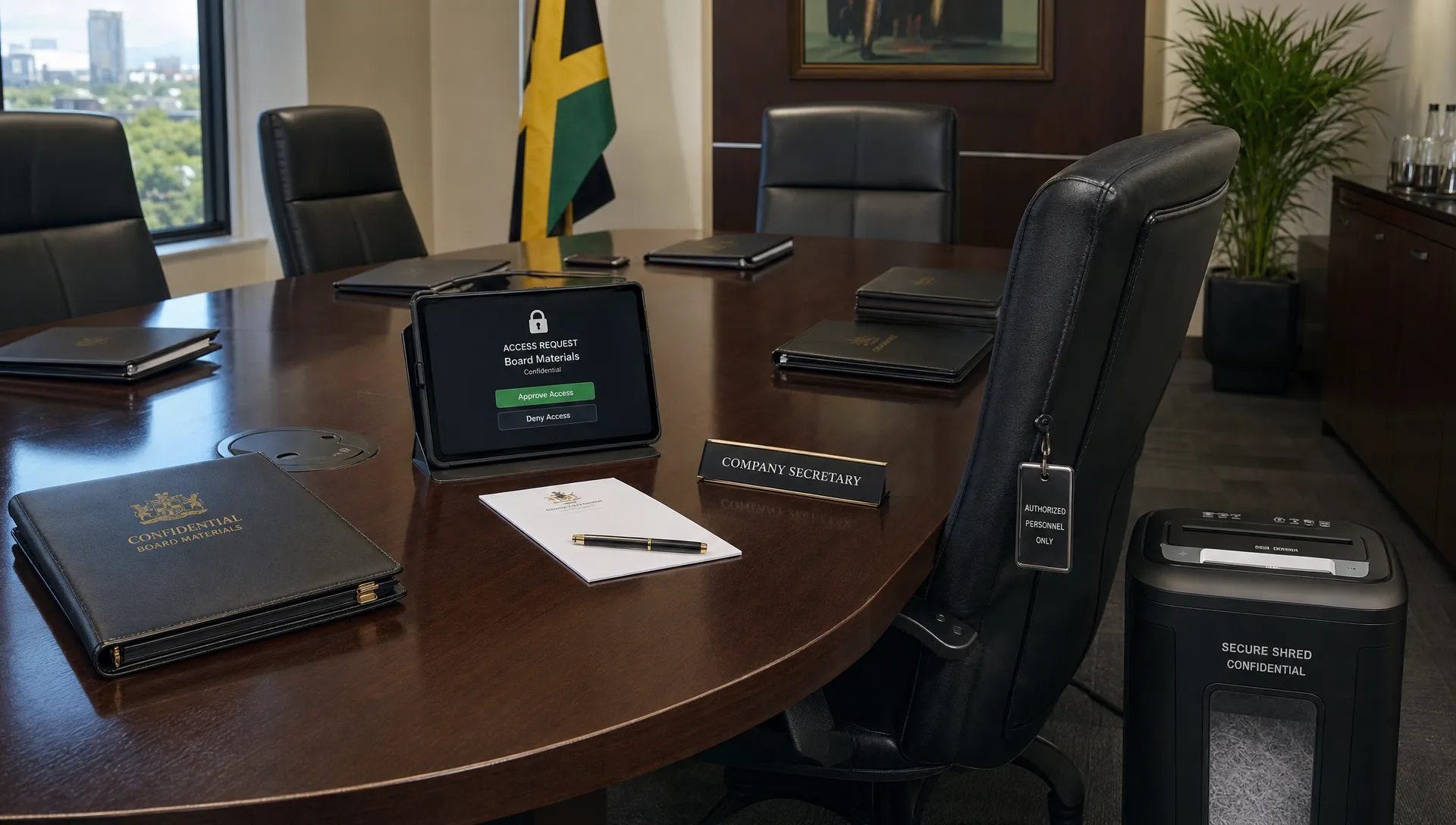
Many boards still use printed papers, either as the main pack or for selected agenda items. Paper creates different risks from digital files. It can be left in taxis, hotel rooms, boardrooms, home offices or airport lounges. It can also be copied without any system log.
If printing is necessary, treat it as a controlled exception rather than a default. Number copies, record who receives them and require return or certified destruction after the meeting. For highly restricted papers, consider printing only at the meeting location and collecting copies before directors leave.
A practical paper process should cover secure printing, envelope handling, courier selection, collection at the end of the meeting and disposal. Shredding should be cross-cut or handled through a vetted secure destruction provider. Do not place board papers containing personal data in ordinary office bins or general recycling.
Retention and destruction should also match the organisation’s records schedule. Some board records must be retained for governance, audit or legal reasons, but duplicate drafts, working copies and temporary printouts should not linger. PLMC’s data disposal checklist for paper files and old devices gives practical steps for strengthening that final stage of the information lifecycle.
Protect directors’ devices and home working arrangements
Board papers often leave the corporate environment because directors work from home, travel frequently or serve on multiple boards. That reality should be planned for, not ignored.
Directors who receive papers electronically should use devices protected by strong passwords or biometrics, current security updates and device encryption. Where possible, the organisation should use managed access rather than allowing permanent downloads. If a device is lost or a director leaves the board, access should be capable of being removed quickly.
Home printing is another common weak point. If directors print at home, the organisation should issue rules on secure storage, family access, disposal and the use of shared printers. A paper left on a kitchen counter may be a privacy incident if it contains employee health information, customer details or investigation material.
For boards that include overseas members, consider whether any personal data is being accessed from outside Jamaica. Cross-border access can raise additional data protection questions, especially where sensitive information or large volumes of personal data are involved. The safest approach is to document the access model, assess the risk and apply appropriate controls before papers are circulated.
Manage the meeting itself
Security does not stop once directors enter the boardroom. Personal data can be disclosed during discussion, screen sharing, hybrid meeting recordings or minutes.
The chair and company secretary should agree how restricted items will be handled. For example, the meeting may move into a closed session, conflicted attendees may leave, recordings may be paused or a restricted annex may be tabled only for a specific agenda item. Hybrid meetings should use approved conferencing tools, waiting rooms, access codes and participant checks.
Minutes should capture decisions and key reasoning without reproducing unnecessary personal data. If the board reviewed a detailed complaint file, the minutes may only need the case reference, issue summary, decision and action owner. Attachments should be controlled separately where they are needed for the official record.
A short reminder at the start of restricted agenda items can also help. The chair can state that the item contains personal data, that papers must not be forwarded and that discussion should remain within the approved group. This is not ceremony. It sets the standard for disciplined handling.
Keep evidence of your controls
Good governance depends on evidence. If a privacy incident occurs, the organisation should be able to show what controls were in place, who had access and what steps were taken to reduce risk.
Useful evidence includes board paper classifications, access logs, distribution lists, approval records, training records, device rules, signed director confidentiality undertakings and disposal certificates. The company secretary does not need to create excessive paperwork, but the process should leave a reasonable audit trail.
Control area | Evidence to keep | Why it matters |
Drafting and minimisation | Submission checklist or approval note | Shows personal data was considered before circulation |
Access control | Recipient list and portal access log | Shows who could view the paper |
Paper handling | Copy register and disposal certificate | Shows physical copies were controlled |
Meeting restrictions | Minutes noting recusals or closed sessions | Shows conflicts and restricted discussions were managed |
Training | Attendance records and guidance issued to directors | Shows awareness and accountability |
These records also support directors in fulfilling their oversight role. They can ask better questions when they can see how privacy controls operate in practice.
Build a board paper security checklist
A short checklist can prevent most mistakes. It should be used by paper authors, executives, the company secretary and anyone who uploads or circulates board materials.
Your checklist should answer these questions:
Does the paper contain personal data or sensitive personal data?
Has unnecessary personal data been removed or anonymised?
Is the classification correct?
Are restricted annexes separated from the main paper?
Are recipients limited to those who need access?
Is the distribution channel approved for this sensitivity level?
Are printing, retention and disposal instructions clear?
Are conflicts, recusals or closed sessions required?
The checklist should be reviewed at least annually and after any incident involving board materials. If the organisation changes its board portal, document management system, committee structure or remote working arrangements, update the checklist at the same time.
Common mistakes to avoid
The most common weakness is treating all board papers the same. A board pack with a general finance report should not be handled in the same way as a whistleblowing investigation or customer data breach paper.
Another mistake is assuming that seniority removes the need for controls. Directors and executives are trusted individuals, but privacy risk often comes from speed, convenience and unclear processes rather than bad intent. A director can accidentally forward a pack to an assistant, leave a printed copy in a hotel or store papers indefinitely in a personal cloud folder.
Organisations also underestimate old copies. A paper may be removed from a portal, but earlier downloads, email attachments and printed versions may still exist. That is why retention, revocation and disposal need to be designed into the process from the beginning.
Frequently Asked Questions
Should board papers ever include names and personal details? Yes, if the board genuinely needs that information to make or oversee a decision. The key is to include only what is necessary, restrict access and avoid attaching raw evidence where a summary would be enough.
Is a board portal required to comply with data protection law? A board portal is not the only way to secure board papers, but it can make access control, audit logs and revocation easier. If your organisation uses email or paper, you need equivalent practical controls.
Can directors use personal devices for board papers? This depends on the organisation’s risk assessment and policy. If personal devices are allowed, they should meet minimum security requirements such as strong authentication, updates, encryption and secure deletion arrangements.
How long should board papers containing personal data be kept? Retention should match the legal, governance and operational purpose for keeping the record. Official minutes and core board records may need longer retention than drafts, duplicate packs and temporary printouts.
What should we do if board papers are sent to the wrong person? Act quickly. Contain the disclosure, request deletion or return, assess the risk to individuals, document what happened and escalate under your incident response process if required.
Strengthen your board paper controls
Securing board papers containing personal data is a practical governance discipline. Start with minimisation, classify papers by sensitivity, restrict access, use secure channels, control printed copies and keep evidence of your decisions.
If your organisation needs help aligning board administration with Jamaica data privacy and governance expectations, Privacy & Legal Management Consultants Ltd. can support data protection implementation, corporate governance, training and GRC integration. A focused review of your board paper process can often identify quick improvements before they become costly incidents.