

Data Disposal Checklist for Paper Files and Old Devices
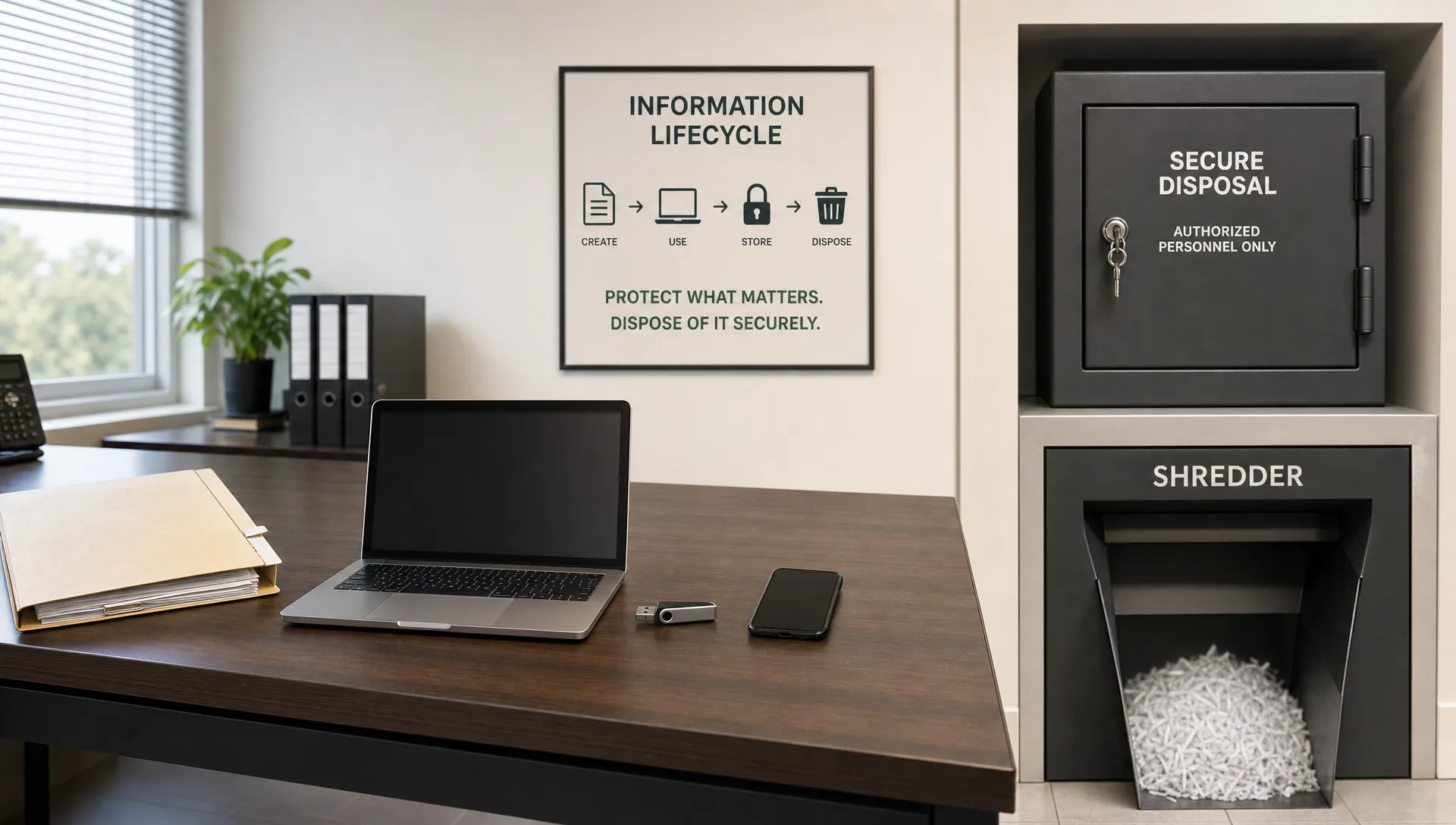
Old records rarely announce themselves as a risk. They sit in filing cabinets, storerooms, retired laptops, photocopiers, USB drives, and forgotten boxes until a cleanout, office move, staff exit, or system upgrade forces a decision. At that point, data disposal becomes more than housekeeping. It becomes a data protection control.
For organisations in Jamaica, secure disposal supports privacy, confidentiality, cyber security, and compliance with the Data Protection Act, 2020. If personal data is kept after the business or legal need has passed, the organisation carries avoidable exposure. If it is thrown away carelessly, copied to an old device, or handed to a vendor without evidence, the risk follows the organisation even after the file or device leaves the building.
Use this checklist whenever paper files or old devices are ready to leave active use. It is designed for managers, records teams, compliance officers, HR, finance, IT, legal, and anyone responsible for customer, employee, vendor, AML, health, education, or other sensitive records.
Why data disposal deserves a formal process
Data disposal is the final step in the information life cycle. Collection, use, sharing, storage, retention, and disposal all need controls. A privacy programme is incomplete if it focuses only on consent forms and security tools while ignoring what happens to records at the end of their useful life.
Jamaica's Data Protection Act, 2020 expects organisations to handle personal data securely and to avoid keeping it for longer than necessary. In practical terms, that means your organisation should know what it holds, why it holds it, how long it should be retained, and how it will be securely destroyed when that period ends.
Disposal also protects trust. A single discarded HR file, payroll printout, customer application, medical document, or uncleaned laptop can expose individuals to identity theft, embarrassment, fraud, or discrimination. For the organisation, it can trigger breach investigations, regulatory scrutiny, contractual issues, and reputational damage.
A good disposal checklist does three things:
Confirms the record or device is eligible for disposal.
Ensures the destruction method matches the sensitivity of the data.
Creates evidence that disposal was authorised, completed, and verified.
If your organisation does not yet have clear retention rules, start there. Disposal should be driven by documented retention periods, not by guesswork or available storage space. PLMC's guide to retention schedules that reduce privacy exposure explains how to define retention triggers, ownership, and secure disposal rules before records pile up.
Before you dispose: pre-disposal controls
Do not shred, wipe, recycle, donate, or sell anything until you have checked whether the record or device is still needed. Disposal can create risk if it destroys records required for litigation, audits, regulatory obligations, tax matters, AML compliance, employment disputes, contracts, or active customer service.
The safest approach is to run every disposal batch through a short pre-disposal review.
Check | What to confirm | Evidence to keep |
Retention period | The required retention period has expired. | Retention schedule reference or disposal approval note. |
Legal hold | No litigation, investigation, audit, complaint, or regulator request requires preservation. | Confirmation from legal, compliance, or management. |
Business need | No team still needs the record for an active purpose. | Sign-off from the record owner. |
Data type | The files or devices are classified by sensitivity. | Disposal batch list or asset register. |
Method | The destruction method is appropriate for the data and medium. | Approved disposal procedure. |
Vendor control | Any external vendor is approved and contractually bound. | Vendor agreement and certificate of destruction. |
Chain of custody | The records or devices are tracked from collection to destruction. | Transfer log, collection receipt, or witness record. |
This step is especially important for organisations with multiple branches, hybrid work arrangements, shared drives, offsite storage, or outsourced IT support. Data may be duplicated across paper, devices, backups, and cloud services. Disposal decisions should account for those copies.
Strong disposal begins with everyday discipline. If teams classify records consistently, name files properly, control access, and store documents in approved locations, disposal becomes easier and safer. For practical habits that support this foundation, see PLMC's guidance on records management habits that strengthen compliance.
Paper file disposal checklist
Paper files are still a major privacy risk because they are easy to copy, misplace, browse, photograph, or remove. They are also common in HR, finance, education, healthcare, real estate, professional services, government interactions, customer onboarding, procurement, and AML processes.
Before disposal, separate general office waste from confidential waste. If a document contains personal data, financial information, identification numbers, signatures, medical details, disciplinary records, customer complaints, legal correspondence, account information, or commercially sensitive material, it should not go into ordinary bins.
Use this checklist for paper files:
Identify the file series, department, owner, date range, and retention rule.
Confirm there is no legal hold, audit hold, regulatory request, complaint, or active business need.
Remove the files from active storage using an authorised staff member or approved records team.
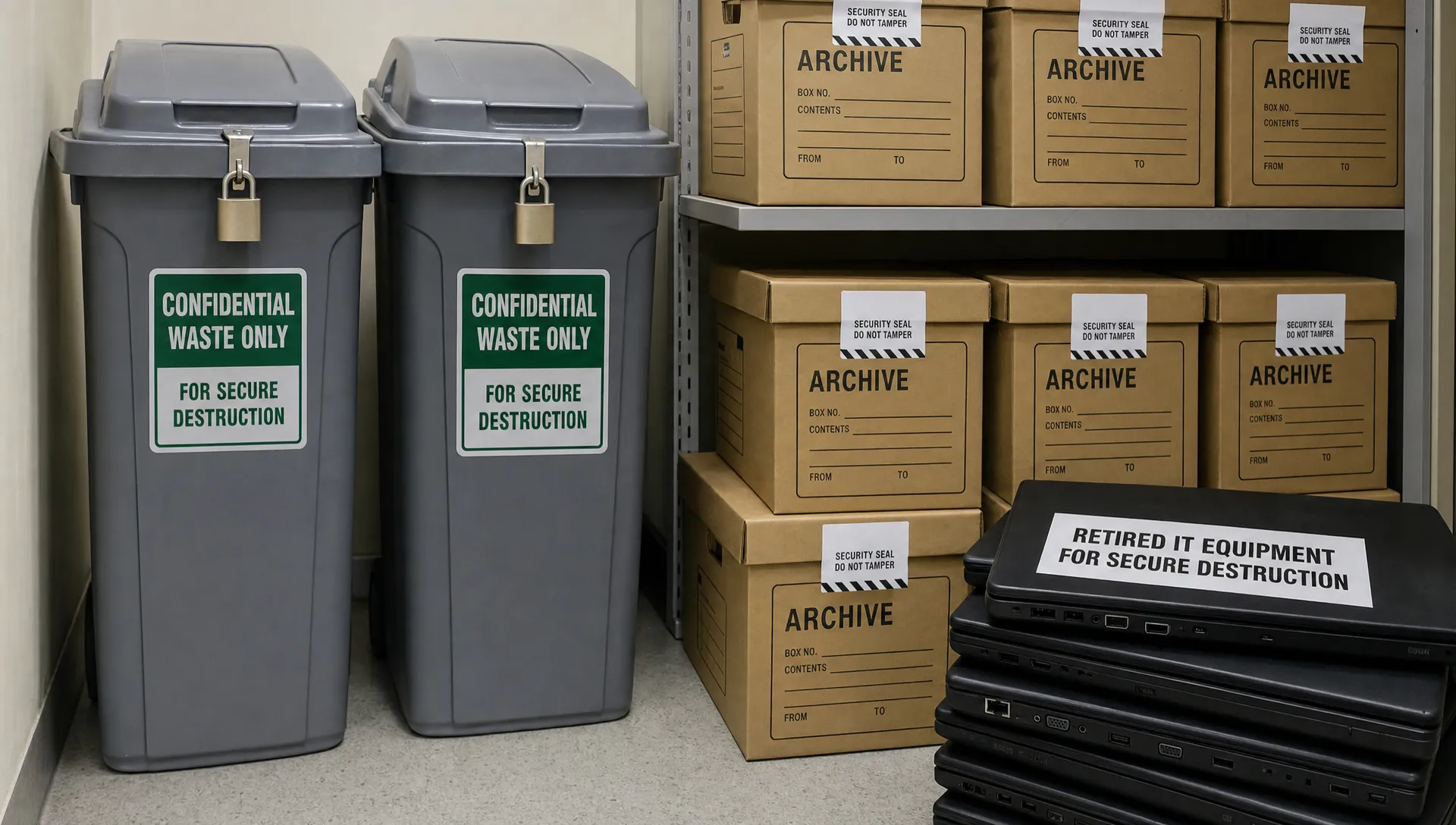
Place files in locked confidential waste bins, sealed bags, or tamper-evident containers.
Keep confidential waste in a restricted area until destruction or vendor collection.
Use cross-cut shredding, micro-cut shredding, pulping, or secure incineration based on sensitivity.
Avoid strip-cut shredding for sensitive personal data, as strips can sometimes be reconstructed.
Record the destruction date, method, batch description, approver, and person or vendor responsible.
For highly sensitive files, consider witnessed destruction or a vendor certificate that confirms the date, method, location, and batch details. If files are collected by a shredding vendor, ensure the handoff is logged. The organisation should know when the documents left its custody and when destruction occurred.
Paper disposal is not limited to archive boxes. Watch for printed emails, meeting packs, application forms, photocopies, handwritten notes, call centre scripts, training attendance sheets, visitor logs, returned mail, desk drawers, abandoned files in meeting rooms, and documents left near printers or scanners.
Paper record type | Suggested disposal approach | Special caution |
Routine office documents with no personal data | Recycle or dispose under normal office waste rules. | Check that no personal data is mixed in. |
Customer, employee, student, patient, or vendor records | Cross-cut or micro-cut shredding, pulping, or secure incineration. | Confirm retention and legal holds first. |
Financial, AML, payroll, or tax files | Secure destruction after required retention expires. | Check statutory and regulatory retention duties. |
Legal, investigation, complaint, or disciplinary files | Disposal only after legal or compliance approval. | Preserve if any matter remains open. |
Mixed archive boxes | Review and classify before destruction. | Do not bulk destroy unreviewed boxes. |
Old device disposal checklist
Old devices often hold more personal data than paper files. A laptop may contain email caches, downloaded reports, browser data, passwords, screenshots, scanned IDs, payroll exports, customer lists, remote access tokens, and synchronised cloud folders. A printer or copier may store scanned documents on an internal drive. A phone may contain messages, photos, authentication apps, and contact lists.
Deleting files is not the same as sanitising a device. In many cases, deletion removes the file reference but leaves recoverable data on the storage media. The method should depend on the device type, data sensitivity, and whether the device will be reused internally, resold, donated, returned to a leasing company, recycled, or destroyed.
The US National Institute of Standards and Technology provides widely used guidance in NIST Special Publication 800-88, Guidelines for Media Sanitization. It groups media sanitisation into clear, purge, and destroy. Organisations do not need to become technical experts, but they should adopt a standard and apply it consistently.
Use this checklist before any device leaves the organisation:
Record the asset tag, serial number, device type, assigned user, storage media, and location.
Confirm whether the device contains or may contain personal data or confidential business data.
Back up approved business records only if they are still needed and retention allows it.
Remove user accounts, cloud sync, remote access tools, saved credentials, and management profiles.
Remove SIM cards, SD cards, external drives, USB devices, and other removable media.
Choose a sanitisation method that matches the risk, such as secure erase, cryptographic erase, overwriting, degaussing, or physical destruction.
Verify completion through logs, IT sign-off, vendor reports, or sample checks.
Update the asset register to show the disposal date, method, approver, and final destination.
Keep a certificate of destruction or sanitisation where a vendor is used.
For solid-state drives, phones, and tablets, overwriting may not always be reliable because of the way modern storage manages memory. Cryptographic erase, manufacturer-approved secure erase tools, or physical destruction may be more appropriate for high-risk devices. For encrypted devices, destroying or securely erasing the encryption keys can be effective when implemented correctly, but the organisation should verify that full-device encryption was properly enabled before relying on this method.
Device or media | Common risk | Safer disposal method |
Laptops and desktops | Local files, email cache, browser data, credentials. | Secure erase, cryptographic erase, or drive destruction. |
Mobile phones and tablets | Messages, contacts, photos, apps, authentication data. | Remove accounts, encrypt if needed, factory reset, verify wipe. |
Servers and storage arrays | Large volumes of customer, employee, and operational data. | Formal sanitisation plan, purge or physical destruction, documented verification. |
USB drives and memory cards | Portable copies of sensitive records. | Secure wipe or physical destruction. |
Printers, copiers, and scanners | Stored scans, address books, print queues. | Clear internal storage, remove drives, vendor-certified sanitisation. |
CDs, DVDs, and backup tapes | Legacy archives and backups. | Shredding, crushing, degaussing where appropriate, or secure destruction vendor. |
Network equipment and CCTV systems | Logs, configurations, footage, access details. | Reset securely, remove storage, destroy media where needed. |
Do not overlook devices returned by departing employees, contractors, board members, consultants, or remote workers. Exit procedures should require return, inventory check, data backup where authorised, account revocation, and sanitisation before reassignment or disposal.
Managing disposal vendors and internal handoffs
Many organisations rely on third-party shredding, recycling, IT asset disposal, or e-waste vendors. That can be efficient, but outsourcing does not remove accountability. If a vendor mishandles personal data, the organisation may still face questions about due diligence, contracts, supervision, and evidence.
Before using a vendor, assess whether they can protect confidential material from collection through destruction. Ask about staff vetting, vehicle security, storage facilities, destruction methods, subcontractors, incident reporting, insurance, certifications, and the details included in their certificates.
A good vendor arrangement should address:
Scope of services, including paper, devices, storage media, or e-waste.
Confidentiality obligations for vendor staff and subcontractors.
Collection, transport, storage, and destruction controls.
Prohibition on resale or reuse until sanitisation is verified.
Certificate of destruction or sanitisation requirements.
Incident notification if items are lost, stolen, mixed, or accessed.
Audit or inspection rights where appropriate.
Secure handling of any disposal logs that contain personal data.
Internal handoffs matter too. If facilities staff, security officers, office administrators, IT, and records teams all touch the disposal process, each person should know their role. A sealed box left unattended in a corridor, reception area, car trunk, or shared storeroom can undermine an otherwise good disposal procedure.
Build a disposal evidence pack
The goal is not only to destroy data securely. The goal is to demonstrate that the organisation acted responsibly. Regulators, auditors, clients, business partners, insurers, and boards may ask how disposal is controlled. A disposal evidence pack helps answer that question without panic.
Your evidence pack should be simple enough to maintain but detailed enough to prove control. It can sit within your wider privacy compliance records, IT asset records, procurement files, or GRC system. For a broader view of evidence expectations under Jamaica's privacy compliance environment, PLMC's data privacy compliance practical checklist for 2026 can help organisations align disposal with their wider programme.
Evidence item | Purpose |
Disposal policy or procedure | Shows approved rules for paper and device disposal. |
Retention schedule | Shows why a record was eligible for disposal. |
Disposal approval | Shows who authorised destruction and when. |
Asset register | Tracks devices, serial numbers, users, and final status. |
Chain of custody log | Tracks movement from storage to destruction. |
Vendor contract | Shows confidentiality, security, and service obligations. |
Certificate of destruction or sanitisation | Confirms disposal method, date, and batch details. |
Exception log | Records mistakes, missing items, failed wipes, or delayed destruction. |
Training record | Shows staff were instructed on disposal responsibilities. |
Evidence should be retained according to your retention schedule. Do not create a disposal register that becomes a new privacy risk. Keep it limited, secure, and accessible only to those who need it.
Common data disposal mistakes to avoid
The most common disposal failures are ordinary, not dramatic. They happen because teams are busy, storage is limited, and no one owns the final step.
Avoid treating a general office cleanup as a disposal control. A cleanup may remove clutter, but it does not prove eligibility, confidentiality, or destruction. Similarly, do not rely on ordinary waste disposal for documents that contain personal data, even if they seem old or low value.
Do not sell, donate, return, or recycle devices until IT has confirmed sanitisation. A factory reset may be enough for some low-risk mobile devices when encryption and account removal are properly handled, but it should not be treated as a universal solution. For higher-risk devices, use a method aligned with the device type and data sensitivity.
Do not forget hidden storage. Printer hard drives, scanner memory, USB ports, old backup tapes, shared folders, CCTV recorders, and archived email exports are frequently missed. Cloud copies also need attention. If a file is destroyed on paper but still exists in a shared drive, backup folder, or personal mailbox without a lawful reason, the disposal objective is incomplete.
Finally, do not destroy records just because they are inconvenient. If a matter is under investigation, audit, complaint, litigation, or regulatory review, disposal should be paused. A legal hold should override the normal retention schedule until the hold is lifted.
A simple monthly disposal routine
Data disposal works best when it becomes routine. Waiting for annual cleanouts creates piles of mixed records and rushed decisions. A monthly or quarterly process is easier to control.
Set a recurring review date for each department. Ask record owners to identify files and devices that may be eligible for disposal. Compliance, legal, records, or management should confirm retention and holds. IT should review devices and storage media. Facilities or approved vendors should handle secure collection and destruction. The person responsible for the register should close the loop by collecting certificates and updating evidence.
Training is also essential. Staff should know that confidential documents do not belong in ordinary bins, old devices should not be given away, and personal data should not be kept because it might be useful someday. Practical reminders during onboarding, exit processes, office moves, and system upgrades can reduce avoidable mistakes.
Frequently Asked Questions
How often should an organisation dispose of old records? Review disposal eligibility at least quarterly for active departments and at least annually for archives. High-volume teams such as HR, finance, customer service, and operations may need monthly reviews.
Is shredding enough for paper files? Shredding can be appropriate if the shred type matches the sensitivity of the data. Cross-cut or micro-cut shredding is safer for personal or confidential data than strip-cut shredding. Highly sensitive files may require witnessed destruction or vendor certification.
Is a factory reset enough before disposing of old devices? Not always. Factory resets vary by device and configuration. For devices containing sensitive personal data, use IT-approved sanitisation methods such as secure erase, cryptographic erase, or physical destruction where appropriate.
Should we keep certificates of destruction? Yes. Certificates help prove that paper files, devices, or media were destroyed or sanitised. They should include enough detail to connect the certificate to the disposal batch or asset list.
Can employees shred confidential documents at home? It is safer to require employees to return confidential documents to the office or use an approved secure disposal process. If home shredding is allowed, the organisation should set clear rules and keep evidence where appropriate.
What if a device is lost before it is wiped? Treat it as a potential security incident. Assess what data may have been on the device, whether encryption was enabled, whether remote wipe is possible, and whether notification or escalation is required under your incident response procedure.
Turn disposal into compliance evidence
Secure disposal is a practical way to reduce privacy exposure, improve records management, and strengthen data protection compliance. It also sends a clear message to staff: personal data must be protected throughout its life cycle, including at the point of destruction.
If your organisation needs help building a disposal procedure, aligning retention rules with Jamaica's Data Protection Act, 2020, training staff, or strengthening your privacy and GRC controls, Privacy & Legal Management Consultants Ltd. can support you with practical data protection and compliance guidance tailored to your organisation's needs.