

How to Govern Spreadsheet Data Before It Spreads
Spreadsheets are where a lot of real work happens. Customer lists, payroll extracts, board reports, vendor registers, AML trackers, incident logs and project plans often start in Excel or Google Sheets because they are quick, familiar and flexible.
That same flexibility is also the risk. A spreadsheet can be copied, emailed, downloaded, renamed, filtered, exported and stored in a personal folder in seconds. By the time a privacy issue is discovered, the question is no longer “who has the file?” It becomes “which version, with which columns, shared with whom, from which account?”
For organisations in Jamaica, spreadsheet governance is not just an IT housekeeping exercise. Under the Data Protection Act 2020, personal data should be collected for clear purposes, kept accurate, protected appropriately, retained only as long as needed and handled with accountability. The Office of the Information Commissioner provides regulatory context for Jamaica’s data protection regime, but the day-to-day challenge is practical: teams need controls that work before data spreads.
The problem is not the spreadsheet, it is the spread
A spreadsheet is not automatically unsafe. Many organisations use spreadsheets responsibly for analysis, reconciliation and reporting. The problem begins when a workbook becomes an unofficial system of record without the governance that a proper system would have.
This often happens quietly. A manager exports customer data to prepare a report. A staff member adds notes in a new column. Someone emails the file to a supplier “just this once.” Another person saves a copy locally so they can work offline. A few weeks later, there are four versions of the same data, none with a clear owner and no reliable way to confirm deletion.
Spreadsheet data needs governance because spreadsheets are portable. Governance should answer five basic questions before the file moves:
What data is in the spreadsheet?
Who owns it?
Who can view, edit, download or share it?
Where is the approved master copy stored?
When should the data be updated, archived or deleted?
If those questions cannot be answered, the spreadsheet should be treated as a privacy and compliance risk.
Decide which spreadsheets qualify as controlled records
Not every spreadsheet needs the same level of control. A public event schedule does not require the same treatment as a salary file or a customer complaint log. The first step is to identify spreadsheets that contain regulated, sensitive or business-critical information.
A spreadsheet should be governed as a controlled record if it contains personal data, confidential business data, financial records, due diligence information, employee information or data used to make decisions about individuals. This includes files used for anti-money laundering reviews, client onboarding, disciplinary tracking, debt collection, health and safety incidents or vendor bank details.
Spreadsheet type | Common data involved | Risk if unmanaged | Minimum control |
Customer contact list | Names, phone numbers, addresses, email addresses | Unauthorised marketing, accidental disclosure or outdated records | Named owner, approved storage and access review |
HR or payroll extract | Employee identifiers, salaries, leave, tax or benefits data | High staff confidentiality risk and potential employee harm | Restricted access, encryption and retention rule |
AML or KYC tracker | Identification details, risk notes, account information | Exposure of sensitive due diligence and regulatory records | Role-based access, audit trail and controlled sharing |
Vendor payment file | Bank details, contact names, contract values | Fraud, payment diversion or breach of confidentiality | Edit restrictions, approval workflow and version control |
Complaint or incident log | Customer issues, staff notes, investigation details | Unfair processing, inaccurate records or reputational harm | Accuracy checks, limited access and deletion schedule |
The aim is not to ban spreadsheets. The aim is to apply proportionate controls based on the data and the harm that could follow if it is misused, lost or shared too widely.
Assign ownership before access expands
Every important spreadsheet should have a named business owner. This should not be left to the person who created the file unless that person is also accountable for the process. The owner is responsible for knowing why the spreadsheet exists, what data it contains, who needs access and when the file should be retired.
Ownership matters because many spreadsheet risks are caused by informal handoffs. A file created by Finance may later be used by Operations. HR may add a column. Compliance may request a copy. Without an owner, each team makes its own decision and the file becomes a shared risk with no single point of control.
The owner should be able to approve access, review permissions, confirm sharing rules and decide whether the file still serves a legitimate purpose. If this responsibility is unclear, organisations should define spreadsheet accountability as part of broader data protection governance roles, RACI and reporting so that ownership does not depend on memory or goodwill.
Standardise the workbook before data is entered
Good spreadsheet governance starts at design, not after a breach or complaint. A workbook that collects more information than needed, uses unclear column names or allows uncontrolled free-text notes will be difficult to govern later.
Before a spreadsheet is used, decide what each column is for and whether it is genuinely necessary. Personal data minimisation is a practical privacy control. If a date of birth is not needed, do not collect it. If the last four digits of an account number will serve the purpose, do not store the full number. If a free-text “comments” field is likely to attract unnecessary sensitive information, replace it with approved categories.
Simple design controls can reduce risk significantly:
Use a clear file name that includes the business process and owner.
Add a classification label such as Internal, Confidential or Restricted Personal Data.
Lock formula cells to prevent accidental changes.
Use drop-down options where possible to improve consistency.
Include a short instruction tab explaining what should and should not be entered.
The UK Information Commissioner’s Office describes data protection by design and default as building privacy into systems and processes from the start. The same principle applies to spreadsheets. A better-designed workbook creates fewer privacy problems for staff to solve later.
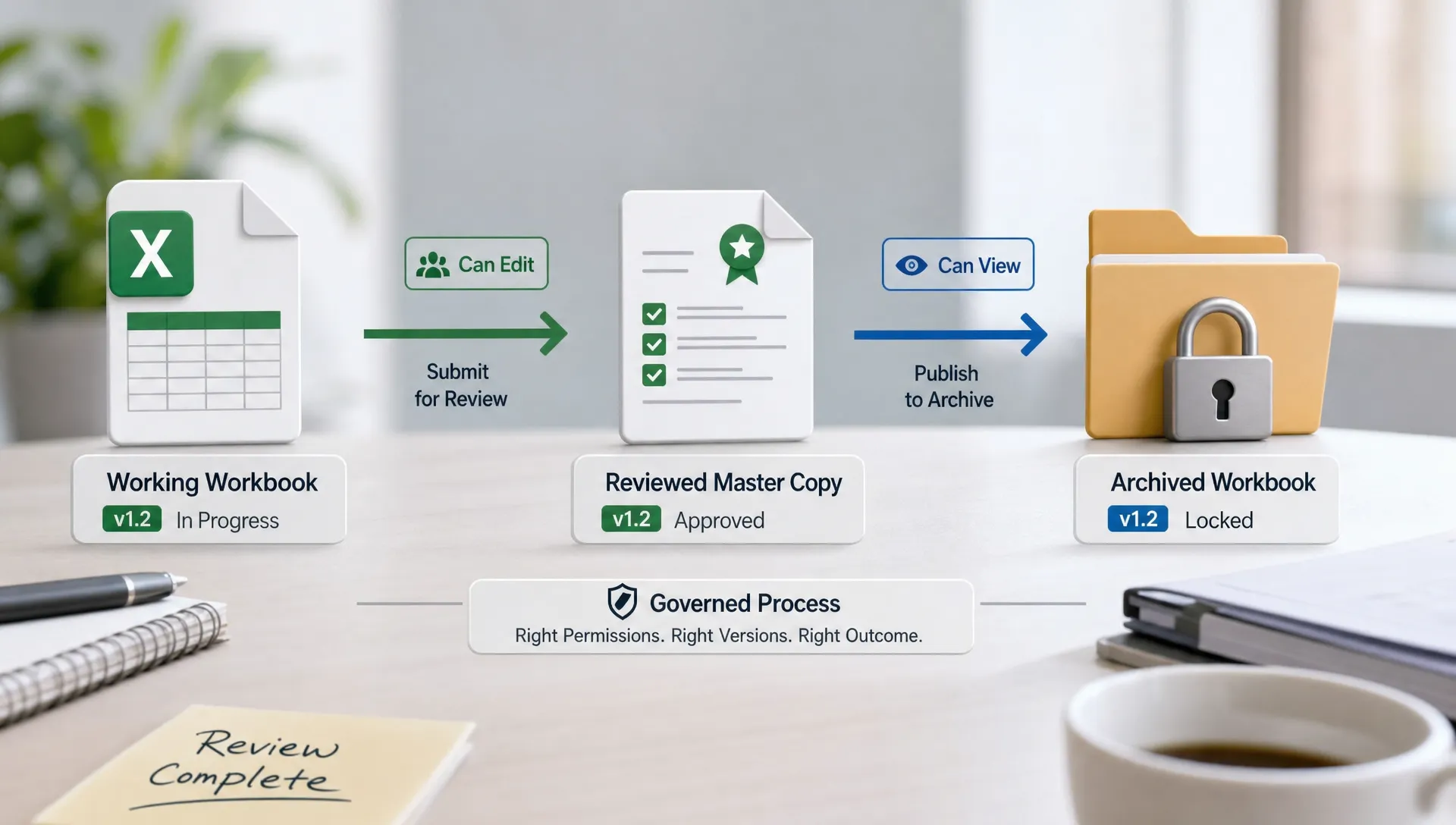
Keep one master copy in an approved location
The fastest way for spreadsheet data to spread is through attachments. Once a workbook is emailed, the sender loses practical control over where it is saved, forwarded or copied. Even if the original file is later corrected or deleted, the attachment may remain in inboxes, downloads folders or backups.
A better approach is to keep one approved master copy in a controlled location. That might be a secured document repository, an approved cloud workspace or a restricted network folder, depending on the organisation’s environment. The key is that access can be granted, reviewed and removed centrally.
The master copy should have a clear permission structure. View access should not automatically include edit or download rights. Editing should be limited to those who need to maintain the data. If a team only needs a report, provide a filtered view or summary instead of the full workbook.
This is also where confidentiality rules matter. Staff should know when they may share a link, when they must remove columns, when approval is required and when a file should never leave the approved platform. PLMC’s guidance on confidentiality data handling rules every team should know covers many of the behaviours that prevent spreadsheet data from travelling further than intended.
Control sharing before sharing becomes normal
Spreadsheet sharing often begins as a workaround. A supplier asks for a list. A board member requests a report. A consultant wants source data. A team member sends the full file because it is quicker than preparing an extract.
The governance rule should be simple: share the minimum data needed, with the minimum access needed, for the minimum time needed. That rule should apply whether the recipient is internal or external.
Sharing situation | Why it creates risk | Better control |
Sending a full workbook for a narrow request | Extra columns may disclose data the recipient does not need | Send a filtered extract or summary only |
Sharing through personal email or messaging apps | The organisation may lose visibility and control | Use approved business channels only |
Giving edit access to a whole team | Accidental changes become harder to trace | Use role-based permissions and named editors |
Sharing hidden columns in a file | Hidden data can often be revealed or copied | Remove unnecessary columns before sharing |
Keeping external access open indefinitely | Former suppliers or consultants may retain access | Set review dates and remove access after use |
If personal data is being transferred outside Jamaica or shared with a third party, additional checks may be required under the Data Protection Act 2020 and the organisation’s contracts. This is especially important where the spreadsheet includes customer identification data, employee records, financial information or AML-related material.
Track copies, exports and downloads
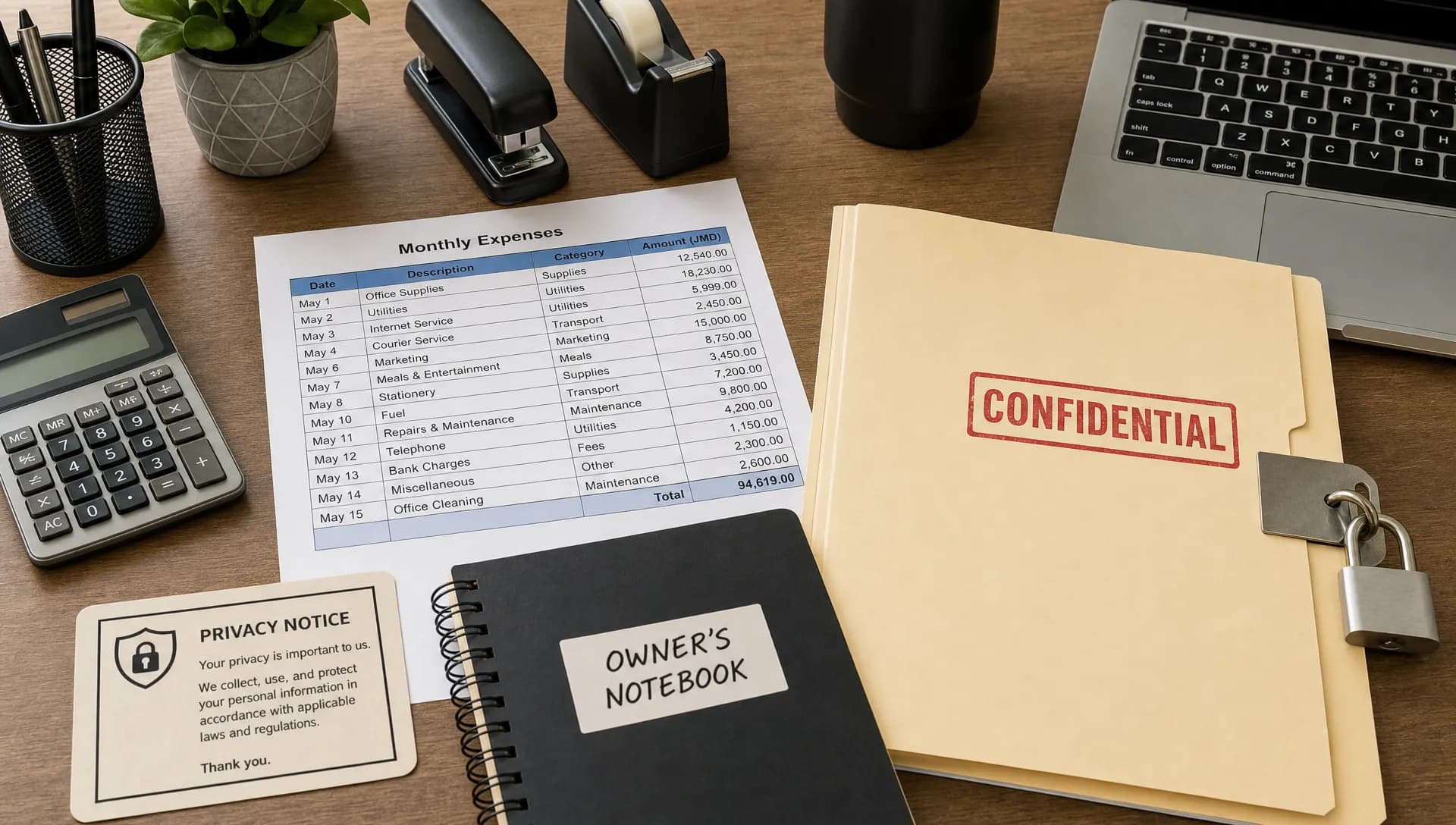
Even with a controlled master copy, spreadsheet data can spread through exports. A CRM export, HR report, accounting download or compliance extract may create a new file that looks temporary but contains live personal data.
Exports should be treated as data processing events, not casual file creation. When someone exports spreadsheet data, they should be able to explain the purpose, where the file will be stored, who will use it and when it will be deleted. If the export is recurring, it should be recorded and governed like any other data flow.
A practical rule is to make exports expire. If a spreadsheet was created to complete a one-time reconciliation, it should not remain in a downloads folder six months later. Temporary does not mean harmless. Temporary files are often the least governed files in the organisation.
Build a spreadsheet register into your data map
A spreadsheet register is a simple but powerful control. It does not need to start as a complex software project. It can begin as an inventory of high-risk spreadsheets, especially those containing personal data or confidential business information.
The register should be connected to the organisation’s wider data map. If a spreadsheet supports a customer onboarding process, an HR process or a complaints process, it should appear in the same data mapping exercise as the systems and vendors involved. If your organisation has not started mapping yet, begin with one defined business process using a practical approach like starting a data mapping project with a clear scope and owner.
Register field | Why it matters |
Spreadsheet name and location | Helps staff find the approved master copy |
Business owner | Creates accountability for access, sharing and retention |
Data categories | Identifies whether personal, sensitive or confidential data is involved |
Purpose | Confirms why the file exists and prevents unnecessary reuse |
Source system | Shows where the data came from and how updates should happen |
Access list | Supports permission reviews and least privilege controls |
External sharing | Records vendors, consultants or partners who receive the data |
Retention period | Prevents old copies from becoming unmanaged risk |
The register should be reviewed regularly. High-risk spreadsheets should be checked more often than low-risk administrative files. A quarterly review is a sensible starting point for many organisations, with more frequent reviews for HR, finance, AML and customer complaint data.
Treat formulas, hidden fields and metadata as risk areas
Spreadsheet risk is not limited to visible cells. Hidden columns, comments, filters, pivot tables, formula links and document metadata may reveal more than intended. A workbook prepared for internal analysis may contain names, staff notes or source data that should not be shared externally.
Before sharing a spreadsheet outside its approved audience, remove unnecessary tabs, hidden rows, comments and embedded data. If only a final table is required, consider exporting a clean version rather than sending the working file. A PDF can sometimes reduce editing risk, but it should not be used as a shortcut if the underlying data is still excessive or inaccurate.
Passwords also need careful treatment. A worksheet password may help prevent accidental editing, but it is not a full security control. Sensitive spreadsheets should rely on approved storage, strong authentication, access permissions and encryption where appropriate. Passwords should never be shared in the same email as the file.
Retire spreadsheets when the workflow has outgrown them
Some spreadsheets are useful for short-term analysis. Others become business-critical tools that should be replaced by a governed system or formal process. The danger is allowing a spreadsheet to become permanent by accident.
A spreadsheet may have outgrown its role when multiple departments depend on it, several people edit it daily, it contains high volumes of personal data, it is used for regulatory reporting or it requires complex manual reconciliation. It may also be time to retire a workbook if the organisation cannot reliably track changes, correct errors or prove who accessed the data.
Retirement does not always mean deletion. In some cases, the data should be migrated to a proper system, archived according to the retention schedule or converted into a controlled report. The key is to make a deliberate decision instead of letting old workbooks sit indefinitely in shared drives.
A practical 30-day plan to regain control
Spreadsheet governance can feel overwhelming if an organisation has years of uncontrolled files. Start with the files that create the highest risk, then expand the process.
Timeline | Action | Outcome |
Week 1 | Identify spreadsheets containing personal, payroll, customer, AML or financial data | A priority list of high-risk files |
Week 2 | Assign owners and confirm approved storage locations | Clear accountability and fewer unofficial master copies |
Week 3 | Review access, remove unnecessary permissions and stop attachment-based sharing | Reduced exposure and better control over recipients |
Week 4 | Add retention rules, document sharing procedures and train staff | Sustainable governance that can be repeated |
This plan works best when management supports it. Staff should not see spreadsheet governance as a punishment for using familiar tools. It should be framed as a way to protect clients, employees, the organisation and the people who rely on the data to do their jobs.
Train teams on the moments that cause spread
Policies are necessary, but spreadsheet governance depends on everyday decisions. Training should focus on the moments when data is most likely to escape control: exporting a report, emailing an attachment, adding a comments column, saving a local copy, sharing with a supplier or reusing an old file for a new purpose.
Good training uses realistic examples from the organisation. A finance team needs different scenarios from HR or customer service. Compliance staff may need specific guidance on AML trackers and due diligence files. Managers need to understand that asking for “the full spreadsheet” can create unnecessary data exposure when a summary would do.
Short reminders can also help. A simple prompt before exporting data can ask: “Do you need all columns?” A sharing checklist can ask: “Is this the approved version?” These small habits reduce risk without slowing work unnecessarily.
Frequently Asked Questions
What is spreadsheet data governance? Spreadsheet data governance is the set of rules, roles and controls used to manage spreadsheet data responsibly. It covers ownership, access, sharing, storage, accuracy, retention and deletion.
Are spreadsheets allowed under Jamaica’s Data Protection Act 2020? Yes, spreadsheets can be used, but personal data in spreadsheets must still be handled lawfully, securely and for a clear purpose. The format does not remove data protection obligations.
Is password protection enough for a confidential spreadsheet? No. Passwords can help in limited situations, but they should not replace approved storage, access control, encryption where appropriate, staff training and a clear sharing process.
How often should spreadsheet access be reviewed? High-risk spreadsheets should be reviewed regularly, often quarterly or when staff roles change. Files containing payroll, customer, AML or sensitive HR data may need more frequent checks.
What should we do if spreadsheet data has already been widely shared? Start by identifying the versions, recipients and data involved. Remove unnecessary access, request deletion of unauthorised copies, preserve evidence where needed and assess whether the incident triggers internal reporting or regulatory steps.
Govern the file before it becomes a breach
Spreadsheets will remain part of business operations because they are useful. The goal is not to eliminate them. The goal is to stop uncontrolled copies, unclear ownership and excessive sharing from becoming normal.
Privacy & Legal Management Consultants Ltd. supports organisations with data protection implementation, governance, risk assessment, compliance training and practical privacy controls. If spreadsheet data is already spreading through your organisation, now is the right time to bring it back under control before a routine file becomes a regulatory, operational or reputational issue.