

Data Protection Workshop: Agenda, Outcomes, and Templates

A well-run data protection workshop can move your organisation from “we know the Act exists” to “we can prove we comply”. For Jamaican teams working toward operational readiness under the Data Protection Act, a workshop is often the fastest way to align leadership, legal, IT, HR, and operations around clear decisions, owners, and evidence.
This guide gives you a practical workshop agenda (with timing options), the outcomes you should expect, and copy-paste templates you can use immediately.
What a data protection workshop is (and what it is not)
A data protection workshop is a structured working session designed to:
Identify how personal data flows through your organisation
Confirm lawful ways you use that data (and where you have gaps)
Assign ownership for controls (security, retention, vendor management, rights requests)
Produce documentation you can maintain as evidence of compliance
It is not a substitute for legal advice on specific questions, and it is not a one-time event. It is the starting point for an operating model: people, process, and proof.
If you need a refresher on the underlying obligations first, PLMC has practical primers you can read before the session, including Jamaica Data Protection Act Explained for Businesses and Privacy and Data Protection: A Practical Checklist.
Who should attend (to avoid “policy-only” workshops)
The most effective workshops include decision-makers and the teams who actually run the workflows. Aim for 8 to 14 participants.
Recommended attendees:
Executive sponsor (COO, CFO, or another senior leader who can allocate resources)
Legal or compliance lead
IT or information security lead
HR representative
Customer-facing operations lead (sales, service, patient services, student services, etc.)
Finance lead (especially if you handle ID, payroll, credit, collections)
Procurement or vendor management lead
Records management or office administration (retention and disposal)
If you use outsourced payroll, cloud services, call centres, or security providers, invite the internal vendor owner who manages those relationships.
Outcomes to expect (the “deliverables” that matter)
A workshop should end with tangible artefacts, not only discussion. Use the table below as your success criteria.
Workshop outcome | What it looks like in practice | Evidence produced |
Data visibility | You can list your main systems and what personal data they hold | Starter data inventory (template below) |
Lawful processing clarity | You can explain why you collect each category of data and what you tell people | Lawful basis decisions log, notice gaps log |
Rights readiness | You know how a rights request is received, verified, tracked, and fulfilled | Rights request (DSAR) log, workflow notes |
Security and breach readiness | You have a triage process and escalation route for suspected incidents | Breach triage form, incident contact list |
Vendor governance | You know which vendors process personal data and what checks to run | Vendor due diligence checklist |
Retention discipline | You know what must be kept, for how long, and how disposal happens | Retention schedule starter |
Accountable ownership | Each control area has an owner and a deadline | RACI and 30/60/90-day action plan |
Tip: A strong workshop produces “version 0.1” documents that are accurate enough to improve, assign, and maintain.

Pre-work (recommended 5 to 10 business days before)
Pre-work keeps the live session focused on decisions.
1) Choose 3 to 5 “high-impact” workflows
Pick workflows that touch sensitive data, large volumes, or reputational risk. Examples:
Hiring and onboarding
Payroll and benefits
Customer onboarding (KYC, credit checks)
Patient intake or student records
Marketing campaigns and mailing lists
CCTV, access control, visitor logs
2) Collect key inputs (lightweight, not perfect)
Ask each workflow owner to bring:
The systems used (apps, spreadsheets, paper files)
The forms used to collect data (online and paper)
Any scripts, notices, or consent language
Any vendor contracts involved
A realistic description of “how it really works”
3) Send a short intake questionnaire (template)
Copy-paste and email this to participants.
Workshop intake questionnaire (email template)
What workflow do you own or support?
What personal data do you collect or use in that workflow (examples are fine)?
Where does the data come from (individual, employer, vendor, public source)?
Where is it stored (system name, paper file, shared drive, cloud platform)?
Who can access it internally?
Who do you share it with externally (vendors, partners, government bodies)?
How long do you keep it (best estimate)?
What is the biggest privacy or data handling problem you see today?
Data protection workshop agenda (choose a format)
Below are two proven formats. The one-day option is best when you can get all key stakeholders in the room at once.
Option A: One-day workshop (6 hours plus breaks)
Time | Session | Purpose | Output |
09:00 to 09:30 | Kick-off and scope | Align goals, definitions, roles, and boundaries | Workshop charter, scope statement |
09:30 to 10:30 | Data mapping sprint | Identify systems, data categories, and transfers | Starter data inventory |
10:45 to 11:30 | Lawful processing decisions | Confirm purpose and lawful justification, identify notice gaps | Lawful basis decisions log |
11:30 to 12:15 | Rights requests walkthrough | Map intake, verification, search, response, and logging | DSAR log template + workflow |
13:15 to 14:00 | Vendor and third-party processing | Identify key processors and checks to run | Vendor list + due diligence checklist |
14:00 to 14:45 | Security and breach readiness | Define incident triage, escalation, and internal reporting | Breach triage form + contact tree |
15:00 to 15:45 | Retention and disposal | Set retention owners, identify quick wins | Retention schedule starter |
15:45 to 16:30 | Actions, owners, and deadlines | Convert gaps into a 30/60/90-day plan | RACI + action plan |
Option B: Two half-day workshops (better for busy teams)
Day 1: visibility and decisions (data mapping, lawful processing, notices)
Day 2: operational controls (rights requests, vendors, security, retention, action plan)
This split works well when stakeholders differ by topic, for example IT joins Day 2 more heavily while marketing joins Day 1.
Facilitation notes (how to get real decisions)
Workshops fail when they become abstract. Keep the conversation anchored to a specific workflow and ask:
Where exactly is the data collected?
What is the business purpose, in plain language?
Who needs access, and who has access today?
What would a customer, employee, patient, or student reasonably expect?
What proof could we show an auditor, partner, or regulator?
Where disagreements arise, record the decision needed and the owner, do not try to solve every dispute live.
Templates you can use in the workshop
These templates are designed to be simple enough to complete live, then improve after.
Template 1: Workshop charter (1 page)
Use this to prevent scope creep.
Data Protection Workshop Charter
Organisation:
Date:
Executive sponsor:
Facilitator:
In scope (workflows and systems):
Out of scope (explicit exclusions):
Objectives (3 to 5):
Participants and roles:
Expected outputs (list the artefacts you want):
Decision rules (who breaks ties, how decisions are recorded):
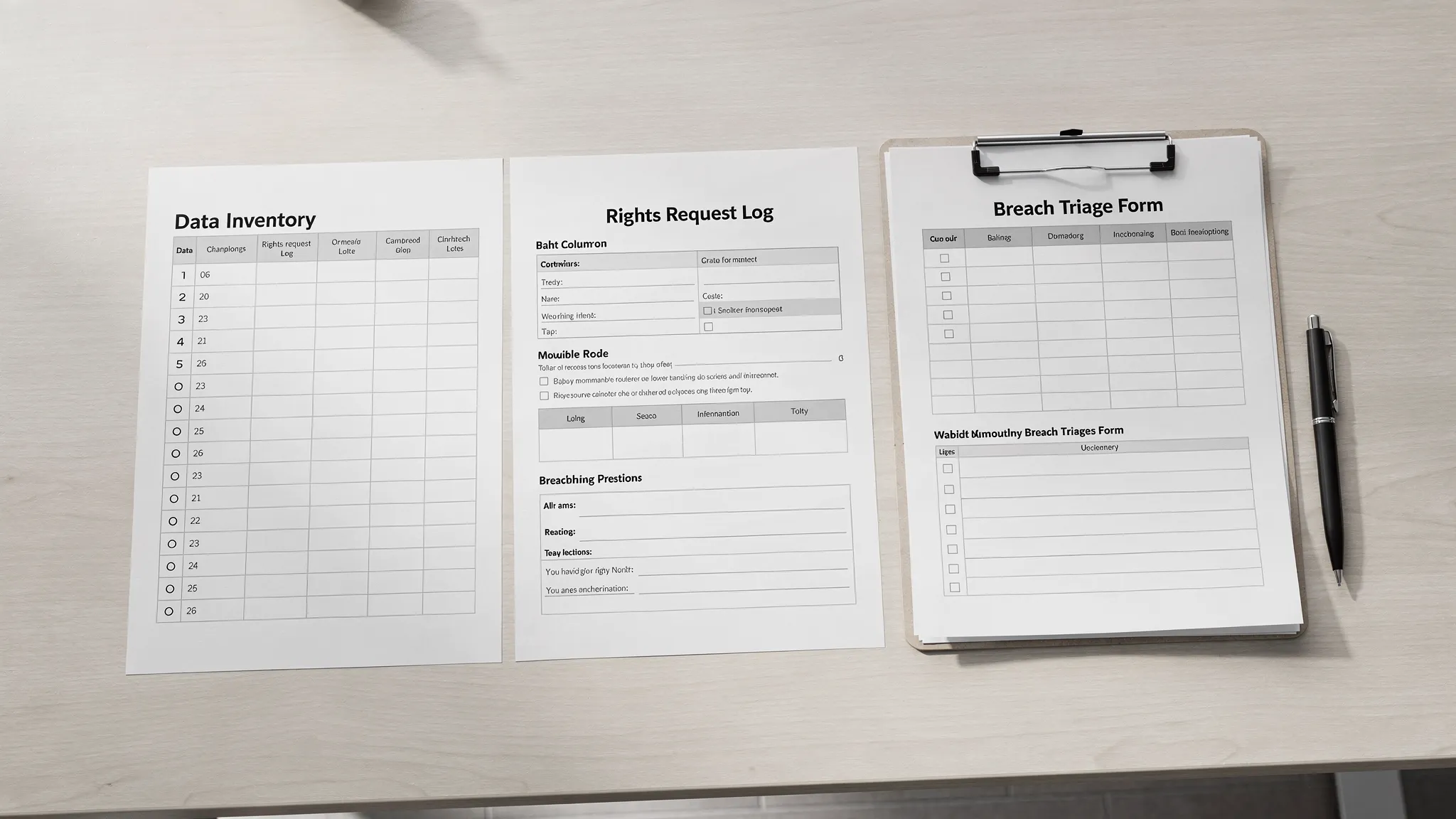
Template 2: Starter data inventory (workshop-friendly)
A full record of processing can get detailed. Start with a pragmatic inventory and expand later.
Workflow | System or location | Data subjects | Personal data types | Sensitive data (Y/N) | Who has access | External sharing | Cross-border or cloud (Y/N/Unknown) | Retention (best estimate) |
Notes for facilitators:
“System or location” can include paper files and email inboxes.
If the team is unsure about cross-border or cloud, mark “Unknown” and assign an owner to confirm.
Template 3: Lawful processing decisions log
This keeps teams consistent and highlights where privacy notices must be updated.
Workflow | Purpose (plain language) | Data collected (summary) | Who receives the notice | What you tell them today (link or doc name) | Gap or decision needed | Owner | Target date |
If you need to align your notice content to best practice principles, the UK Information Commissioner’s Office has clear guidance on what to include in a privacy notice, which many Caribbean organisations use as a practical reference point.
Template 4: Rights request (DSAR) log and workflow
Even if requests are rare today, you want a consistent way to receive, verify, track, and respond.
Request ID | Date received | Requester | Relationship (customer/employee/other) | Request type | Identity verified (Y/N) | Systems searched | Due date (internal) | Status | Response date | Notes |
Rights request workflow (short form)
Intake channel(s):
Who monitors the channel:
Identity verification method:
Search steps and systems:
Approval step (if any):
Response method:
Logging and retention of request file:
Template 5: Breach triage form (first 30 minutes)
The goal is speed and clarity, not perfection. Record what you know, escalate, then refine.
Suspected Personal Data Incident Triage Form
Date and time discovered:
Reported by:
How discovered:
What happened (facts only):
Systems affected:
Data involved (types and approximate volume):
Data subjects affected (customers, employees, etc.):
Is the data encrypted or otherwise protected?
Containment actions taken:
Internal escalation contacts notified:
Decision needed (for example, further investigation, communications, legal review):
Owner and next update time:
For incident handling structure, the US National Institute of Standards and Technology (NIST) provides widely used guidance in Computer Security Incident Handling Guide (SP 800-61).
Template 6: Vendor due diligence checklist (minimum viable)
This supports a consistent “processor” review without turning procurement into a bottleneck.
Vendor | Service | Personal data processed (summary) | Access type (view/store/transmit) | Security assurances received (Y/N) | Contract has data protection terms (Y/N/Unknown) | Subprocessors disclosed (Y/N/Unknown) | Issues to fix | Vendor owner |
Template 7: Retention schedule starter (high-value categories)
If your organisation has never documented retention, start with the categories that create the most risk.
Record category | Where stored | Business reason to keep | Trigger to start retention clock | Retention period (to confirm) | Disposal method | Owner |
HR recruitment and employee files | ||||||
Payroll and statutory records | ||||||
Customer onboarding and verification | ||||||
CCTV footage and access logs | ||||||
Marketing lists and consent records |
Converting workshop outputs into a 30/60/90-day plan
A workshop creates momentum, but compliance comes from follow-through. Use this structure so actions do not stall.
Timeframe | Priority | What “done” looks like | Suggested owner |
First 30 days | Governance and visibility | Named privacy lead, workshop artefacts stored, data inventory expanded to cover key systems | Executive sponsor + compliance |
60 days | Controls and documentation | Updated notices for priority workflows, DSAR process live, vendor list completed for high-risk vendors | Legal/compliance + procurement |
90 days | Testing and embedding | Tabletop breach exercise, retention rules approved for top categories, staff briefing delivered | IT/security + records + HR |
If you need a broader compliance timeline, PLMC’s Data Protection Jamaica: Compliance Roadmap for 2026 provides a quarter-by-quarter way to structure evidence and board reporting.
When to run a workshop (signals you are ready)
You do not need a “perfect” programme to start. A workshop is timely when:
You are implementing new systems (HRIS, CRM, cloud migration) and want privacy built in
You have multiple departments collecting the same data with inconsistent notices
Vendor processing has grown (outsourced IT, payroll, call centres, marketing tools)
Leadership wants a clear view of compliance risk and what remediation will cost
You want to train staff, but need your processes defined first
How PLMC can support your workshop
Privacy & Legal Management Consultants Ltd. (PLMC) supports Jamaican organisations with data protection implementation, GRC integration, risk assessment tools, and training sessions aligned to real operational workflows.
If you want help tailoring the agenda to your sector, facilitating the workshop, or turning outputs into an implementation plan, you can request a free consultation via Privacy & Legal Management Consultants Ltd..