
Cyber Hygiene Habits That Support Data Protection
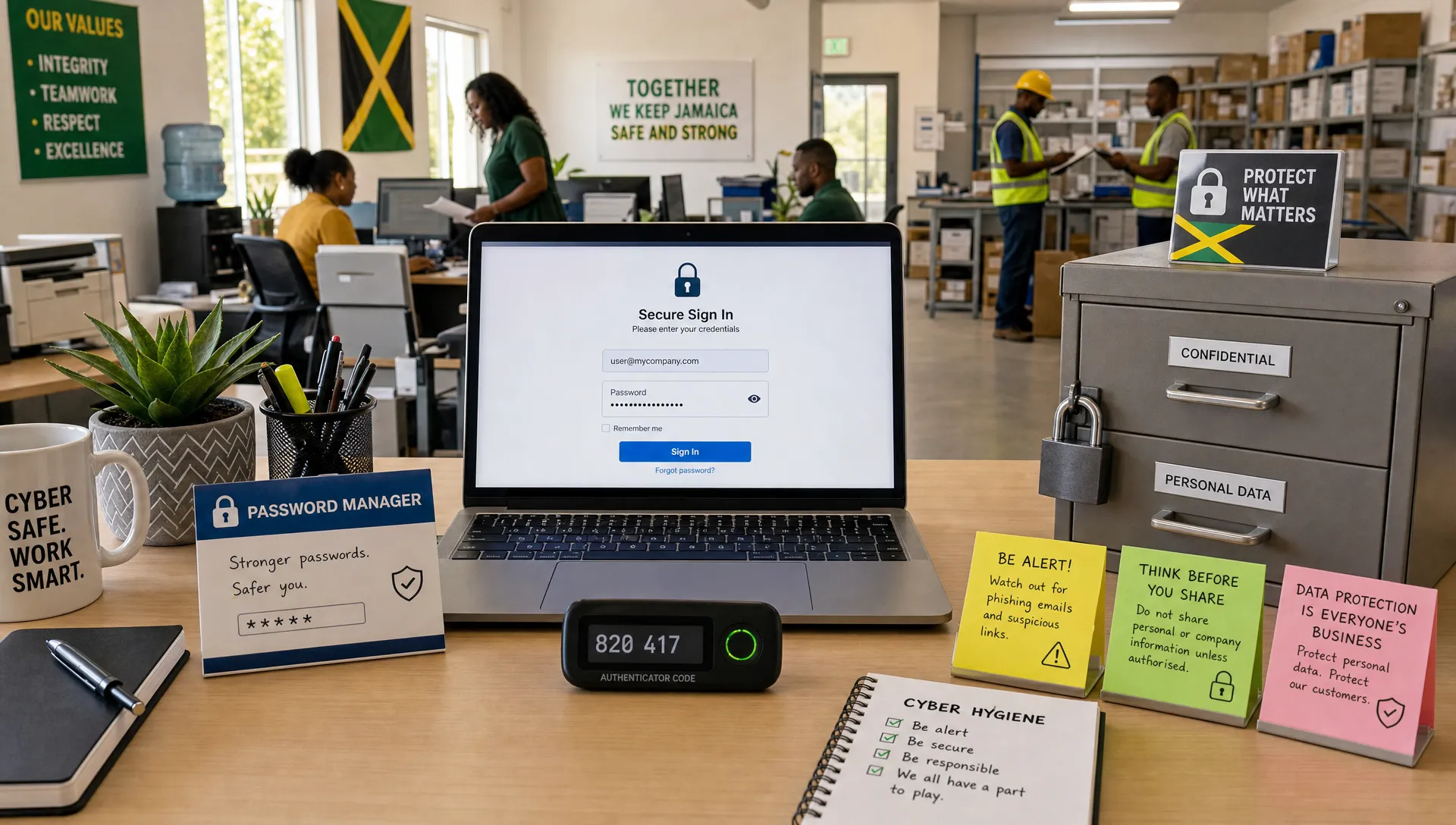
Cyber hygiene is the set of small, repeatable security behaviours that keep personal data safer every day. It is not only an IT issue. For Jamaican organisations working toward strong data protection compliance, cyber hygiene belongs in the hands of every employee, supervisor, vendor manager, and executive who touches personal information.
Under Jamaica’s Data Protection Act, 2020, organisations must take appropriate steps to protect personal data from unauthorised access, loss, misuse, alteration, and disclosure. Strong policies matter, but policies fail when daily habits are weak. A single reused password, an unverified email attachment, or an unattended spreadsheet can undermine expensive security tools.
Good cyber hygiene turns data protection from a document into a routine. It helps teams make safer choices when collecting, using, sharing, storing, and deleting personal data.
Why cyber hygiene matters for data protection
Data protection and cyber security are closely connected, but they are not the same thing. Data protection focuses on the lawful, fair, transparent, and accountable handling of personal data. Cyber security focuses on protecting systems, networks, devices, and information from threats. If your team needs a deeper distinction, PLMC’s guide on the difference between data protection and data security explains how both disciplines work together.
Cyber hygiene sits at the intersection. It supports data protection by reducing the everyday risks that lead to privacy incidents, such as unauthorised access, accidental disclosure, poor retention, and avoidable data loss.
This is especially important because many breaches begin with ordinary human actions. The Verizon 2024 Data Breach Investigations Report found that 68% of breaches involved a non-malicious human element, such as a person falling for social engineering or making an error. That does not mean employees are the problem. It means organisations need habits, controls, and training that make the safe action the easy action.
For Jamaican businesses, public bodies, schools, charities, professional firms, and financial institutions, cyber hygiene also supports governance. It creates evidence that the organisation is taking reasonable steps to manage risk, educate staff, and protect the personal data entrusted to it.
Habit 1: Treat personal data as valuable from the moment it is collected
Cyber hygiene starts before information enters a system. Staff should pause before collecting personal data and ask whether the organisation genuinely needs it, whether the purpose is clear, and whether the person understands how it will be used.
This habit supports data minimisation, purpose limitation, and transparency. It also reduces cyber risk because data that is never collected cannot be stolen, leaked, or misused.
A practical collection check can be simple:
Do we need this personal data to deliver the service or meet a legal requirement?
Have we explained the purpose clearly to the individual?
Are we collecting only what is necessary?
Do we know where this data will be stored and who will access it?
For example, if a registration form asks for a taxpayer registration number, date of birth, home address, emergency contact, and ID number, the team should be able to justify each field. If not, the safest and most compliant option may be to remove it.
Habit 2: Use strong, unique passwords and protect them properly
Passwords remain one of the most common weak points in an organisation’s security posture. Cyber hygiene requires more than telling staff to “use strong passwords.” It means creating a culture where passwords are unique, not shared, and not stored in unsafe places.
Employees should avoid reusing the same password across work and personal accounts. A password exposed in a personal breach can become a business risk if it is reused for corporate email, HR platforms, client portals, or cloud storage.
Where possible, organisations should provide a reputable password manager, require unique passwords, and discourage unsafe practices such as saving passwords in spreadsheets, notebooks, browser profiles shared by multiple staff members, or messaging apps.
The strongest habit is this: no one should ever ask for another person’s password. If a manager, IT technician, vendor, or colleague needs access, use an approved access process instead.
Habit 3: Turn on multi-factor authentication for sensitive systems
Multi-factor authentication, often called MFA, adds a second layer of protection beyond a password. This may include an authenticator app, hardware token, biometric check, or secure one-time code.
For data protection, MFA is especially important for systems that hold personal data, such as email, payroll, customer relationship management tools, accounting platforms, document storage, case management systems, and HR databases.
MFA helps reduce the impact of stolen passwords. If an attacker obtains a password through phishing or credential stuffing, the second factor can prevent them from logging in.
The NIST Cybersecurity Framework 2.0 emphasises identity management, authentication, and access control as key parts of reducing cyber risk. In plain terms, the organisation must know who is accessing what, and it must make unauthorised access harder.
Habit 4: Pause before clicking, opening, or forwarding
Phishing emails, malicious links, fake invoices, and fraudulent file-sharing notifications remain major sources of cyber incidents. A healthy cyber hygiene culture teaches employees to slow down when a message creates urgency, fear, curiosity, or pressure.
Before clicking a link, opening an attachment, or forwarding a message containing personal data, staff should check the sender, context, request, and destination. If something feels unusual, the safest habit is to verify through a separate trusted channel.
This is not only a cyber security issue. Phishing can lead directly to data protection incidents. An attacker who compromises an employee mailbox may gain access to client records, ID documents, medical information, disciplinary records, contracts, or financial details.
Teams should also be careful with internal forwarding. Personal data should not be passed around simply because it is convenient. If a colleague does not need the information for a legitimate work purpose, they should not receive it.
Habit 5: Share personal data through approved channels only
Data protection incidents often happen during routine sharing. A file is sent to the wrong email address. A spreadsheet is uploaded to an unapproved platform. A WhatsApp message includes customer details. A link is set to “anyone with the link can view.”
Good cyber hygiene requires clear sharing habits. Staff should know which channels are approved for personal data, which types of information require encryption or restricted access, and when they must seek authorisation before sending data externally.
This is particularly important when working with vendors, consultants, overseas partners, or group companies. If personal data leaves the organisation, there should be a legitimate purpose, appropriate safeguards, and a record of the sharing arrangement.
A simple rule helps: the more sensitive the information, the more deliberate the sharing process must be. Health information, financial data, national identification information, children’s data, employee disciplinary records, and security credentials should never be shared casually.
Habit 6: Keep devices, apps, and systems updated
Software updates can feel like an interruption, but they are one of the most practical cyber hygiene habits. Updates often fix security vulnerabilities that attackers actively exploit.
Laptops, desktops, phones, tablets, servers, browsers, plugins, antivirus tools, and business applications should be patched regularly. Where possible, updates should be automated and monitored. Where manual updates are required, staff should understand that delaying them can create avoidable risk.
This habit supports the security safeguard expectations within data protection compliance. If a known vulnerability remains unpatched for months and personal data is exposed, the organisation may struggle to show that it took appropriate protective measures.
For a broader view of technical measures that support privacy outcomes, PLMC’s article on cyber data protection controls that reduce real risk provides a useful companion to these daily habits.
Habit 7: Lock screens and secure physical workspaces
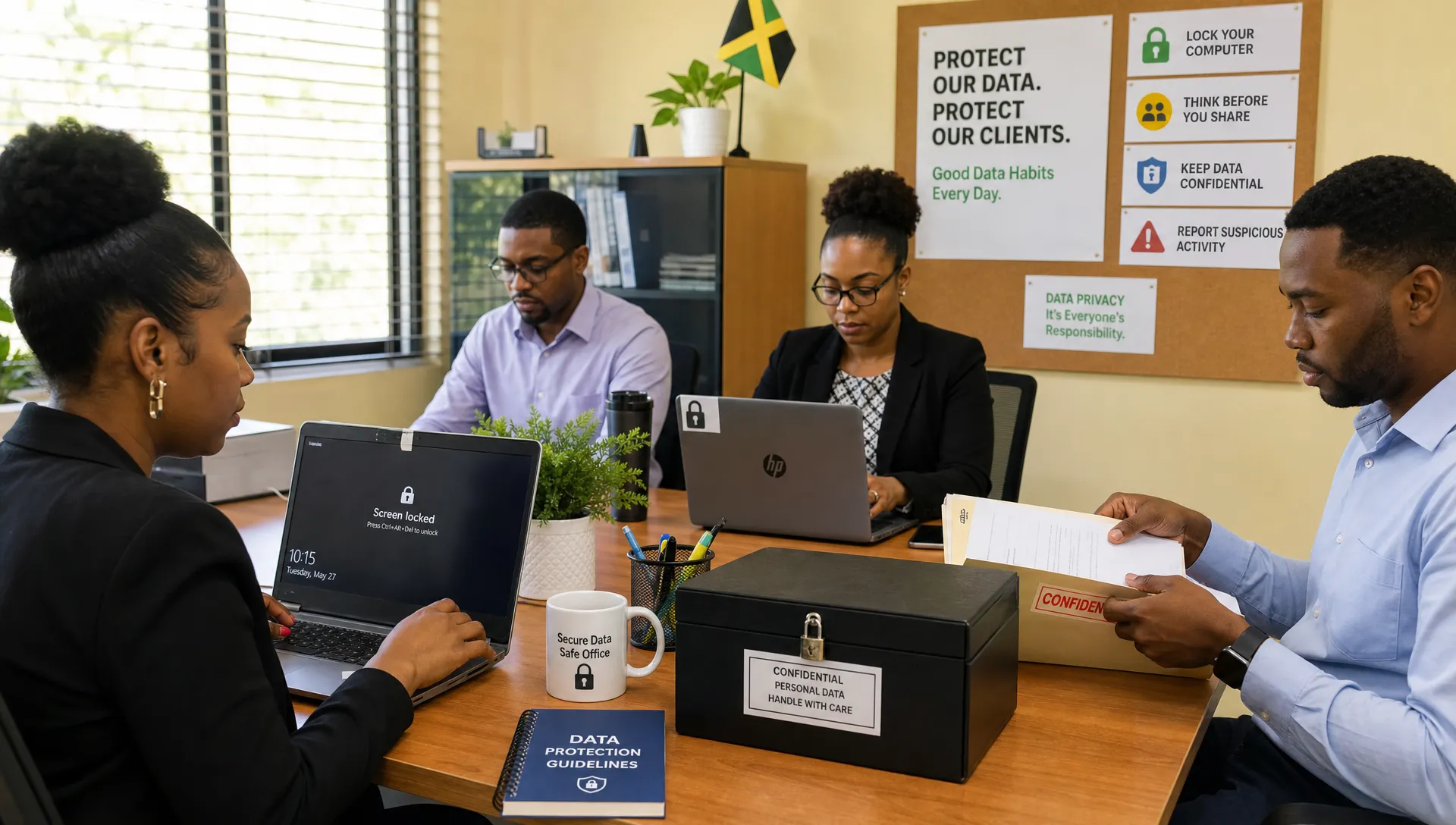
Cyber hygiene is not limited to digital tools. Physical habits matter too. A screen left open in a reception area, meeting room, shared office, or airport lounge can expose personal data. Printed documents left on a desk can be photographed, misplaced, or collected by the wrong person.
Employees should lock their screens whenever they step away, even for a short time. Devices should not be left unattended in vehicles or public places. Printed personal data should be collected quickly from printers, stored securely, and shredded or disposed of through approved methods when no longer needed.
Clean desk habits are especially important for teams handling HR files, customer complaints, medical records, loan applications, legal matters, financial information, or identity documents. Physical exposure can become a reportable privacy incident even when no system was hacked.
Habit 8: Use least privilege access every day
Least privilege means each person should have access only to the personal data and systems needed for their role. This is a governance habit as much as a technical control.
Access rights should not grow endlessly as employees change roles, join projects, or cover for colleagues. Managers should review access regularly and remove permissions when they are no longer needed. When an employee leaves, access should be disabled promptly.
This habit reduces the risk of unauthorised access, insider misuse, accidental disclosure, and excessive data exposure. It also makes investigations easier because system activity is tied to defined roles and responsibilities.
Here is how common cyber hygiene habits support data protection outcomes:
Cyber hygiene habit | Data protection benefit | Practical example |
Strong unique passwords | Reduces unauthorised access risk | Staff use a password manager instead of reused passwords |
MFA on sensitive systems | Protects accounts if credentials are stolen | Payroll and email require a second factor |
Careful email checks | Reduces phishing and accidental disclosure | Staff verify unusual requests before sending files |
Approved sharing channels | Supports confidentiality and accountability | Client files are shared through controlled access links |
Regular patching | Reduces exposure to known vulnerabilities | Laptops and browsers update automatically |
Clean desk and screen locking | Prevents visual and physical exposure | HR documents are stored in locked cabinets |
Least privilege access | Limits unnecessary data access | Former project members lose access after the project ends |
Secure disposal | Supports retention and confidentiality | Old files are shredded or securely deleted |
Habit 9: Report mistakes quickly, without fear
A strong data protection culture does not pretend mistakes will never happen. It creates a safe and clear reporting process so the organisation can respond quickly.
Employees should know what to report, who to contact, and how urgent the report is. Examples include sending personal data to the wrong recipient, losing a device, clicking a suspicious link, noticing unauthorised access, discovering misdirected mail, or finding printed personal data in a public area.
Fast reporting allows the organisation to contain harm, recover data where possible, assess legal obligations, notify affected individuals if required, and improve controls. Slow reporting can make a small incident much worse.
Managers should avoid blame-based reactions. If employees fear punishment for honest mistakes, they may delay reporting or try to fix problems quietly. That creates greater risk for the organisation and the individuals whose data is involved.
Habit 10: Delete or archive personal data when it is no longer needed
Good cyber hygiene includes reducing the amount of personal data exposed to risk. Keeping data “just in case” may seem convenient, but it increases the consequences of a breach and may conflict with retention expectations.
Retention habits should be practical. Teams should know which records must be kept, for how long, where they should be stored, and how they should be deleted or archived when the retention period ends.
This applies to email inboxes, downloads folders, shared drives, paper files, backup locations, chat platforms, and personal devices used for work. If staff export reports containing personal data, those temporary files should not remain on desktops indefinitely.
Retention is often where cyber hygiene and data governance meet. The organisation cannot protect data effectively if it does not know what it has, where it is, and why it is still being kept.
Habit 11: Build cyber hygiene into onboarding and refresher training
Cyber hygiene habits become stronger when they are taught early and reinforced often. New employees should learn how the organisation handles personal data, which tools are approved, how to report incidents, and what behaviours are expected.
Refresher training should be practical rather than overly theoretical. Staff need examples they recognise from daily work: sending documents, verifying identity, using shared drives, responding to urgent requests, working remotely, printing forms, and disposing of records.
Short, repeated reminders often work better than one long annual session. Posters, team briefings, quizzes, phishing simulations, manager talking points, and scenario-based discussions can all help. For more practical ideas, see PLMC’s guide to data protection awareness training that actually sticks.
How leaders can make cyber hygiene stick
Employees cannot sustain good cyber hygiene if the organisation’s systems make safe behaviour difficult. Leadership must remove friction, set expectations, and model the habits they want to see.
For example, if staff are told not to use personal email but the approved file-sharing tool is slow or unavailable, unsafe workarounds will appear. If managers demand urgent reports through informal channels, employees may bypass privacy checks. If executives do not use MFA, others may treat it as optional.
Leaders can support cyber hygiene by assigning ownership, reviewing risks, funding basic controls, and making privacy part of operational decision-making. Governance committees, risk owners, department heads, and compliance teams should treat cyber hygiene as a measurable business practice, not a seasonal awareness slogan.
A useful starting point is to ask each department three questions:
What personal data do we handle most often?
Which daily behaviours create the highest risk?
What one habit would reduce that risk immediately?
The answers can guide training, policy updates, access reviews, and practical controls.
A simple weekly cyber hygiene checklist
Organisations do not need to overhaul everything at once. A weekly rhythm can help teams build consistency and accountability.
Weekly check | Owner | Why it matters |
Review suspicious email reports | IT or security lead | Identifies phishing patterns and staff support needs |
Check pending software updates | IT or system owners | Reduces exposure to known vulnerabilities |
Review new and departing staff access | HR, managers, IT | Prevents excessive or outdated permissions |
Clear unnecessary downloads and temporary files | All staff | Reduces uncontrolled copies of personal data |
Confirm secure storage of paper records | Department leads | Prevents physical exposure or loss |
Discuss one privacy scenario in team meetings | Managers | Keeps data protection practical and visible |
The value is not in the checklist itself. The value is in the discipline of repeating small controls until they become normal.
Frequently Asked Questions
What is cyber hygiene in data protection? Cyber hygiene refers to everyday security habits that help protect personal data, such as using strong passwords, enabling MFA, updating systems, checking emails carefully, locking screens, and reporting incidents quickly.
Is cyber hygiene required under Jamaica’s Data Protection Act, 2020? The Act does not usually describe obligations using the phrase “cyber hygiene,” but these habits support the requirement to apply appropriate organisational and technical measures to protect personal data.
Who is responsible for cyber hygiene in an organisation? Everyone has a role. Employees must follow safe practices, managers must reinforce expectations, IT must maintain secure systems, and leadership must provide governance, resources, and accountability.
How often should staff receive cyber hygiene training? Training should begin at onboarding and continue through regular refreshers. Short, practical sessions throughout the year are usually more effective than relying only on one annual training event.
What is the easiest cyber hygiene habit to start with? Start with MFA for email and systems that hold personal data, then combine it with strong unique passwords and a clear phishing-reporting process. These habits reduce common risks quickly.
Strengthen data protection through better daily habits
Cyber hygiene is not a replacement for formal data protection compliance, privacy policies, risk assessments, vendor reviews, or incident response planning. It is the daily behaviour layer that makes those measures work.
When employees collect less data, share it carefully, protect their accounts, update devices, lock screens, and report mistakes quickly, the organisation becomes more resilient. It also builds the kind of privacy-aware culture expected in a mature governance, risk, and compliance environment.
Privacy & Legal Management Consultants Ltd. supports organisations in Jamaica with data protection implementation, compliance readiness, privacy awareness, cyber security, and governance services. If your organisation wants to turn data protection requirements into practical workplace habits, contact PLMC through Privacy & Legal Management Consultants Ltd. to discuss the next step.