

Clients Privacy: How to Protect Customer Data End-to-End

Clients trust you with more than a name and a phone number. They share addresses, ID details, payment information, purchase history, sometimes medical or HR-related information, and the context around their lives. When that data leaks, gets misused, or is kept longer than necessary, the impact is not only regulatory. It is reputational, operational, and personal.
For Jamaican organisations working to align with the Data Protection Act, “clients privacy” has to be managed end-to-end, from the first point of collection to secure disposal. This article breaks down an end-to-end approach you can use to reduce risk and demonstrate accountability.
What “end-to-end” clients privacy actually means
Most customer data incidents are not caused by a single failure. They usually happen at the seams:
A marketing form collects more data than needed.
A staff member downloads a customer list to a personal device.
A vendor is onboarded without clear security requirements.
Old records remain in shared drives “just in case.”
End-to-end protection means you manage the full customer data lifecycle with consistent rules, controls, and evidence.
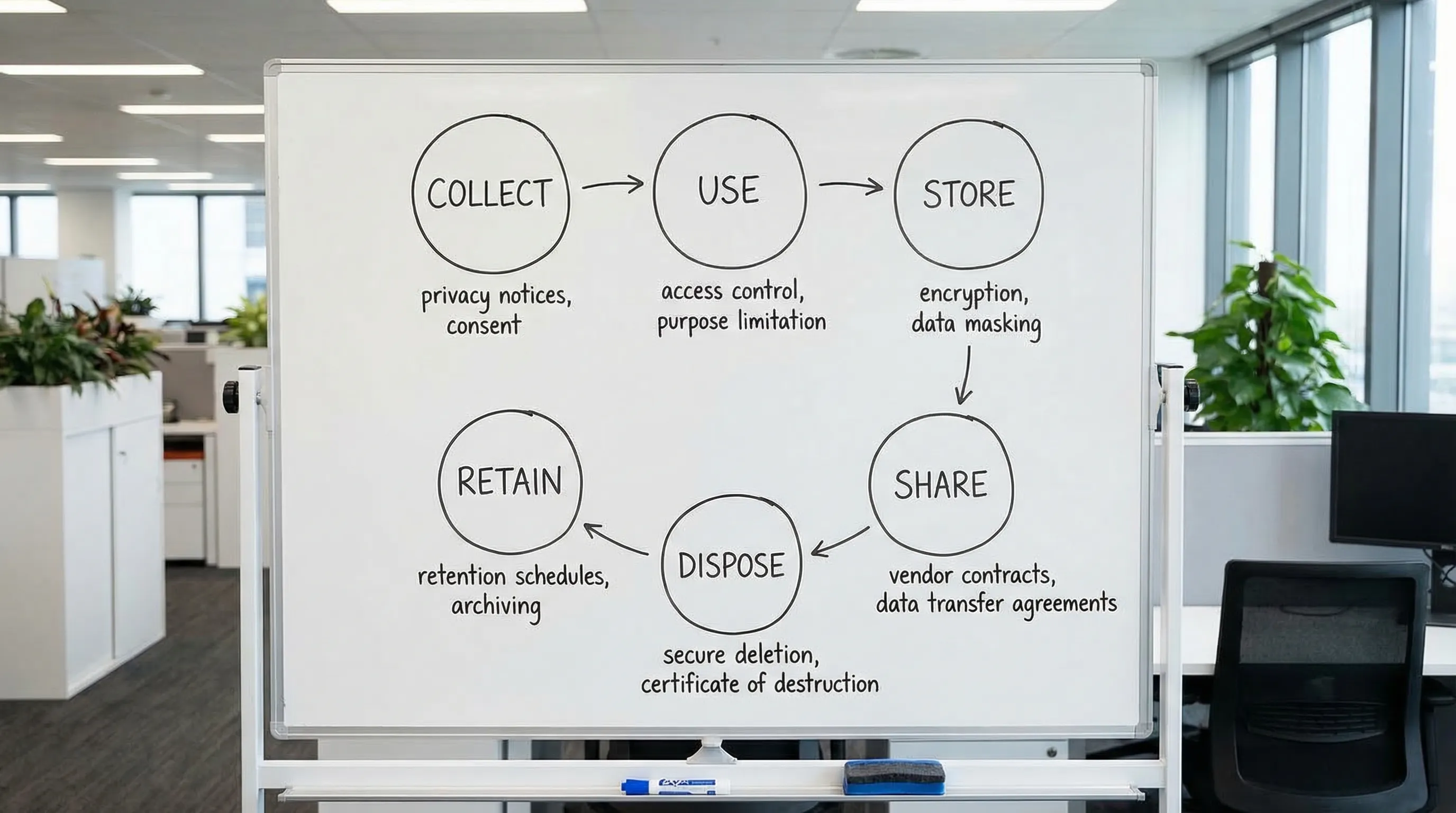
The customer data lifecycle (simple model)
Lifecycle stage | What happens | Typical risk | Practical objective |
Collect | Forms, calls, email, website, in-person | Over-collection, unclear notice | Collect only what you need, explain why |
Use | Service delivery, billing, support, analytics | Purpose creep | Use data only for defined, lawful purposes |
Store | Databases, shared drives, CRM, cloud apps | Unauthorised access | Restrict access and protect data at rest |
Share | Vendors, group companies, banks, couriers | Weak contracts, uncontrolled transfers | Control processors and transfers |
Retain | Archives, backups, legacy systems | “Forever retention” | Keep data only as long as required |
Dispose | Deletion, shredding, deprovisioning | Data still recoverable | Securely delete and prove it |
If you cannot explain, for each stage, “what we do, who owns it, and how we prove it,” you likely have gaps.
Step 1: Set governance that makes privacy executable
Policies alone do not protect customer data. Accountability does.
A workable governance foundation typically includes:
Ownership: Clear responsibility for privacy and security decisions (for example, a privacy lead and an information security lead, even if part-time roles).
A decision path: Who approves new data collection, new vendors, or new systems.
Documented rules: Privacy policy, retention rules, access rules, incident response process.
Evidence habits: Meeting notes, risk decisions, approvals, training attendance.
If you want a Jamaica-specific starting point, PLMC’s resources can help you anchor this to local obligations and operations, for example: Jamaica Data Protection Act explained for businesses.
Use a recognised framework to avoid reinventing the wheel
Frameworks help you structure work, define “good,” and communicate maturity to leadership.
Two widely used references:
The NIST Privacy Framework for privacy risk management.
The ISO/IEC 27001 overview for information security management.
You do not need certification to benefit from the structure.
Step 2: Reduce risk at the point of collection (where most overreach starts)
Customer data protection starts before the data exists in your systems.
Collect less (data minimisation)
A high-impact exercise is reviewing every customer data field you collect and answering:
Do we truly need it to deliver the service?
Is it required by law, regulation, or contract?
What happens if we do not collect it?
If the business cannot justify it, remove it or make it optional.
Give clear notices at the moment it matters
Many organisations have a website privacy policy, but customers make decisions at the moment they:
Fill a form
Sign an agreement
Join a loyalty programme
Submit ID
Your notices should explain in plain language:
What you collect
Why you collect it
Who you share it with (including key vendor types)
How long you keep it
How customers can exercise their rights
This is also where your consent practices (where applicable) need to be precise, not bundled, and not implied.
Treat “sensitive” data as a separate category
Even if your systems do not label it as such, some customer data types deserve stricter handling because harm is higher if exposed (for example, health-related data, financial details, ID documents). Practical implications:
Limit who can view it
Log access
Avoid sending it by email
Encrypt it and store it in restricted locations
Step 3: Protect data in storage with controls that match real-world workflows
“Store securely” needs to translate into specific safeguards.
Access control: start with least privilege
Least privilege means staff only access customer data needed for their role. In practice, this usually includes:
Role-based access in systems like CRM, billing, case management
Removal of shared accounts
Formal joiner, mover, leaver processes (provisioning and deprovisioning)
Review of access rights on a schedule
A common weak point is shared drives with “everyone” access. If customer data is in shared folders, treat it as a risk register item and migrate it into controlled systems.
Encryption and configuration hygiene
Many breaches are driven by misconfiguration (open cloud storage, exposed admin ports, weak MFA setup). If you use cloud services:
Enforce MFA on admin and user accounts
Lock down admin consoles
Keep an inventory of systems that store customer data
Ensure encryption is enabled where supported (at rest and in transit)
For application security, OWASP remains a practical reference point, especially for web forms and client portals. See the OWASP Top 10 for common web application risks.
Logging and monitoring (so you can investigate)
When something goes wrong, you will need to answer: who accessed what, when, and from where.
Minimum viable logging goals:
Authentication logs (successful and failed)
Administrative changes (permission changes, exports)
Customer record access where feasible
Alerts for suspicious events (mass exports, unusual locations)
Step 4: Control sharing with vendors and partners (the processor risk problem)
Customer data often leaves your organisation through:
Payment processors
Cloud hosting and SaaS providers
Marketing platforms
Customer support tools
Delivery and logistics partners
End-to-end clients privacy requires you to manage vendor risk as a standard operating practice.
What to require before sharing customer data
Use a consistent vendor onboarding checklist that covers:
What customer data the vendor receives
The vendor’s security controls (MFA, encryption, access restrictions)
Sub-processors and where data is stored
Breach notification timelines and responsibilities
Data deletion and return at end of contract
Contractually, you want clear terms on confidentiality, security measures, audit rights (even limited), and incident cooperation.
Cross-border transfers and cloud services
Even Jamaica-based businesses frequently use cloud services hosted abroad. The operational point is not “avoid cloud.” It is to:
Know where customer data may be processed
Document the transfer and associated risks
Apply vendor controls and accountability
PLMC’s Data Protection Jamaica: Compliance Roadmap for 2026 is a useful reference for building the operational programme around these realities.
Step 5: Build a reliable process for customer rights requests
Customers increasingly expect to ask:
What data do you have on me?
Can you correct it?
Can you delete it?
Can you stop using it for a certain purpose?
A rights process is not only legal alignment, it is also a trust mechanism.
Make rights handling a workflow, not an inbox
If rights requests are handled through scattered emails, you risk:
Missing deadlines
Disclosing to the wrong person
Sending incomplete information
A simple workflow should define:
Intake channels (web form, email address, in person)
Identity verification steps
Search procedure across systems (CRM, billing, support tickets, marketing tools)
Review and approval steps
Response templates
Evidence retention (what you did, when you did it)
Step 6: Prepare for incidents and breaches before you have one
A breach is not only “hackers.” It can be:
A misdirected email
Lost laptop/phone
Unauthorised staff access
Exposed cloud storage
What “breach readiness” looks like in practice
You want to be able to do three things quickly:
Contain: Stop further exposure.
Assess: Identify what data, whose data, and the likely harm.
Communicate: Notify stakeholders as required and preserve trust.
Tabletop exercises (simulated incidents) are one of the most effective ways to test readiness without waiting for a real event.
Step 7: Retention and secure disposal (the most neglected stage)
Keeping customer data “just in case” is expensive and risky. The longer you retain, the more you expose.
Implement retention rules tied to business needs
Create a retention schedule that aligns records to:
Legal requirements
Contractual obligations
Operational needs (support, warranty, dispute handling)
Then make it real by linking it to systems and processes, not just a document.
Disposal must include backups and devices
Deletion is not complete if:
Data remains in archived mailboxes
Old exports remain on staff laptops
Backups retain old datasets indefinitely
At minimum, define:
How you delete from primary systems
How you handle backups (rotation periods, restoration controls)
How you dispose of physical records (secure shredding)
How you dispose of devices (secure wipe, decommission logs)
Step 8: Make training role-based (privacy awareness is not one-size-fits-all)
Privacy training is most effective when it is specific to what staff actually do.
Examples of role-based focus:
Front desk and customer service: identity verification, safe disclosures, handling requests
Sales and marketing: lawful outreach, consent where applicable, handling lists and exports
Finance: payment data handling, vendor coordination
IT: access control, logging, patching, incident response
HR: staff privacy and sensitive records
Short, repeated training beats one annual slide deck.
Step 9: Measure and prove your clients privacy programme works
To demonstrate accountability, track a small set of meaningful metrics. Avoid vanity metrics like “we have a policy.”
Area | Example metric | Why it matters |
Access control | Percentage of systems with MFA enabled | Reduces account takeover risk |
Data minimisation | Number of forms reduced or fields removed | Shrinks your risk surface |
Vendor governance | Percentage of high-risk vendors assessed | Targets third-party risk |
Rights handling | Average time to complete a request | Shows operational readiness |
Incident readiness | Tabletop exercises completed per year | Tests real response capability |
Retention | Percentage of systems with implemented retention rules | Reduces long-term exposure |
These measures also help leadership understand progress and prioritise investment.
Bringing it together: an end-to-end control set you can implement
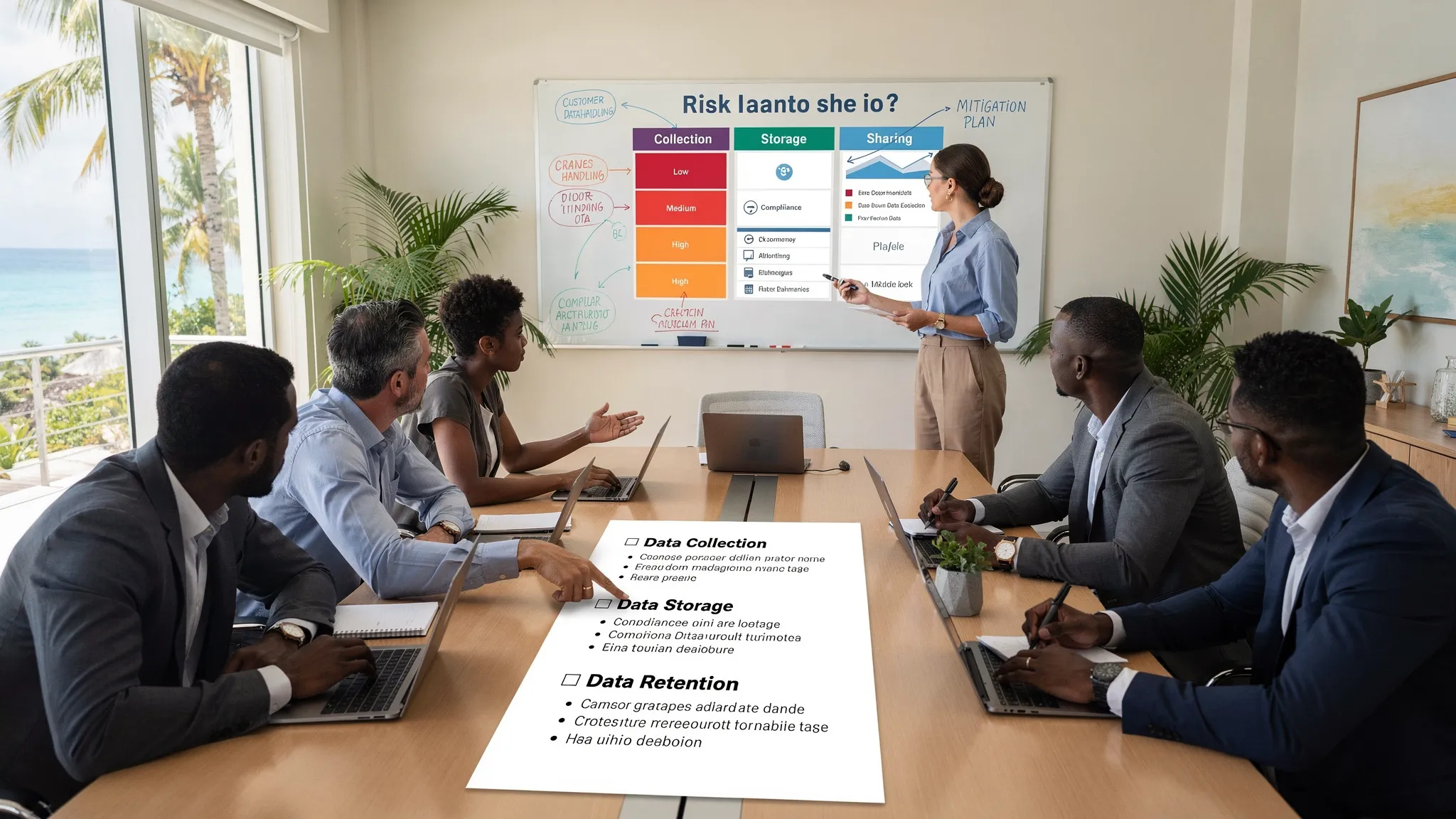
If you want a single view to coordinate teams, use this as a practical “control map” across the lifecycle.
Lifecycle stage | Minimum controls to implement | Primary owner (example) |
Collect | Data minimisation review, clear notices, secure forms | Business owner, privacy lead |
Use | Purpose control, staff procedures, audit logs for sensitive actions | Department heads |
Store | MFA, least privilege, encryption, secure configuration, logging | IT/security |
Share | Vendor due diligence, data processing terms, transfer documentation | Procurement, legal/privacy |
Retain | Retention schedule, system configuration, periodic cleanup | Records owner, IT |
Dispose | Secure deletion, device wipe process, shredding, disposal evidence | IT, facilities, records |
This structure makes “clients privacy” operational. It also prevents privacy being treated as a one-off legal exercise.
When to get support
If your organisation is growing, adopting new customer platforms, migrating to cloud services, or responding to increased customer privacy expectations, an external review can help you move faster and reduce blind spots.
Privacy & Legal Management Consultants Ltd. (PLMC) supports Jamaican organisations with data protection implementation, training, and broader Governance, Risk, and Compliance alignment. If you want help mapping your end-to-end customer data flows, identifying gaps, or prioritising controls, you can start with PLMC’s resources or request a conversation via the PLMC website.
For additional practical guidance, you may also find this helpful: Privacy and data protection: a practical checklist.