

Secure File Sharing: Rules for Teams and External Partners

Sending a spreadsheet to a colleague, uploading board papers for directors or exchanging customer due diligence files with an accountant can feel routine. Yet file sharing is one of the easiest ways for personal data, confidential business information and regulated records to leave an organisation without proper control.
For Jamaican organisations working toward data protection compliance, secure file sharing is not only a technology issue. It is a governance issue. The right rules help staff move work forward without exposing personal information, breaching confidentiality or losing evidence of who accessed what.
Secure file sharing works best when teams and external partners follow the same simple discipline: classify the file, choose an approved channel, limit access, verify the recipient, record the reason for sharing and remove access when the need ends.
Why secure file sharing needs formal rules
Under Jamaica's Data Protection Act, 2020, organisations that handle personal data are expected to use appropriate technical and organisational measures to protect that data from unauthorised or unlawful processing, accidental loss, destruction or damage. File sharing sits directly inside that obligation.
The risk is not limited to obvious cyber attacks. Many incidents come from everyday habits, such as emailing attachments to the wrong person, saving client files in a personal cloud account, giving an external partner permanent access to a folder or sharing more data than the partner needs.
A secure file sharing standard gives staff a clear answer before they act. It should define what can be shared, which tools are approved, who may share files externally, how long access should last and what to do if a mistake occurs. If your organisation is already improving its broader confidentiality and data handling rules, file sharing should be treated as one of the practical behaviours inside that framework.
Start with classification before transmission
The first rule is simple: do not choose the sharing method until you know the sensitivity of the file. A lunch menu, a draft marketing flyer and a spreadsheet containing customer identification numbers should not follow the same process.
A practical classification model does not need to be complicated. It needs to be understood and used.
Classification | Typical examples | Sharing rule |
Public | Published brochures, public notices, approved press releases | May be shared openly once approved for publication |
Internal | Staff announcements, internal templates, non-sensitive operating notes | Share inside approved work systems only |
Confidential | Contracts, board papers, employee records, customer lists, vendor pricing | Share only with named recipients using controlled access |
Restricted | TRN data, health information, financial records, AML files, investigation material | Share only when authorised, encrypted where appropriate and logged |
Classification should happen before a file is uploaded, emailed or copied into a shared workspace. Where staff are unsure, the safer rule is to treat the file as confidential until the owner, privacy lead or manager confirms otherwise.
Use approved channels only
Secure file sharing fails quickly when staff use whatever is most convenient. Personal email accounts, personal cloud drives, consumer messaging apps and unsecured USB drives may feel fast, but they often remove organisational control over access, retention and audit trails.
Approved channels should give the organisation the ability to authenticate users, restrict access, revoke links, apply expiry dates, monitor activity and preserve records when needed. The precise tools will differ by organisation, but the rule should be consistent: staff must not create unofficial routes for personal data or confidential documents.
If your policy says that a platform is approved only for internal collaboration, staff should not use it to send restricted files to external partners. If messaging apps are allowed for coordination, that does not automatically mean they are allowed for identity documents, payroll records or customer files.
This is where policy wording matters. A policy that simply says staff must keep data secure is too broad to guide behaviour. A better approach explains which channels are allowed for each file type, which channels are prohibited and who can approve an exception. Organisations reviewing their internal documents may find it useful to revisit how to write a data security and privacy policy that people follow.
Share links instead of attachments when controls matter
Email attachments are hard to control after they leave the sender's mailbox. They can be forwarded, downloaded, saved locally or opened on unmanaged devices. For sensitive files, a controlled link is usually safer because access can be changed after sharing.
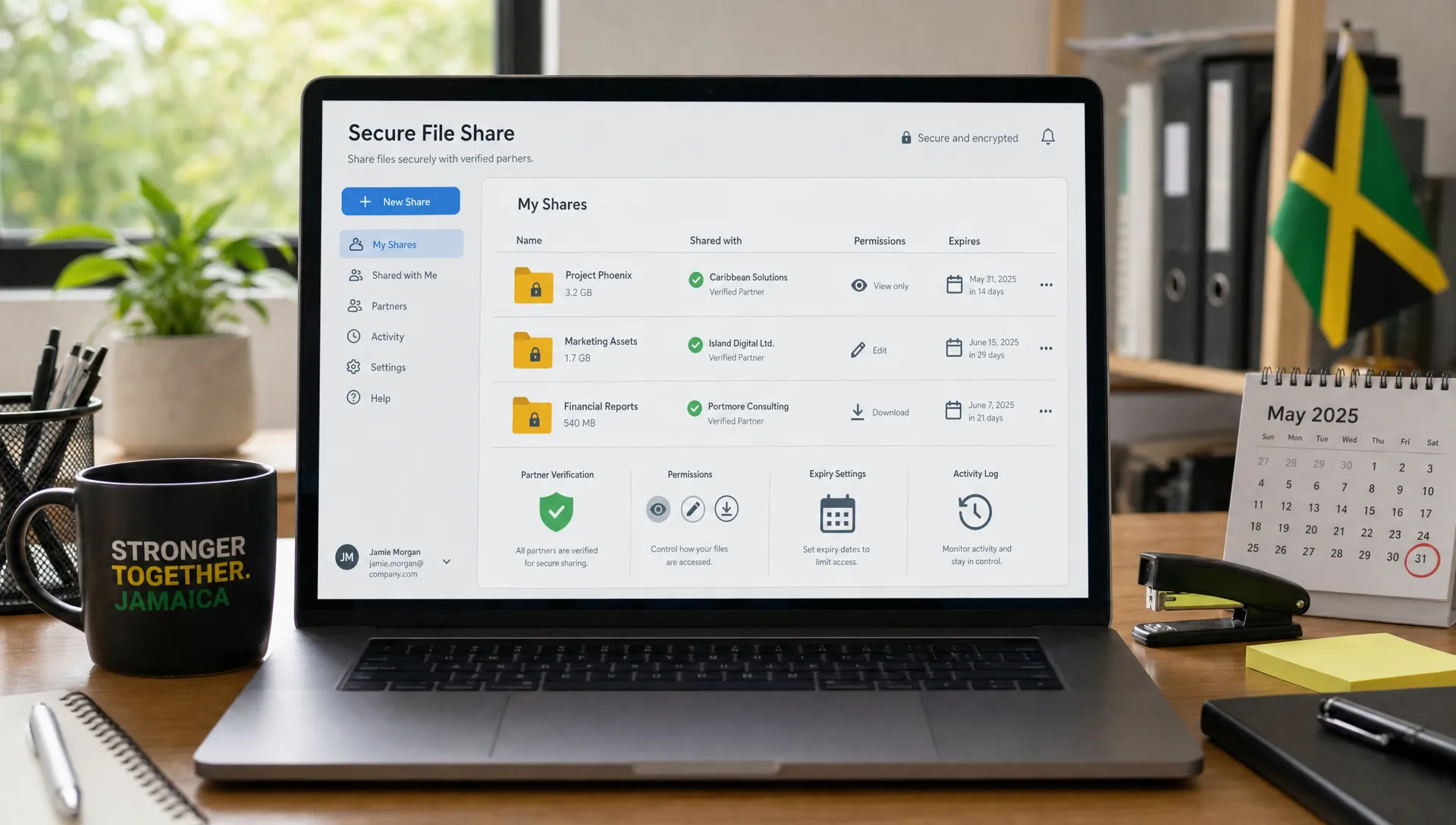
A controlled link allows the file owner or administrator to set conditions, such as named user access, view-only permission, download restrictions, expiry dates and revocation. This does not make every link safe. Public links, links that work for anyone with the URL and links without expiry should be avoided for confidential or restricted files.
The safest default for personal data is a named recipient link with the lowest access level required. If the recipient only needs to review a document, do not give edit access. If the recipient needs access for one week, do not give access for one year.
Apply least privilege to every shared file
Least privilege means each person gets only the access they need for the work they are authorised to perform. It sounds basic, but it is often ignored when teams create large shared folders and leave access open indefinitely.
Use these rules as a baseline:
Give view-only access unless editing is required.
Share with named people or approved groups rather than anyone with the link.
Set expiry dates for external access whenever possible.
Remove access when a project, audit, transaction or review ends.
Avoid granting folder-level access when a single file will do.
Folder access deserves special care. A partner may need one contract, but folder-level access could expose employee records, old drafts or unrelated client documents. If a folder contains mixed sensitivity levels, clean it up before sharing or create a separate partner workspace with only the required files.
Verify the recipient and purpose before sending
Many file sharing incidents are caused by small human errors. Autocomplete selects the wrong person. A staff member uses an old vendor contact. A partner forwards a request from an unfamiliar address. A team member shares a file because the request sounds urgent.
Verification should be built into the workflow, especially for confidential and restricted files. Before sharing, staff should confirm the recipient's identity, organisation, email domain, business need and authority to receive the information. For unusual requests, use a separate trusted channel to verify the request, such as a known phone number or a previously approved contact list.
Purpose matters as much as identity. If a partner asks for an entire customer database to answer a narrow question, the request should be challenged. Share the minimum data needed for the specific purpose.
Rules for sharing files with external partners
External partners often need access to data to provide legal, accounting, payroll, IT, marketing, logistics, AML or professional services. That access can be legitimate and necessary, but it should never be informal.
Before sharing personal data or confidential files externally, the organisation should confirm that the partner relationship is properly governed. This may include contract terms, confidentiality obligations, data protection clauses, cyber security expectations, retention rules and breach reporting requirements. Where personal data may be accessed from outside Jamaica, the organisation should assess applicable transfer requirements and any additional safeguards required by law or contract.
The UK Information Commissioner's Office offers helpful general guidance on responsible data sharing through its data sharing code of practice. Jamaican organisations should use local legal and regulatory requirements as the primary reference, but international guidance can support good practice where it aligns with local obligations.
A practical external partner file sharing pack should answer these questions before access is granted.
Control area | What to confirm |
Authority | Who approved the sharing and why the partner needs the file |
Scope | Which files, fields or records are necessary for the agreed purpose |
Access | Named users, permission level, expiry date and authentication requirements |
Security | Encryption, secure storage, device controls and restrictions on onward sharing |
Retention | How long the partner may keep the file and how deletion will be confirmed |
Incident handling | Who must be contacted if a file is lost, misdirected or accessed improperly |
Common file sharing mistakes to stop now
A good secure file sharing programme focuses on the behaviours that cause the most exposure. The following mistakes are common across organisations of many sizes.
Mistake | Why it creates risk | Better rule |
Sending sensitive attachments by email | The sender loses control after delivery | Use controlled links with named access |
Sharing entire folders with partners | Unrelated files may be exposed | Share only the specific files required |
Using public links | Anyone with the link may access the file | Require authenticated access |
Keeping partner access open indefinitely | Former users may retain access after the work ends | Use expiry dates and periodic reviews |
Storing work files in personal accounts | The organisation loses oversight and records | Use approved organisational systems |
Sending passwords in the same message as the file | A compromised message exposes both | Send passwords through a separate channel |
These are not only IT issues. They involve management approval, staff training, privacy review and consistent enforcement. Secure sharing becomes easier when data protection and security are aligned around people, process and technology, rather than treated as separate workstreams.
Technical controls that support secure file sharing
Technology should make the approved behaviour the easiest behaviour. If staff have to fight the system every time they share a document, they will look for shortcuts.
Useful technical controls include multi-factor authentication, role based permissions, encryption in transit and at rest, audit logs, data loss prevention rules, device management, secure backup, automatic expiry for external links and alerts for unusual sharing patterns. Organisations handling high volumes of personal data may also need stronger controls for privileged users, administrative accounts and third-party integrations.
The National Institute of Standards and Technology frames cyber security around the functions of govern, identify, protect, detect, respond and recover in the NIST Cybersecurity Framework. That structure is useful for file sharing because it reminds organisations that protection is not enough. You also need governance, monitoring, response and recovery.
Audit logs deserve particular attention. If a file is shared externally, the organisation should be able to answer who shared it, with whom, when it was accessed, what permissions were granted and when access was removed. Without logs, it is much harder to investigate suspected misuse or prove that controls were followed.
What to do when a file is shared incorrectly
Even strong controls will not prevent every mistake. Staff need a clear, blame-aware reporting path so errors are raised quickly rather than hidden.
If a file is sent to the wrong recipient, shared too broadly or uploaded to the wrong location, the sender should act immediately. Revoke the link if possible, ask the unintended recipient not to access or forward the file, notify the internal privacy or security contact and preserve relevant evidence such as timestamps, recipient details and file names.
The organisation should then assess the incident. The assessment should consider what data was involved, who may have accessed it, whether the data was protected, the possible harm to individuals and whether breach notification obligations apply. The response should also identify the root cause. Was the mistake caused by poor training, unclear policy, weak configuration or an exception that became normal practice?
Do not punish good-faith reporting in a way that discourages future disclosure. Correct the control and reinforce the rule. Repeated careless behaviour may require management action, but silence is usually more dangerous than the original mistake.
Training teams and partners on the rules
Secure file sharing rules only work if people can apply them during a busy workday. Training should use realistic examples from the organisation's operations, such as sending payroll files to a provider, sharing board papers with directors, transferring customer records to a service partner or responding to an auditor.
Good training covers the decision process, not only the platform buttons. Staff should know when to stop, who to ask, how to classify a file, how to set permissions, how to verify an external contact and how to report an error.
External partners also need clear instructions. When a partner receives access, provide the rules in writing: no onward sharing without approval, no local saving unless authorised, no use for unrelated purposes, deletion at the end of the engagement and immediate reporting of suspected compromise.
A 30 day rollout plan for secure file sharing rules
A secure file sharing programme can begin with a focused 30 day improvement plan. The aim is not perfection. The aim is to reduce obvious risk, document decisions and create a repeatable control model.
Timeframe | Action | Output |
Week 1 | Identify common file sharing channels and high-risk data flows | Inventory of tools, teams, partners and file types |
Week 2 | Define classification levels and approved sharing methods | Practical sharing matrix for staff |
Week 3 | Configure permissions, expiry defaults and external sharing restrictions | Safer platform settings and administrator controls |
Week 4 | Train staff, brief partners and test incident reporting | Evidence of awareness and a working escalation path |
After the first month, schedule periodic access reviews. External sharing should be checked regularly, especially for former partners, completed projects, dormant accounts and shared folders with broad permissions.
Frequently Asked Questions
What is secure file sharing? Secure file sharing is the controlled transfer or access of files using approved tools, defined permissions, authentication, monitoring and retention rules. It protects the file before, during and after sharing.
Is email acceptable for sharing personal data? Email may be acceptable for low-risk information if your organisation permits it, but sensitive personal data is usually better shared through controlled links, encryption and named recipient access. Follow your internal policy and classification rules.
Should external partners get access to shared folders? Only when folder access is necessary and the folder contains only the files the partner is authorised to use. In many cases, sharing specific files through a controlled workspace is safer.
How long should external access remain open? Access should last only as long as the business purpose requires. Use expiry dates where possible and remove access when the project, contract, audit or service activity ends.
Who owns secure file sharing in an organisation? Ownership is shared. Business teams own the purpose and accuracy of sharing, IT or cyber security owns technical controls and privacy or compliance teams oversee data protection obligations. Senior management should ensure the rules are approved and enforced.
Make secure file sharing part of your compliance programme
Secure file sharing protects more than documents. It protects customers, employees, partners and the organisation's reputation. The most effective approach combines clear rules, configured systems, trained staff and accountable external partners.
Privacy & Legal Management Consultants Ltd. supports Jamaican organisations with data protection implementation, corporate governance, cyber security, anti-money laundering compliance, GRC integration, training and risk assessment support. If your organisation needs help reviewing its file sharing practices or strengthening privacy compliance, visit Privacy & Legal Management Consultants Ltd. to explore how PLMC can assist.