

Employee Offboarding Checklist for Revoking System Access

An employee offboarding checklist should do more than tell IT to disable an email account. A departing employee may still have active cloud sessions, access through a personal device, shared passwords or administrator privileges in an application that sits outside the company’s main login system.
For Jamaican organisations, closing these gaps supports data protection compliance and protects customer information, business records and operational continuity. The process needs a named coordinator, an authorised access cut-off time and evidence that each action worked. Disabling an account is a step, not proof that access has ended.
Employee offboarding checklist: responsibilities and evidence
Use this checklist for employees, contractors, temporary workers and other people whose authorised access is ending. Adapt it to the systems they actually use. HR should authorise the departure process, while IT and individual system owners carry out and verify the technical changes.
Check | Action | Suggested owner | Evidence to retain |
☐ | Confirm identity, departure details and the authorised cut-off time | HR and line manager | Approved offboarding request |
☐ | Identify accounts, devices, privileges and business records | IT and line manager | Reconciled access inventory |
☐ | Arrange business handover and identify records requiring preservation | Manager and records owner | Handover and preservation instructions |
☐ | Block central sign-in and terminate supported active sessions | Identity administrator | Timestamped administrative logs |
☐ | Revoke application, remote access and privileged access | IT and application owners | System-specific completion records |
☐ | Revoke personal tokens and address shared credentials | IT and service owners | Revocation and rotation records |
☐ | Recover equipment and remove authorised work access from personal devices | IT and facilities | Asset receipts and management logs |
☐ | Transfer business records and apply retention rules | Records owner and IT | Transfer and retention decisions |
☐ | Verify closure and record any approved exceptions | Coordinator and system owners | Verification results and sign-off |
These are recommended controls, not a statutory form. Set internal completion targets according to risk, system capability and the circumstances of the departure.
Before the departure: establish scope and timing
Open one controlled offboarding record
Create a single ticket or record that connects HR, the manager, IT, facilities and relevant application owners. Record the person’s unique identifier, known usernames, final working date, approved cut-off time and time zone. Include a named coordinator who follows up on incomplete tasks.
Restrict the record to people who need it. Technical teams usually need clear instructions and timing, not detailed disciplinary allegations or personal employment information.
Coordinate restrictions with HR, particularly for an involuntary departure. For a suspected security incident, use the incident response process alongside offboarding so evidence is preserved and containment is not delayed.
Build an inventory beyond the company directory
Compare the identity directory with the manager’s handover, asset records, application registers and available access reports. A directory account list alone will miss locally managed accounts and some external services.
Check email, cloud storage, VPN, remote desktop, finance and payroll applications, customer databases, collaboration tools, code repositories, password managers and backup systems. Include less obvious services such as social media administration, domain registration, website hosting and online banking.
Identify separate administrator accounts, guest access in partner organisations and third-party portals. Where providers control access, send an authorised removal request and obtain confirmation rather than treating the request itself as completion.
Separate business access from continuing entitlements
The cut-off should end unauthorised access to business systems without accidentally removing legitimate post-employment arrangements. For example, an organisation may provide a separate, restricted route for former employees to obtain payslips or employment documents.
Document any continuing access, its purpose, owner and expiry date. Do not leave the former employee’s ordinary company account active merely because one administrative task remains unfinished.
At the cut-off: revoke access across every route
Block sign-in and address existing sessions
Disable or suspend the central identity account at the authorised time. Remove privileged role assignments and check for secondary identities, including separate administrator accounts.
Then use the identity platform’s supported controls to revoke sessions and refresh tokens. A password reset or account suspension may not immediately end every active application session. Some applications retain their own sessions, and some access tokens remain usable until expiry unless the service supports earlier revocation.
Record these limitations and apply available containment controls. For a high-risk departure, this may require application-level suspension, device restrictions or other measures rather than waiting for a token to expire.
Account management and personnel termination are addressed in NIST SP 800-53 Rev. 5, including controls AC-2 and PS-4. These provide a useful control reference, not a substitute for assessing the organisation’s systems and legal obligations.
Close direct application and remote access
Single sign-on simplifies access management, but disabling it does not prove that every connected service is closed. Check whether each application permits a local password, alternative identity provider or separate administrator login.
Suspend or remove the person’s application access as appropriate. Remove group memberships, shared mailbox permissions, delegated calendar access and access to collaboration spaces. Check VPN accounts, remote support tools, virtual desktops and certificates used for remote authentication.
Where automated provisioning is used, verify that the removal reached the target application successfully. Failed synchronisation, unsupported account types and manual exceptions can leave access behind.
Review externally shared files and links the person created. Revoke links that are no longer justified, particularly links usable without signing in. Preserve approved business sharing by assigning a new owner rather than leaving it dependent on the departing employee.
Revoke tokens and address shared credentials
Review user-owned API keys, personal access tokens, SSH keys, app passwords and third-party application authorisations. These can provide access independently of an ordinary interactive login.
Revoke the person’s credentials and remove their access to password vaults. Rotate shared secrets they knew where continued knowledge creates a risk. Prioritise administrator, infrastructure, financial and production credentials.
Treat service accounts differently from personal accounts. Do not delete an integration identity simply because the employee created it. Identify its business owner, dependencies and recovery arrangements, then transfer control and rotate credentials in a controlled way. Confirm that scheduled jobs and integrations still work afterwards.
Update recovery email addresses, recovery phone numbers and authentication methods attached to organisational accounts. Otherwise, a former employee’s personal contact details could remain part of the recovery process.
Recover devices and physical access
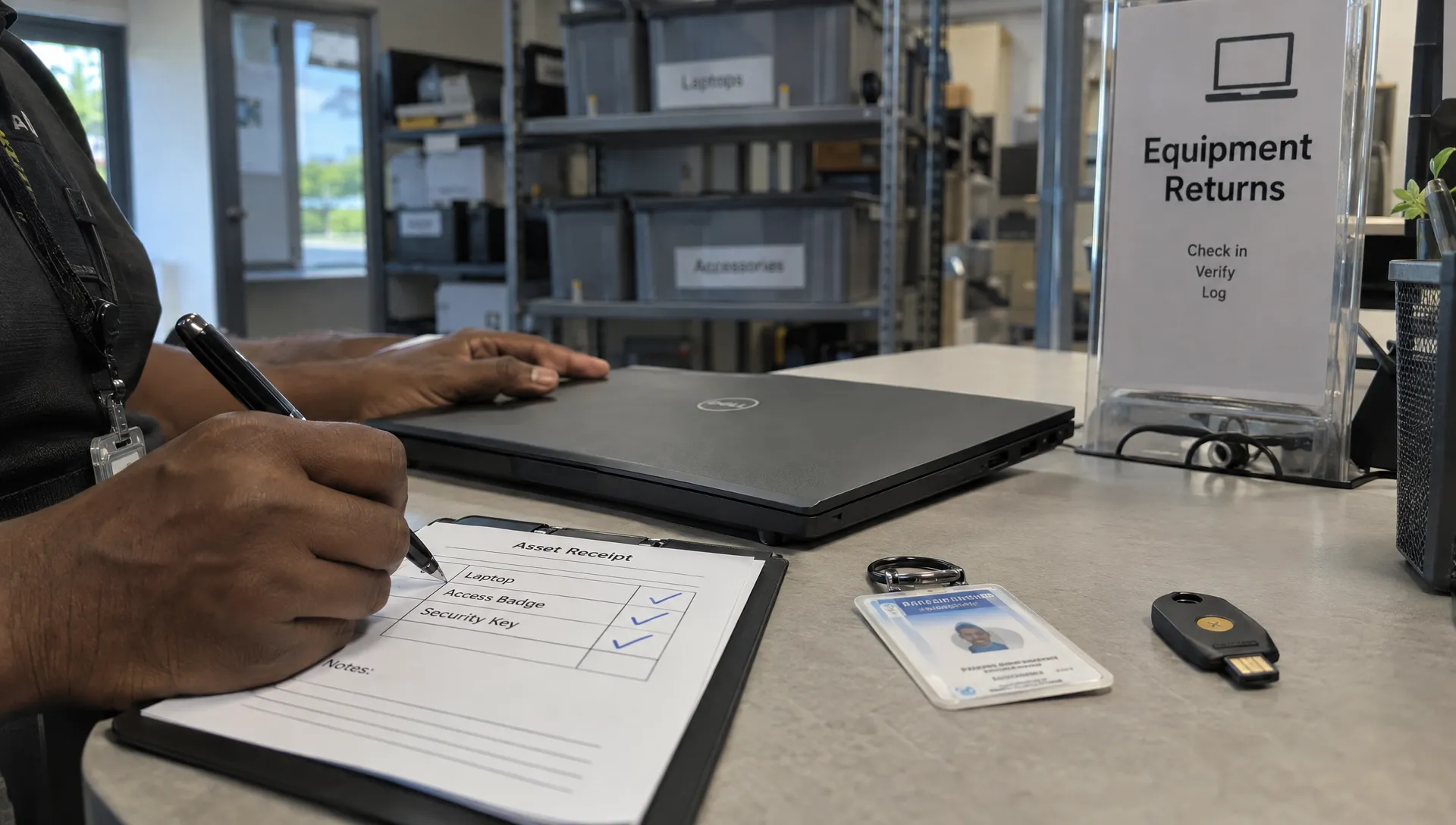
Collect laptops, phones, security keys, smart cards, access badges and other issued equipment. Record asset identifiers and the condition received. Revoke relevant device certificates and remove building access at the agreed time.
For personal devices, use only authorised work-data removal controls within the organisation’s policy and technical capability. Selective removal is not available on every device or application. Avoid wiping personal content without an appropriate legal basis and authorisation.
A missing device is not simply an incomplete asset return. If company information could remain accessible, follow the organisation’s incident process and the practical containment steps for a lost laptop or stolen mobile phone.
Preserve business records without retaining unnecessary access
Transfer ownership instead of sharing the former employee’s login
Move necessary documents, project ownership, approval responsibilities and service administration to authorised successors. Where possible, arrange the handover before the cut-off, then complete any remaining transfer through administrative controls.
Do not give a manager the former employee’s password or allow colleagues to continue working under that identity. This weakens accountability and makes later activity difficult to attribute.
For email continuity, consider a neutral automatic reply or a role-based contact address. Any delegated mailbox access should have a defined purpose, limited permissions, an expiry date and an audit trail. Avoid blanket forwarding of all messages to a manager without reviewing privacy, confidentiality and operational needs.
Apply privacy limits to mailbox and file reviews
Departure does not remove the organisation’s responsibilities towards personal information in an employee’s mailbox or files. Reviews should be necessary for a defined business, legal or security purpose and limited to authorised personnel.
Jamaica’s Data Protection Act, 2020 requires appropriate technical and organisational security measures for personal data. A documented offboarding process helps support that obligation, but the Act does not prescribe this checklist or one universal deadline for every access change. The Office of the Information Commissioner is the Jamaican regulator for data protection.
Before reviewing messages or activity logs, apply the same purpose, transparency and proportionality questions used for employee monitoring. Seek legal advice where investigations, privileged communications or employment disputes complicate access.
Separate access removal from account deletion
Access should end at the authorised time even where records must remain. Retain relevant information under the organisation’s retention schedule and any applicable legal hold. A legal hold may require preservation beyond the usual deletion date.
Do not delete accounts, mailboxes or devices before checking for business dependencies and preservation requirements. Equally, do not retain everything indefinitely because storage is available.
When equipment is ready for reuse or disposal, apply a documented sanitisation process. The organisation’s data disposal checklist for paper files and old devices can support this later stage without confusing it with immediate access revocation.
Verify that the offboarding actions worked
Check outcomes, not just completed tickets
The coordinator should reconcile the original access inventory against completion evidence from each owner. For higher-risk privileges, use an independent reviewer where practicable.
Verification should establish that central sign-in is blocked, application access has ended, supported sessions have been revoked and remote access credentials no longer work. Use administrative status reports, audit logs and approved validation methods. Do not ask anyone to sign in using the former employee’s password as a shortcut.
Review relevant logs for successful access after the cut-off. Investigate unexpected activity, allowing for system time differences and delayed log delivery. Record any known token-expiry window or platform limitation and the measures used to manage it.
Keep evidence proportionate. Record the account identifier, action, system, timestamp, person completing it and verification result. Never copy passwords, recovery codes or active tokens into the offboarding ticket.
Control exceptions and close the record
If an action cannot be completed, record the reason, risk, responsible owner, approval, temporary safeguards and expiry date. An exception should create a tracked task, not an indefinite permission.
Examples include a provider that has not confirmed account removal or an integration that needs controlled credential rotation. Keep these items visible until resolved, even if the employment administration is complete.
Close the offboarding record only when required actions are verified or remaining exceptions are formally accepted under the organisation’s risk process. Periodically reconcile active accounts with HR and contractor records to identify missed departures and dormant accounts.
Frequently asked questions
When should a departing employee’s system access be revoked? At the cut-off authorised through the organisation’s HR and security process. Coordinate the timing with the departure arrangements and risk assessment. A security incident may require immediate containment under a separate incident response procedure.
Is disabling the email account enough? No. Access may remain through cloud sessions, local application accounts, VPN credentials, personal tokens, shared passwords and external portals. Each relevant route needs to be addressed and verified.
Should the organisation delete the account immediately? Not necessarily. Block access promptly, then determine what must be transferred, preserved or deleted. Immediate deletion can disrupt services or remove records needed for legal, regulatory or operational purposes.
Who is accountable when IT is outsourced? The organisation should assign an internal coordinator and require completion evidence from its provider. Outsourcing the technical work does not remove the organisation’s responsibility to govern access to personal data.
Strengthen your offboarding controls
An effective employee offboarding checklist connects HR decisions, technical access removal, records management and verification. Start by testing whether your current process catches access outside the main company directory.
Privacy & Legal Management Consultants Ltd. offers data protection implementation, cyber security services, governance support and training for Jamaican organisations. Request a free consultation to discuss how offboarding fits into your wider privacy and compliance programme.