

Children’s Data: Safer Practices for Schools and Apps
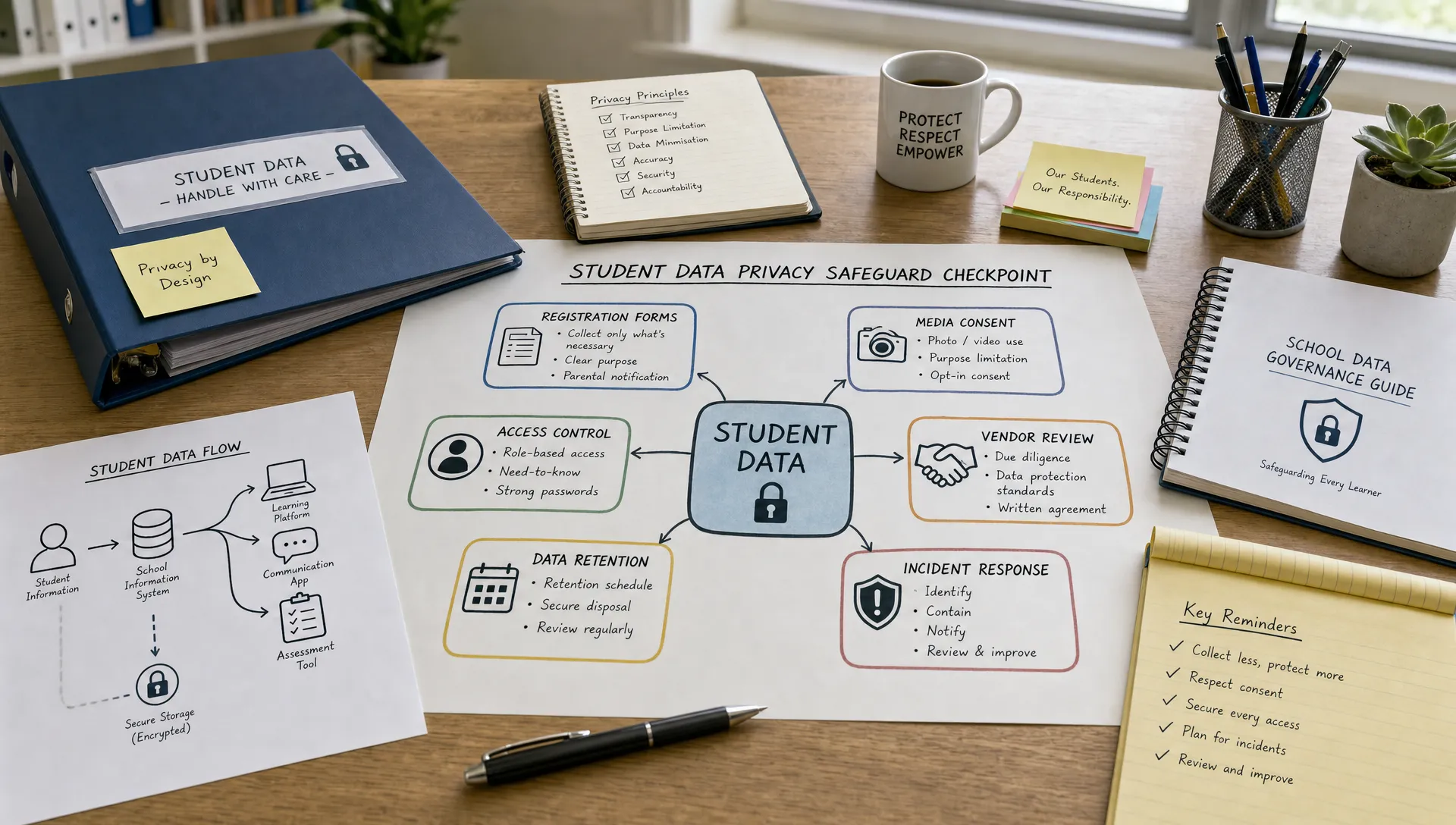
Children’s data deserves a higher standard of care because children often cannot fully understand how their information is collected, shared, analyzed or stored. For schools, tutoring providers, education apps and extracurricular programmes in Jamaica, this is not only a compliance issue. It is a trust issue involving students, parents, teachers, administrators and technology vendors.
A student record is rarely just a name on a form. It may include grades, attendance, health notes, parent contact details, disciplinary history, photos, location information, device identifiers and learning analytics. In the wrong hands, that information can expose a child to embarrassment, discrimination, identity fraud, online grooming, bullying or long-term profiling.
The safer approach is simple in principle: collect less, explain more, restrict access, secure systems and review vendors before children’s data leaves your direct control.
What counts as children’s data?
Children’s data is any personal information that can identify a child directly or indirectly. In a school or app environment, this includes obvious information such as name, date of birth and student ID, but also less obvious information such as login activity, quiz performance, behavioural flags, classroom photos and parent payment details linked to a student account.
Some information requires even more care because it can reveal sensitive facts about a child’s life, health, family or identity. Schools and apps should treat these categories as high risk, even when the data seems routine in daily operations.
Type of children’s data | Common example | Why it needs extra care |
Identity data | Student name, date of birth, ID number | Can be used for impersonation or unauthorized access |
Academic data | Grades, learning support notes, assessment scores | Can affect reputation, placement and opportunities |
Health data | Allergies, medication, disability accommodations | Sensitive and potentially harmful if exposed |
Behavioural data | Discipline records, attendance patterns, app engagement | Can lead to unfair profiling if misused |
Media data | Photos, videos, voice recordings, livestreams | Can be copied, shared or miscontextualized online |
Digital data | IP address, device ID, location, cookies | Can track a child beyond the original learning purpose |
Family data | Parent contacts, emergency contacts, custody notes | Can reveal household circumstances or safety risks |
The key lesson is that children’s data is not limited to what appears in a formal school file. Any system used for learning, attendance, communication, payment, transport, meals, extracurricular activities or online testing may process children’s personal information.
The Jamaica data protection context
Jamaica’s Data Protection Act, 2020 sets out standards for the responsible handling of personal data. Schools, app providers and service vendors may be data controllers, data processors or both, depending on who decides why and how the information is used. The Office of the Information Commissioner is the relevant authority for Jamaica’s data protection framework and is an important source for official updates and guidance.
For children’s data, compliance should not be treated as a paperwork exercise. The practical question is whether the organization can show that personal data is processed fairly, for a clear purpose, with appropriate security, for no longer than necessary and with suitable respect for the rights of the child and parent or guardian.
International standards can also be useful, especially for app providers or schools using platforms hosted overseas. The UK Information Commissioner’s Office has published an Age Appropriate Design Code that offers helpful design principles for online services likely to be accessed by children. It is not Jamaican law, but it is a useful benchmark for privacy-friendly defaults, transparency and data minimization.
If an education app serves users in multiple countries, other laws may also apply, including GDPR in relevant circumstances. Jamaican schools should not assume that a foreign app’s privacy policy automatically satisfies local expectations or protects students adequately.
Safer collection practices for schools
The safest data is often the data you never collect. Schools tend to gather information through registration forms, medical forms, permission slips, parent portals, class apps, CCTV, transportation lists and event sign-ups. Over time, forms can become overloaded with legacy questions that no one remembers how to justify.
Before collecting data, ask three questions: What is the purpose? Who truly needs it? How long will we keep it?
A practical school registration form, for example, may need a child’s full name, parent contact details, emergency contact and relevant medical information. It may not need broad questions about family income, religion, occupation or passport details unless there is a specific, lawful and documented reason.
If your school is reviewing forms or app sign-up flows, the habit of checking for unnecessary fields is essential. PLMC’s guide on how to spot over-collection before it becomes a problem offers useful warning signs that apply well to school environments.
Good collection practices include:
Use separate forms for separate purposes instead of one broad form that collects everything.
Mark optional fields clearly and do not pressure parents to provide unnecessary information.
Avoid collecting national IDs, passport details or financial information unless genuinely required.
Review forms at least annually to remove fields that are no longer needed.
Explain why sensitive information is needed and who will access it.
For children, transparency should be layered. Parents may need a more detailed notice, while students need age-appropriate explanations. A 6-year-old, a 12-year-old and a sixth-form student should not receive privacy explanations written in the same way.
Consent, notices and parental involvement
Consent is often misunderstood in school settings. A signed permission slip does not make every use of a child’s data safe or fair. If consent is used, it should be specific, informed and freely given. For younger children, parental or guardian involvement is usually necessary. For older students, especially teenagers, schools should also consider how to respect the student’s growing capacity to understand privacy decisions.
Schools should be especially careful with photos, videos, livestreams and social media posts. A general consent clause buried in a registration pack is weak protection when a student’s image may be posted publicly, reshared by others or remain online for years.
A better approach is to provide a clear media notice that explains where images may appear, such as school website, social media, newsletters or event programmes. Give parents a real choice where possible, record that choice and make sure teachers and administrators can easily check it before publishing.
For apps, privacy notices should be short, clear and easy to find before sign-up. Avoid vague statements such as we may use information to improve services without explaining what data is used, whether analytics are involved and whether information is shared with third parties.
Access control is a child safety measure
Privacy is not only about hackers. Many incidents happen because too many people inside an organization can see too much information. In a school, not every staff member needs access to health records, counselling notes, disciplinary files or parent financial information.
Access should follow a need-to-know approach. A class teacher may need attendance and assessment information. The nurse may need medical alerts. The bursar may need payment records. A sports coach may need emergency contact details for a trip. Each role should have access that fits the task, not blanket visibility across all student records.
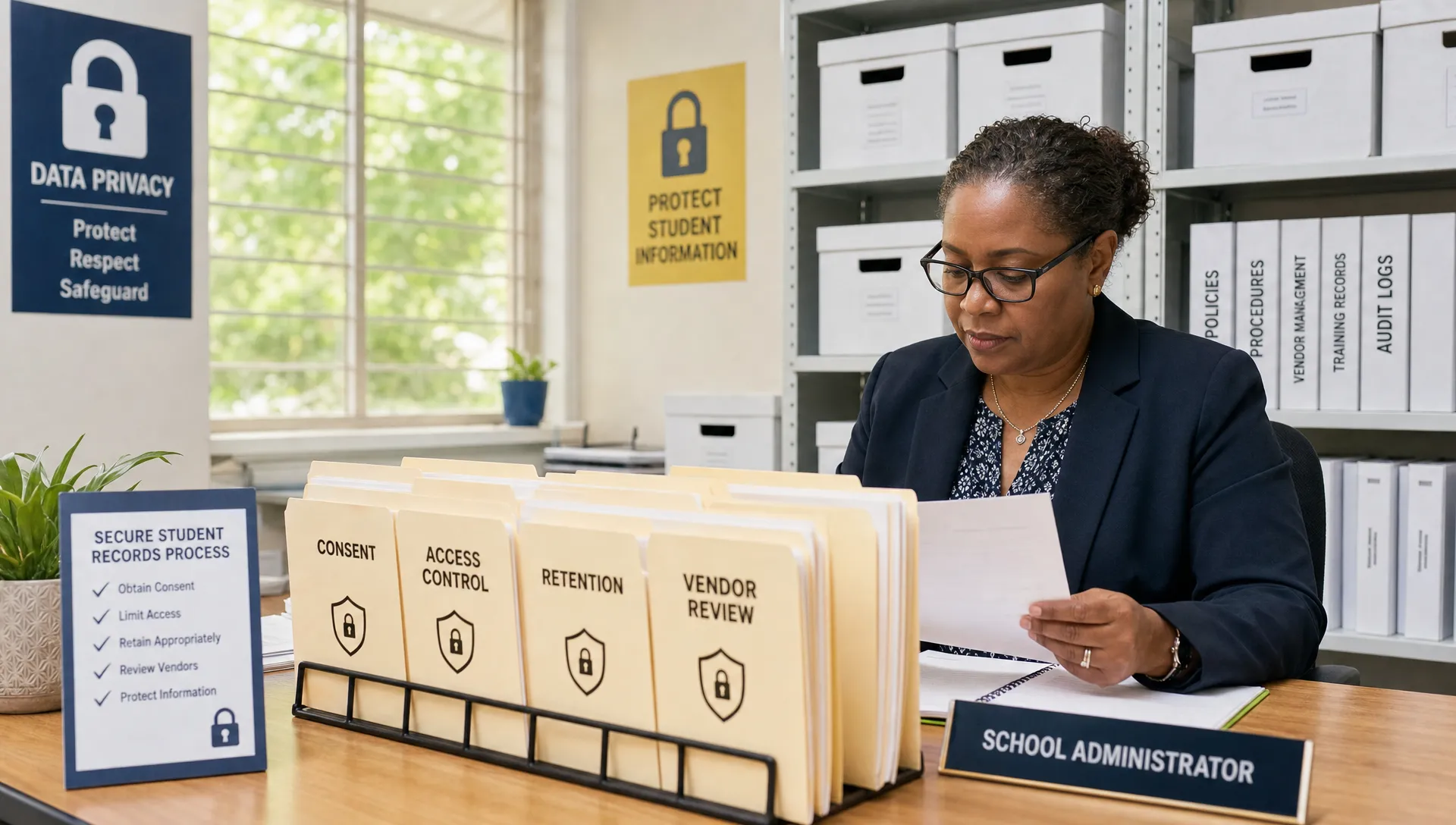
For digital systems, use individual accounts instead of shared logins. Disable accounts promptly when staff leave or change roles. Require strong passwords and multi-factor authentication where available, especially for administrators and cloud platforms. Schools can also use practical measures from PLMC’s data protection security quick wins to reduce common risks quickly.
Safer practices for education apps
Education apps can improve learning, communication and administration, but they can also create privacy risks that are difficult for schools and parents to see. A colourful app interface may hide complex data flows involving analytics tools, cloud hosting, third-party integrations, advertising networks or AI features.
App providers serving children should adopt privacy-by-design from the start. This means the default settings should protect children, not expose them. A child should not have to find hidden settings to avoid unnecessary tracking, public profiles, location sharing or promotional messaging.
Important practices for apps include:
Collect only the data needed for the educational function.
Do not use children’s data for behavioural advertising.
Keep profiles private by default.
Make parent and school controls easy to understand.
Separate educational analytics from marketing analytics.
Give clear deletion and retention options.
Test whether children can understand key privacy messages.
If an app uses artificial intelligence, the provider should be even more transparent. Schools should know what data trains or improves the system, whether student submissions are reused, how outputs are checked for fairness and whether human review is available for significant decisions.
Vendor checks before adopting a school app
Before a school adopts a new app, learning management system, attendance platform or communication tool, someone should review its privacy and security posture. This does not need to be overly complicated, but it should be documented.
At minimum, schools should ask the vendor:
What children’s data do you collect and why?
Where is the data stored and who can access it?
Do you use subcontractors or third-party analytics tools?
Do you use student data for advertising, profiling or product development?
How long do you retain data after a student leaves the school?
Can the school export or delete its data?
What security controls protect student accounts and administrative accounts?
What happens if there is a data breach?
The contract should reflect the answers. A privacy promise on a website is helpful, but it is not a substitute for clear contractual terms on use, security, retention, deletion, breach notification and restrictions on onward sharing.
Schools should also avoid approving apps informally because one teacher likes them or because they are free. Free apps may still have a cost if children’s data is monetized through analytics, advertising or profiling. A simple approval process protects teachers as well as students because it gives staff a clear route for choosing safe tools.
Retention, deletion and student transitions
Children’s data should not be kept forever. A school may need to retain certain records for legitimate educational, legal, financial or safeguarding reasons, but that does not justify keeping every classroom photo, app account, disciplinary note or old spreadsheet indefinitely.
Create a retention schedule that identifies categories of student data and assigns a practical retention period. When the period ends, delete or securely archive the data according to policy. The schedule should cover paper records, email attachments, cloud drives, school management systems, messaging apps and backup files.
Transitions are high-risk moments. When students graduate, transfer, leave a programme or stop using an app, accounts and permissions should be reviewed. Vendors should not continue to hold active student profiles simply because no one requested deletion.
A good retention process answers four questions:
Question | Safer practice |
What do we keep? | Define the record type clearly, such as attendance, grades, health alerts or media consent |
Why do we keep it? | Link retention to an educational, legal, administrative or safeguarding purpose |
How long do we keep it? | Set a defined period and avoid indefinite storage |
How do we dispose of it? | Use secure deletion, shredding or controlled archiving |
Incident response for children’s data
Even careful organizations can experience mistakes or cyber incidents. A laptop may be stolen, an email may be sent to the wrong parent, a spreadsheet may be shared publicly or a vendor platform may be compromised. The difference between a manageable incident and a serious crisis is preparation.
Schools and app providers should have a basic incident response plan that covers reporting, containment, assessment, notification and corrective action. Staff should know whom to contact immediately if they suspect a privacy incident. Waiting several days because no one knows the process can increase harm.
When children’s data is involved, the response should consider the real-world impact on the child, not only the number of records affected. One exposed counselling note or custody-related contact detail may be more serious than a larger list of low-risk information.
The incident review should also lead to improvement. If a teacher accidentally emails a class list externally, the fix may include email delay settings, staff reminders, distribution list controls and a review of whether the spreadsheet was necessary in the first place.
Training staff, students and parents
Policies matter, but daily habits matter more. Teachers, administrative staff, coaches, volunteers and IT personnel all handle children’s data in different ways. Training should focus on realistic situations: WhatsApp messages about students, photos from sports day, printing class lists, sharing grades, using personal devices, approving apps and responding to parent requests.
Short, repeated training is often more effective than one long annual session. Staff should know how to identify personal information, check recipients before sending, challenge unnecessary data requests and report mistakes quickly. PLMC’s article on data privacy training topics employees need most can help schools build practical sessions that staff actually remember.
Students also need privacy education. Children should learn not to share passwords, not to post classmates without permission, not to reveal personal details in public chats and not to assume every app is safe. Parents need plain guidance too, especially when schools introduce new platforms or online learning tools.
A practical 30-day safer practices checklist
Schools and app providers do not need to fix everything at once. A focused first month can reduce risk and create momentum.
Use this checklist as a starting point:
Identify the main systems that store children’s data, including apps, spreadsheets and paper files.
Review the top five forms used to collect student or parent information.
Remove unnecessary fields and update privacy notices.
Check who has access to sensitive student records.
Confirm that former staff accounts are disabled.
Review one major education app or vendor contract.
Create or update a media consent process for photos and videos.
Set a simple retention rule for old classroom files and app accounts.
Run a short staff briefing on one privacy scenario.
Confirm how staff report a suspected privacy incident.
This checklist is not a complete compliance programme, but it moves the organization from good intentions to visible control. The goal is to make safer handling of children’s data part of ordinary school operations.
Frequently Asked Questions
What is children’s data in a school setting? Children’s data is any personal information that identifies or can reasonably relate to a student. It includes names, grades, attendance, photos, health information, parent details, app login data and behavioural records.
Can schools post student photos online with consent? Schools should obtain clear, specific consent and explain where photos may appear. They should also respect refusals, avoid exposing sensitive context and check consent records before posting.
Are education apps responsible for data protection compliance? Yes, app providers have responsibilities when they process personal data. Their exact role depends on whether they decide how and why data is used or process it on behalf of a school.
Should schools use free learning apps? Free apps should still be reviewed. Schools should check what data is collected, whether advertising or analytics are used, where data is stored and whether the vendor provides proper deletion and security commitments.
How often should schools review children’s data practices? Schools should review key practices at least annually and whenever they introduce a new app, change a vendor, update registration forms or experience a privacy incident.
Build safer privacy practices around children’s data
Children’s data protection is not only a legal requirement. It is part of responsible governance, student safety and community trust. Schools and app providers that collect less, explain clearly, secure access and manage vendors carefully are better prepared for Jamaica’s evolving privacy expectations.
Privacy & Legal Management Consultants Ltd. supports organizations in Jamaica with data protection implementation, governance, cyber security, compliance and training. If your school, education provider or app team needs help reviewing children’s data practices, you can request support through Privacy & Legal Management Consultants Ltd..