

How to Provide Privacy Across HR, Sales, and Customer Service

If you run a growing organisation in Jamaica, it is easy to treat privacy as a “legal” task and move on. In reality, the biggest privacy risks (and the quickest wins) usually sit inside day-to-day work in HR, Sales, and Customer Service. Those teams collect the most personal data, share it the fastest, and feel the most pressure to “get it done now”.
This guide shows how to provide privacy across those three functions using practical controls you can implement without slowing the business, aligned with Jamaica’s Data Protection Act expectations of fair processing, security, transparency, and accountability.
Start with one privacy standard that all three teams can follow
Before you write departmental rules, agree a small set of organisation-wide “non-negotiables” that apply everywhere. This prevents HR doing one thing, Sales doing another, and Customer Service improvising.
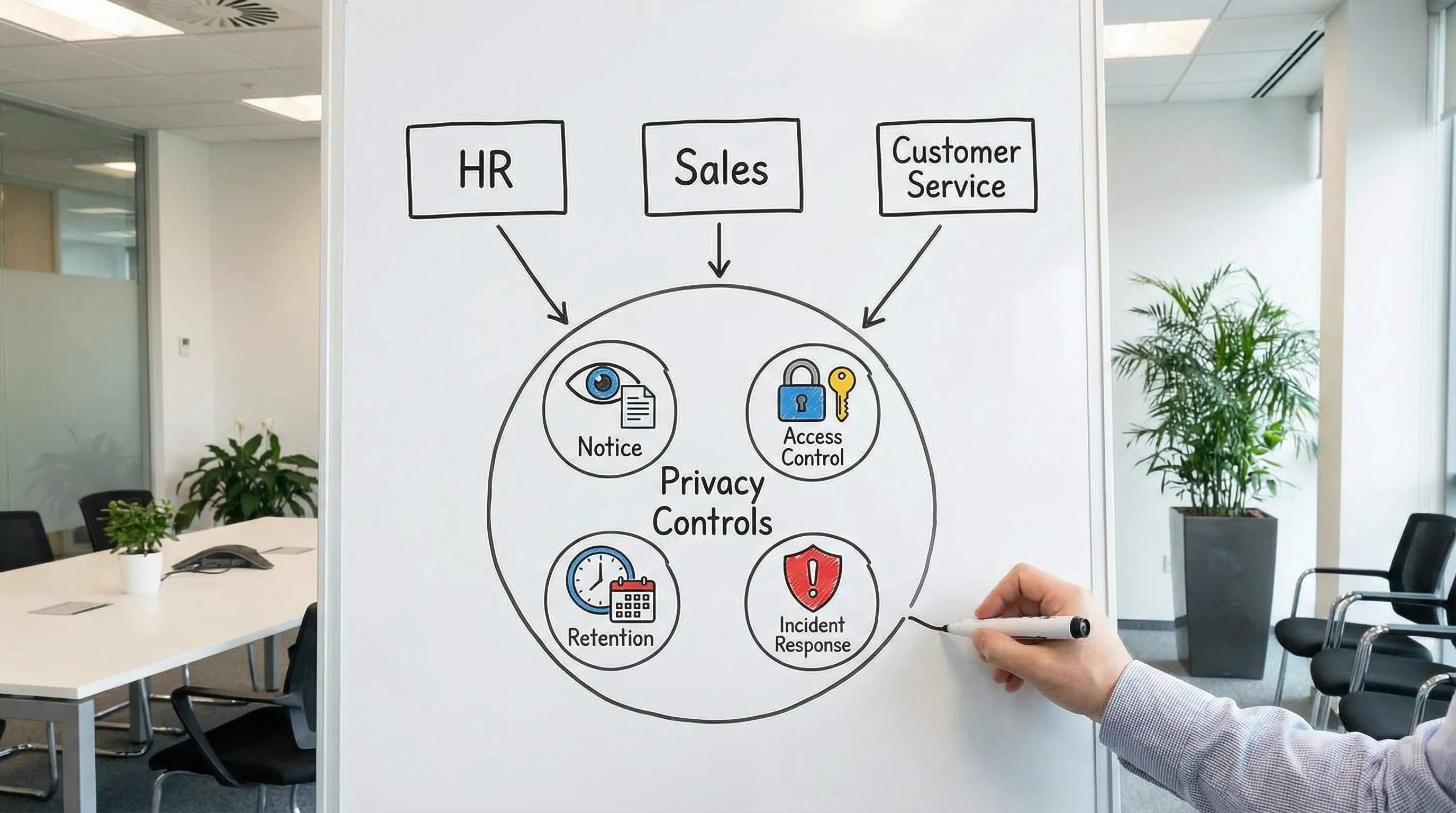
A practical baseline (works across departments)
Collect the minimum: only what you need, for a defined purpose.
Say what you are doing: provide clear privacy information at the point of collection.
Control access: “need-to-know” permissions, not shared inboxes and shared passwords.
Share safely: approved channels, approved recipients, and a record of what was shared.
Keep it only as long as needed: documented retention rules, with secure disposal.
Be breach-ready: staff know how to escalate mis-sends, lost devices, phishing, and suspicious access.
If you need a broader compliance structure, PLMC’s resources on Jamaica’s Data Protection Act and implementation planning can help you set the foundation without rewriting everything from scratch.
Map the real data each team handles (not the org chart)
Privacy programmes fail when the data map is too theoretical. Instead, map workflows: where data comes in, where it is stored, who uses it, and where it goes next.
Use this department-level view as your starting point:
Team | Typical personal data handled | Common channels | Top privacy risks | Controls that usually deliver fast results |
HR | Candidate CVs, references, ID docs, TRN, bank details, medical data (where applicable), performance notes | Email, ATS/HRIS, WhatsApp, shared drives, paper files | Oversharing internally, storing CVs indefinitely, sensitive data in email, weak offboarding access removal | Retention rules for CVs, role-based HR folder permissions, secure collection method for IDs, offboarding checklist |
Sales | Leads, contact details, call notes, proposals, meeting recordings, CRM activity | CRM, email, phone, WhatsApp, web forms | Contacting without clear notice, excessive data in CRM notes, forwarding lead lists, personal devices | Lead privacy notice, CRM field discipline, approved messaging channels, deletion/opt-out workflow |
Customer Service | Account details, addresses, call recordings, chat transcripts, complaints, refunds info | Call centre tools, ticketing system, email, live chat, social media DMs | Weak identity verification, discussing accounts in public channels, misdirected emails, over-collection during support | Verification scripts, masking/redaction, secure templates, “move to private channel” rules |
Provide privacy in HR (recruitment, employee lifecycle, and sensitive data)
HR data is uniquely sensitive because it often includes identity documents, financial info, and sometimes health-related or disciplinary details. Good HR privacy is less about long policies and more about tight handling routines.
Recruitment: collect less, store less, share less
Common Jamaican pain point: CVs and interview notes scattered across email, personal WhatsApp threads, and shared folders.
Practical HR controls:
Standardise the intake: route applications through a single channel (a form, an ATS, or a dedicated mailbox with restricted access).
Separate “nice to have” from “need to have”: do not request IDs, TRN, bank details, or medical information at application stage unless you genuinely need it then.
Restrict internal sharing: interview panels should receive only what they need (for example, CV and role-relevant notes), not full ID packs.
Define candidate retention: set a rule for unsuccessful candidates (how long you keep CVs and notes, and why). Apply it consistently.
Employee records: design access around roles, not seniority
A frequent gap is broad “HR folder” access that includes payroll, performance, and disciplinary records. Consider splitting employee records into controlled areas.
Example access model:
Recruitment folder: HR recruitment team only.
Payroll folder: payroll staff only, with audit logs where possible.
Performance and disciplinary folder: limited HR plus named decision-makers.
Also include practical handling rules:
No employee documents to personal email.
Avoid storing scanned IDs in general shared drives.
Lock down printing, and keep a clean-desk habit for sensitive files.
References and background checks: transparency matters
Where you contact referees or perform checks, ensure the candidate is informed early and your process is consistent. Keep reference content relevant, factual, and stored securely with limited access.
HR “scripts” that reduce risk without adding friction
Use short, consistent language that staff can copy and paste:
Scenario | Privacy-forward message template |
Requesting additional recruitment info | “Thanks for your application. We will use the information you provide to assess your suitability for the role. Please send only information relevant to the position.” |
Collecting sensitive docs at onboarding | “We are requesting these documents for onboarding and payroll purposes. Please submit via [approved channel]. Do not email ID documents unless instructed.” |
Sending interview packs internally | “Shared for interview purposes only. Please do not forward, download to personal devices, or store outside the recruitment folder.” |
Provide privacy in Sales (lead capture, CRM discipline, and respectful outreach)
Sales teams often feel privacy rules will reduce conversion. In practice, the opposite is usually true: clear privacy improves trust, reduces complaints, and keeps your CRM usable.
Lead capture: notice at the point of collection
Where Sales collects leads (web forms, events, referrals, LinkedIn, partner lists), the person should not be surprised when contacted.
Practical steps:
Add a short privacy statement wherever you collect contact details, with a link to your full privacy notice.
Keep the form lean: name, contact method, and the reason for contact are often enough.
Record the source in the CRM (event name, website form, referral), so you can explain how you got the data.
If you are reviewing your organisation’s overall transparency approach, PLMC’s educational resources can help you align notices and internal practices.
CRM notes: the hidden privacy risk
CRMs become a dumping ground for sensitive details (“client is in a custody dispute”, “medical condition”, “financial hardship”). This can create unnecessary exposure.
Set a simple rule: CRM notes must be business-relevant and proportionate.
Practical CRM controls:
Create guidance on what to avoid (health details, children’s info, ID numbers, unrelated gossip).
Use structured fields rather than long free-text notes where possible.
Restrict exports of lead lists, and log who exported and why.
WhatsApp and personal devices: manage the reality
In Jamaica, WhatsApp is heavily used in business. Banning it without alternatives rarely works. Instead:
Define approved scenarios for messaging (for example, appointment confirmations).
Avoid collecting sensitive personal data over chat.
Require staff to move account-specific issues into controlled channels (ticketing system, secure email, recorded calls).
Put basic expectations into a mobile/BYOD rule (screen locks, no sharing devices, no backing up work chats to personal cloud accounts).
Sales handoffs: protect the customer experience
When Sales hands over to Customer Service or onboarding teams, send only what is needed. Use a standard handoff template with minimal fields and avoid forwarding entire email chains.
Provide privacy in Customer Service (verification, redaction, and safe channels)
Customer Service is where privacy issues become immediate: wrong recipient emails, weak identity checks, and sensitive conversations in public channels.
Identity verification: use a consistent, low-risk approach
The objective is to confirm the person is authorised without collecting excessive data.
Good practices:
Use multi-factor verification based on existing account information (for example, last transaction amount, recent service request reference, or account-specific questions).
Avoid requesting full ID numbers unless required, and never request them in public channels.
Keep a rule for “high-risk actions” (address change, password reset, refunds) that require stronger checks.
Public channels (social media comments, public posts): move to private fast
For customer complaints on public pages:
Acknowledge and move the conversation to DM or a ticket channel.
Do not ask for personal details publicly.
Use a standard line staff can deploy quickly.
Example: “We can help. Please send us a direct message with your contact number or reference, and we will continue privately.”
Emails and attachments: reduce mis-sends
Misdirected emails are one of the most common incidents. Reduce the risk with:
Approved templates for common responses.
A “two-step check” for emails containing statements, invoices, or account details (verify recipient, verify attachment).
Password-protected documents for sensitive attachments, with the password shared via a separate channel.
Call recordings and chat transcripts: be intentional
If you record calls or store chat transcripts:
Inform customers that recording is taking place (and why).
Limit access to recordings and transcripts to those who need them.
Set retention periods and deletion routines.

Align the three teams with shared “privacy operations”
Department fixes are not enough if the organisation lacks shared processes. These are the operational pieces that keep privacy consistent across HR, Sales, and Customer Service.
One incident escalation path (so staff do not hide mistakes)
Staff should know exactly what to do if they:
email the wrong person
lose a device
click a phishing link
discover unauthorised access
Make reporting blame-free and fast. A delayed escalation often increases harm.
One rights request workflow (access, correction, deletion)
Requests from individuals do not arrive neatly labelled. They show up as:
“What information do you have on me?”
“Stop contacting me.”
“Delete my account.”
HR, Sales, and Customer Service must know how to recognise these and route them to the right internal owner for tracking and response.
If you need a starting point for operational readiness, PLMC’s practical checklist and compliance roadmap content can help your team standardise evidence and workflows.
Vendor and tool discipline (HRIS, CRM, ticketing, cloud storage)
Most personal data sits in third-party systems. At minimum:
know which vendors process personal data
ensure contracts include appropriate confidentiality and security expectations
control admin access and offboarding
review integrations that move data between tools
Training by role, not generic annual slides
A single privacy presentation for everyone rarely changes behaviour. Build short, scenario-based training per team:
HR: handling CVs, IDs, medical data, internal sharing
Sales: lead sources, CRM note discipline, messaging etiquette
Customer Service: verification, public channel handling, mis-send prevention
Frequently Asked Questions
Do we need different privacy notices for HR, Sales, and Customer Service? Often you need one overarching privacy notice plus short, context-specific notices at collection points (job applications, lead forms, support channels) to reduce surprises.
Can we use WhatsApp for customers and still provide privacy? Yes, if you set rules for what can be discussed, move sensitive conversations to controlled channels, and manage device security and access. Avoid collecting IDs or sensitive details in chat.
What is the quickest privacy improvement for Customer Service? A consistent identity verification script and a strict “move to private channel” rule for social media are usually the fastest risk reducers.
What HR data is most sensitive from a handling perspective? Identity documents, bank details, disciplinary records, and any health-related information require tighter access controls and careful sharing practices.
How do we stop the CRM from becoming a privacy problem? Create simple rules for what cannot be recorded, limit free-text fields, restrict exports, and train Sales on writing business-relevant notes only.
Need help implementing privacy across departments?
Providing privacy across HR, Sales, and Customer Service is a governance and operations project, not a policy rewrite. If you want practical help mapping workflows, tightening controls, training teams, and aligning your programme with Jamaica’s Data Protection Act expectations, PLMC can support you with implementation, risk assessments, and training.
Explore resources at Privacy & Legal Management Consultants Ltd. or request a free consultation to discuss your current gaps and priorities.